
Buying Guide
The Best USB-C and Thunderbolt Docks for Surface Pro and Surface Laptop
By Jamie Cole, Lead Product Researcher
10 min read8 products evaluated
Recent Surface Pro and Surface Laptop models have USB-C, and some models also support Thunderbolt 4, so they work with standard USB-C hubs and Thunderbolt docks as well as Microsoft's own Surface Connect docks (not covered here). Check which ports your specific model has before choosing between a hub and a Thunderbolt dock.
Surface devices are often undocked and carried, so size matters as much as port count. Small hubs pass through your charger's power; larger docks and Thunderbolt docks supply their own and suit a permanent desk. How many external monitors you can run depends on the Surface model.
Our comparison is based on published specifications and price position, not hands-on testing. Prices range from about $27 to $270 at the time of writing.
Quick Picks
Our 8 recommendations at a glance. Tap a pick for the full verdict.

Best Powered Desk Dock
Anker Prime Docking Station 14-Port
A 14-port USB-C dock with up to 160W output, dual 4K and 10Gbps data.
Best for: A permanent Surface desk with many peripherals.
Our take Check price for Anker Prime Docking Station 14-Port (opens in a new tab)

Best Thunderbolt 4 Dock
Plugable 16-in-1 Thunderbolt 4 Dock
A certified 16-in-1 Thunderbolt 4 dock with dual 4K, 100W charging and driverless setup.
Best for: Thunderbolt-equipped Surface models at a full desk.
Our take Check price for Plugable 16-in-1 Thunderbolt 4 Dock (opens in a new tab)

Best Budget Hub
UGREEN 7-in-1 Docking Station (Revodok Pro)
A 7-in-1 hub with dual 4K 60Hz HDMI, 10Gbps data and 100W pass-through.
Best for: Surface owners who need a monitor and a few ports.
Our take Check price for UGREEN 7-in-1 Docking Station (Revodok Pro) (opens in a new tab)
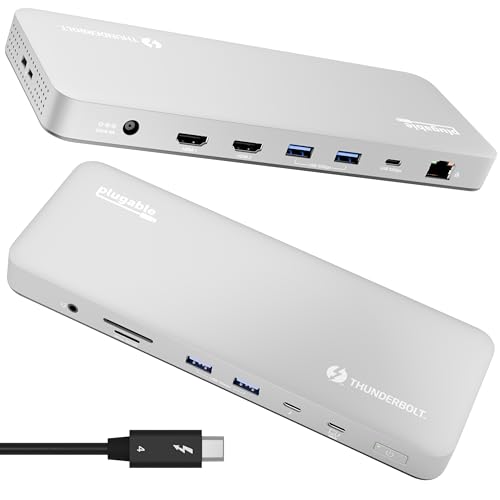
Best Value Thunderbolt 4 Dock
Plugable Thunderbolt 4 Dock (TBT-UDM)
A certified Thunderbolt 4 dock with dual 4K or single 6K and 100W charging.
Best for: Thunderbolt Surface models on a smaller desk.
Our take Check price for Plugable Thunderbolt 4 Dock (TBT-UDM) (opens in a new tab)

Best Budget Hub With Ethernet
Anker Laptop Docking Station 8-in-1
An 8-in-1 hub with two HDMI ports, Ethernet and 85W pass-through.
Best for: Surface users who want wired networking in a small hub.
Our take Check price for Anker Laptop Docking Station 8-in-1 (opens in a new tab)

Budget Hub (Few Specs)
Acer USB-C Docking Station 9-in-1
An Acer 9-in-1 hub with two HDMI ports for about $35.
Best for: Simple two-monitor setups.
Our take Check price for Acer USB-C Docking Station 9-in-1 (opens in a new tab)
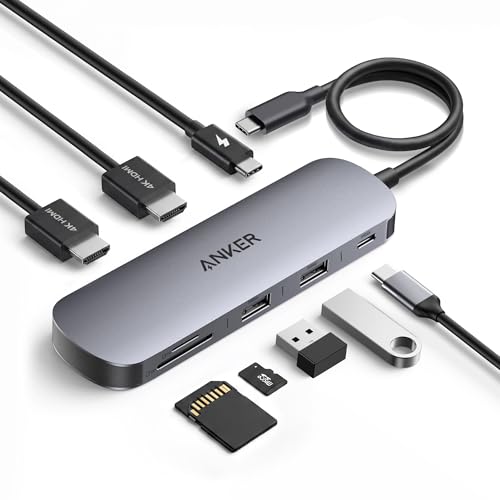
Most Portable
Anker Nano Laptop Docking Station 8-in-1
A nano 8-in-1 hub with 4K HDMI, SD/TF and 85W pass-through.
Best for: Surface owners who carry a hub.
Our take Check price for Anker Nano Laptop Docking Station 8-in-1 (opens in a new tab)

Best for Three Displays
Anker Nano 13-in-1 Laptop Docking Station
A 13-in-1 dock with 2 HDMI + DisplayPort and a detachable travel hub.
Best for: Multi-monitor Surface desks without a Thunderbolt dock.
Our take Check price for Anker Nano 13-in-1 Laptop Docking Station (opens in a new tab)
Our Picks
Best Powered Desk Dock1 of 8
Anker Prime Docking Station 14-Port
The Anker Prime is the full desk dock for a USB-C Surface: 14 ports, up to 160W total output, dual 4K display support and 10Gbps data, listed for USB-C Windows laptops.
Best for
- A permanent Surface desk with many peripherals.
Skip if
- You carry your dock; the Anker Nano is smaller.
Why we like it
It stays on the desk and charges the Surface through one cable. It costs about $170 at the time of writing.
Key specs
- Ports
- 14
- Output
- up to 160W
- Dual 4K
- 10Gbps data
Pros
- Most ports
- Own power
Cons
- Desk-only size
- Expensive
Best Thunderbolt 4 Dock2 of 8
Plugable 16-in-1 Thunderbolt 4 Dock
The Plugable 16-in-1 is the most complete dock for a Surface with Thunderbolt 4: certified, driverless, 16 ports, dual 4K display support and 100W charging.
Best for
- Thunderbolt-equipped Surface models at a full desk.
Skip if
- Your Surface lacks Thunderbolt.
Why we like it
It is the most expensive dock here at about $270 at the time of writing. On a Surface without Thunderbolt, a USB-C dock is the better value.
Key specs
- Thunderbolt 4 certified
- Ports
- 16
- Dual 4K
- Charging
- 100W
- Driverless
Pros
- Most ports on a TB4 dock
- Certified
- 100W
Cons
- Most expensive
Best Budget Hub3 of 8
UGREEN 7-in-1 Docking Station (Revodok Pro)
The UGREEN Revodok Pro 7-in-1 is the low-cost choice: two HDMI outputs listed for 4K 60Hz, 10Gbps data and 100W pass-through in a compact body, for about $27 at the time of writing.
Best for
- Surface owners who need a monitor and a few ports.
Skip if
- You need Ethernet; the Anker 8-in-1 has it.
Why we like it
It has no Ethernet or card reader.
Key specs
- Outputs
- 2 x HDMI 4K 60Hz
- 10Gbps data
- Power pass-through
- 100W
- Compact
Pros
- Lowest price
- Compact
Cons
- No Ethernet or SD
Best Value Thunderbolt 4 Dock4 of 8
Plugable Thunderbolt 4 Dock (TBT-UDM)
The Plugable TBT-UDM is the smaller, cheaper Thunderbolt 4 option: certified and driverless, with dual 4K HDMI or single 6K display support and 100W charging, in a compact desktop footprint.
Best for
- Thunderbolt Surface models on a smaller desk.
Skip if
- You need the most ports; the 16-in-1 has more.
Why we like it
It costs about $70 less than the Plugable 16-in-1 at the time of writing.
Key specs
- Thunderbolt 4 certified
- Dual 4K HDMI or single 6K
- Charging
- 100W
- Driverless
- Compact
Pros
- Certified
- Smaller and cheaper than the 16-in-1
Cons
- Fewer ports than the 16-in-1
Best Budget Hub With Ethernet5 of 8
Anker Laptop Docking Station 8-in-1
The Anker 8-in-1 adds gigabit Ethernet to two HDMI outputs and 85W pass-through in a compact size, for about $54 at the time of writing.
Best for
- Surface users who want wired networking in a small hub.
Skip if
- You do not need Ethernet.
Why we like it
Its small size suits Surface owners who undock often.
Key specs
- Outputs
- 2 x HDMI
- Gigabit Ethernet
- Power pass-through
- 85W
- Compact
Pros
- Ethernet
- Portable
Cons
- 85W pass-through
Budget Hub (Few Specs)6 of 8
Acer USB-C Docking Station 9-in-1
The Acer 9-in-1 offers two HDMI outputs in a compact dock for about $35 at the time of writing, but the listing gives few other details.
Best for
- Simple two-monitor setups.
Skip if
- You want stated specifications.
Key specs
- Ports
- 9-in-1
- Outputs
- 2 x HDMI
Pros
- Low price
Cons
- Few specifications
Most Portable7 of 8
Anker Nano Laptop Docking Station 8-in-1
The Anker Nano 8-in-1 is the most portable option here, with 4K 60Hz HDMI, 10Gbps USB-C, two USB-A ports, an SD/TF reader and 85W pass-through, for about $30 at the time of writing.
Best for
- Surface owners who carry a hub.
Skip if
- You need Ethernet.
Key specs
- HDMI 4K 60Hz
- SD/TF
- Power pass-through
- 85W
- Nano size
Pros
- Smallest
- Card reader
Cons
- No Ethernet
Best for Three Displays8 of 8
Anker Nano 13-in-1 Laptop Docking Station
The Anker Nano 13-in-1 supports up to three displays, with 10Gbps USB-C, up to 100W power delivery and a detachable 6-in-1 module that can travel with the Surface.
Best for
- Multi-monitor Surface desks without a Thunderbolt dock.
Skip if
- You use one or two monitors.
Why we like it
Three displays depend on your Surface model's support.
Key specs
- Displays
- up to 3
- 10Gbps USB-C
- Up to 100W
- Detachable 6-in-1
Pros
- Three displays
- Travel module
Cons
- Model-dependent display count
How We Chose These Docks for Surface
Each pick was assessed across 3 criteria weighted for real-world use.
- Connection type
- We separated USB-C hubs, powered docks and certified Thunderbolt 4 docks.
- Displays, charging and ports
- We compared listed outputs, power and extras.
- Size and price
- We considered portability and price position.
What to Look for in a Dock for Surface
Key buying criteria so you get the right fit the first time.
Your Surface's ports
Check whether your model has Thunderbolt 4 or USB-C only.
Portability
If you undock often, a small hub (Anker Nano, UGREEN) is easier to carry.
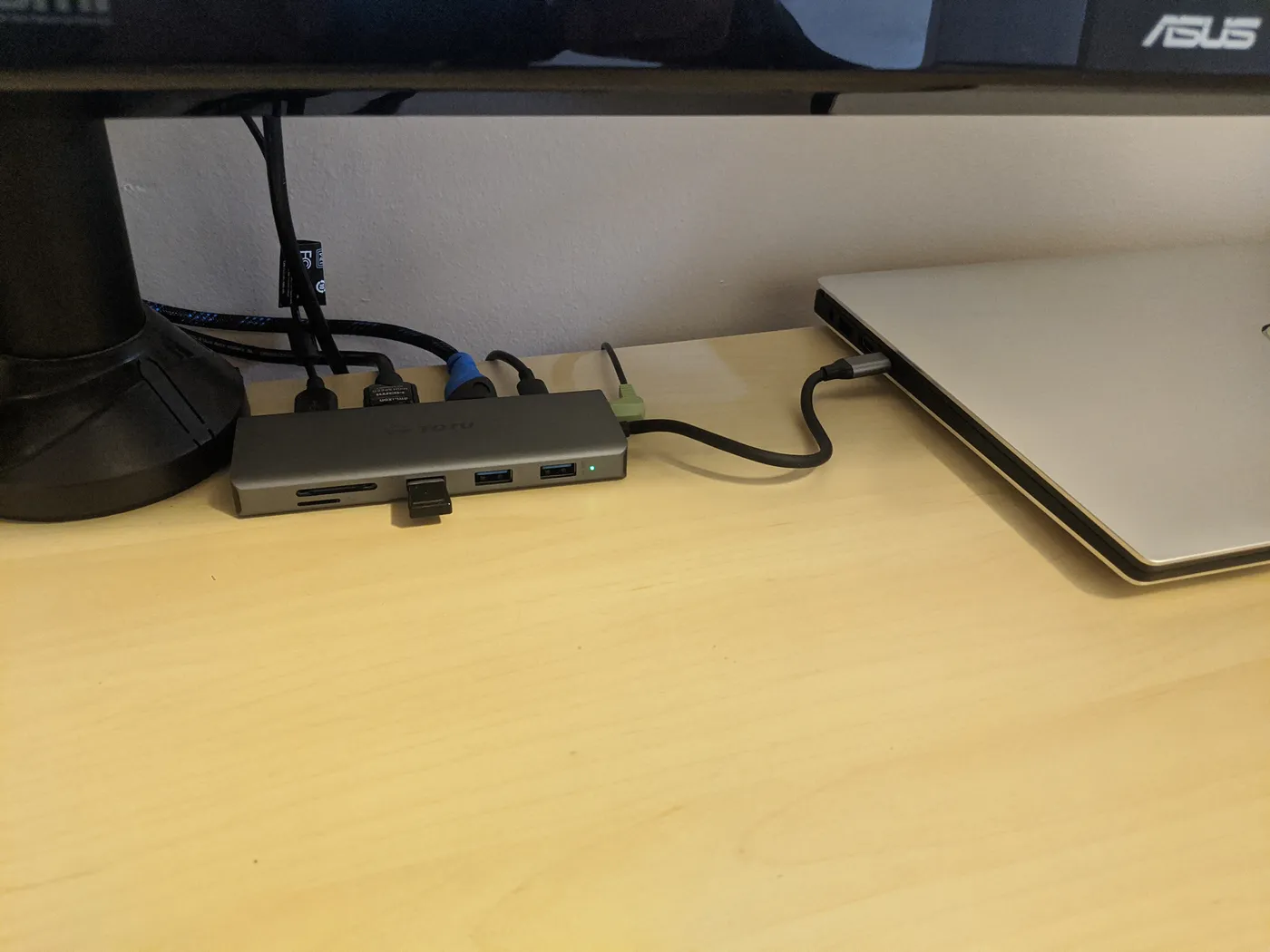
USB C hub with card reader and USB ports connected to a laptop on a wooden desk Charging
Hubs pass through your charger; powered and Thunderbolt docks supply up to 100–160W.
Displays
External monitor support varies by Surface model.
How to Choose a Dock for Surface
By need
| Need | Consider | Why |
|---|---|---|
| Thunderbolt Surface, full desk | Plugable 16-in-1 | 16 ports, 100W |
| Thunderbolt Surface, compact | Plugable TBT-UDM | Certified, smaller |
| USB-C desk dock | Anker Prime | 14 ports, 160W |
| Carry with the Surface | Anker Nano 8-in-1 | Smallest |
| Budget | UGREEN 7-in-1 | About $27 |
Scroll sideways to see every column.
By price at the time of writing
Prices change frequently; these tiers reflect typical prices when this guide was updated.
| Price tier | Docks |
|---|---|
| About $27–$54 | UGREEN, Anker Nano 8-in-1, Acer, Anker 8-in-1 |
| About $120–$170 | Anker Nano 13-in-1, Anker Prime |
| About $200–$270 | Plugable TBT-UDM, Plugable 16-in-1 |
Frequently Asked Questions
Do I need a Surface Dock?
No. Recent Surface models with USB-C work with standard USB-C hubs and, if they support it, Thunderbolt docks. Microsoft's Surface Connect docks are an alternative not covered here.
Does my Surface support Thunderbolt?
It depends on the model. Check Microsoft's specifications for yours.
How many monitors can my Surface run?
It depends on the model; check Microsoft's documentation before buying a multi-display dock.
Bottom Line
For a Surface you carry, the Anker Nano 8-in-1 and UGREEN 7-in-1 are the compact, inexpensive choices, and the Anker 8-in-1 adds Ethernet.
At a permanent desk, the Plugable Thunderbolt docks suit Thunderbolt-equipped models, the Anker Prime is the powered USB-C option, and the Anker Nano 13-in-1 handles three displays.