
Buying Guide
The Best Laptop Docking Stations, From $27 Hubs to Thunderbolt 4
By Jamie Cole, Lead Product Researcher
11 min read8 products evaluated
A laptop dock turns one cable into a desk setup: monitors, keyboard, mouse, network and charging. The first decision is between a USB-C hub, which is inexpensive and passes through your laptop charger's power, and a powered dock or Thunderbolt 4 dock, which costs more and adds its own power and bandwidth.
Then check what your laptop supports. Two or three external monitors through a dock depend on the laptop's USB-C or Thunderbolt port; many laptops, and base Apple M-series MacBooks, support fewer external displays than a dock's port count suggests. Thunderbolt 4 certification helps with compatibility on Thunderbolt laptops.
Our comparison is based on published specifications and price position, not hands-on testing. Prices range from about $27 to $200 at the time of writing.
Quick Picks
Our 8 recommendations at a glance. Tap a pick for the full verdict.

Best Powered Desk Dock
Anker Prime Docking Station 14-Port
A 14-port dock with up to 160W output, 10Gbps data and dual 4K support.
Best for: Windows desks with many peripherals.
Our take Check price for Anker Prime Docking Station 14-Port (opens in a new tab)

Best Budget Hub With Ethernet
Anker Laptop Docking Station 8-in-1
An 8-in-1 hub with two HDMI ports, gigabit Ethernet, 85W pass-through and SD.
Best for: Home offices that need Ethernet and two monitors.
Our take Check price for Anker Laptop Docking Station 8-in-1 (opens in a new tab)

Best Budget Hub
UGREEN 7-in-1 Docking Station (Revodok Pro)
An aluminum 7-in-1 hub with dual 4K 60Hz HDMI, 10Gbps data and 100W pass-through.
Best for: Simple two-monitor setups on a budget.
Our take Check price for UGREEN 7-in-1 Docking Station (Revodok Pro) (opens in a new tab)

Best for Three Displays
Anker Nano 13-in-1 Laptop Docking Station
A 13-in-1 dock with two HDMI and a DisplayPort, plus a detachable 6-in-1 travel hub.
Best for: Three-monitor desks that also travel.
Our take Check price for Anker Nano 13-in-1 Laptop Docking Station (opens in a new tab)

Budget Hub (Few Specs)
Acer USB-C Docking Station 9-in-1
An Acer 9-in-1 hub with two HDMI ports for about $35.
Best for: Simple two-monitor setups, especially with an Acer laptop.
Our take Check price for Acer USB-C Docking Station 9-in-1 (opens in a new tab)
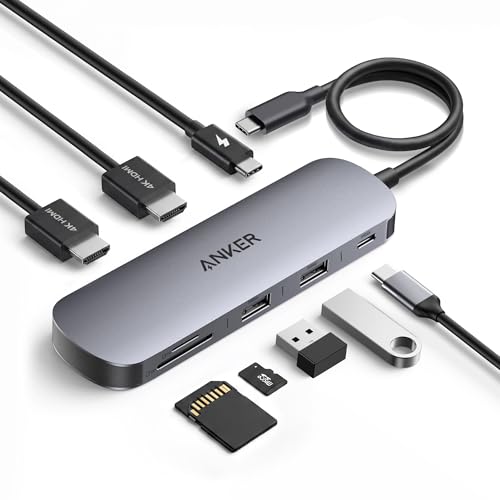
Most Compact Hub
Anker Nano Laptop Docking Station 8-in-1
A pocket-size 8-in-1 hub with 4K HDMI, 10Gbps USB-C, SD/TF and 85W pass-through.
Best for: Travel and small desks.
Our take Check price for Anker Nano Laptop Docking Station 8-in-1 (opens in a new tab)
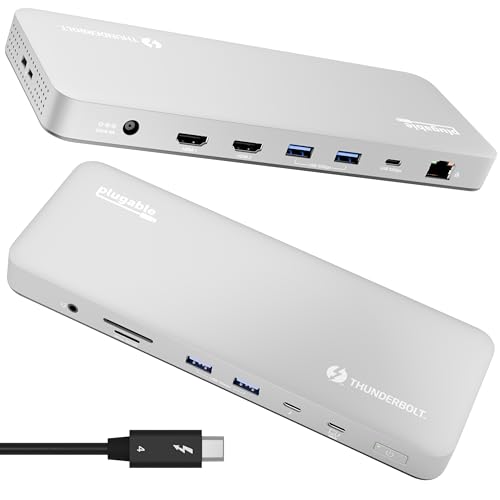
Best Thunderbolt 4 Dock
Plugable Thunderbolt 4 Dock (TBT-UDM)
A certified, driverless Thunderbolt 4 dock with 100W charging, dual 4K or single 6K.
Best for: Thunderbolt laptops that should charge and connect through one cable.
Our take Check price for Plugable Thunderbolt 4 Dock (TBT-UDM) (opens in a new tab)

Best Value Thunderbolt 4 Dock
UGREEN 8-in-1 Thunderbolt 4 Docking Station (Revodok Max 208)
A certified Thunderbolt 4 dock with three TB4 ports, dual 4K or single 8K, and 85W charging.
Best for: Thunderbolt laptops that need extra Thunderbolt ports.
Our take Check price for UGREEN 8-in-1 Thunderbolt 4 Docking Station (Revodok Max 208) (opens in a new tab)
Our Picks
Best Powered Desk Dock1 of 8
Anker Prime Docking Station 14-Port
The Anker Prime is the most complete non-Thunderbolt dock here: 14 ports, up to 160W total output, 10Gbps data and dual 4K display support, listed for Dell, HP, Lenovo and other Windows laptops.
Best for
- Windows desks with many peripherals.
Skip if
- You have a Thunderbolt laptop; a certified TB4 dock may suit better at a similar price.
Why we like it
It suits a permanent desk with many peripherals and a laptop that should charge through the dock.
It costs about $170 at the time of writing, close to the Thunderbolt docks.
Key specs
- Ports
- 14
- Output
- up to 160W
- 10Gbps data
- Dual 4K
- Listed for Windows laptops
Pros
- Most ports and power here
- Fast data
Cons
- Expensive for a non-Thunderbolt dock
Best Budget Hub With Ethernet2 of 8
Anker Laptop Docking Station 8-in-1
The Anker 8-in-1 is the budget pick if you need wired networking: two HDMI outputs listed for dual 4K, gigabit Ethernet, 85W power pass-through and an SD slot, for about $54 at the time of writing.
Best for
- Home offices that need Ethernet and two monitors.
Skip if
- You do not need Ethernet; the UGREEN 7-in-1 costs half as much.
Why we like it
Dual displays depend on your laptop, and you need your own charger for pass-through.
Key specs
- Outputs
- 2 x HDMI (dual 4K listed)
- Gigabit Ethernet
- Power pass-through
- 85W
- SD slot
Pros
- Ethernet
- Two HDMI outputs
Cons
- Charger not included
- Dual display laptop-dependent
Best Budget Hub3 of 8
UGREEN 7-in-1 Docking Station (Revodok Pro)
The UGREEN 7-in-1 is the lowest-priced option here at about $27 at the time of writing, with two HDMI outputs listed for 4K 60Hz, 10Gbps USB-A and USB-C data, and 100W pass-through in an aluminum body.
Best for
- Simple two-monitor setups on a budget.
Skip if
- You need Ethernet; the Anker 8-in-1 has it.
Why we like it
It has no Ethernet or card reader.
Key specs
- Outputs
- 2 x HDMI 4K 60Hz
- 10Gbps USB-A/C
- Power pass-through
- 100W
- Aluminum
Pros
- Lowest price
- Fast data
- 100W pass-through
Cons
- No Ethernet or SD
Best for Three Displays4 of 8
Anker Nano 13-in-1 Laptop Docking Station
The Anker Nano 13-in-1 supports three displays (two HDMI and one DisplayPort), with 10Gbps USB-C, three USB-A ports and up to 100W power delivery.
Best for
- Three-monitor desks that also travel.
Skip if
- You use one or two monitors; a cheaper hub is enough.
Why we like it
Its detachable 6-in-1 module can travel with you while the main dock stays on the desk.
Three displays depend on your laptop, and it costs about $120 at the time of writing.
Key specs
- Displays
- up to 3 (2 x HDMI, 1 x DP)
- 10Gbps USB-C, 3 x USB-A
- Power delivery
- up to 100W
- Detachable 6-in-1 hub
Pros
- Three displays
- Detachable travel hub
Cons
- Laptop-dependent display count
Budget Hub (Few Specs)5 of 8
Acer USB-C Docking Station 9-in-1
The Acer 9-in-1 offers two HDMI ports for about $35 at the time of writing.
Best for
- Simple two-monitor setups, especially with an Acer laptop.
Skip if
- You want stated specifications; the UGREEN 7-in-1 lists more for less.
Why we like it
The listing gives few other details: no power delivery, data speed or Ethernet information. Check the full listing before buying.
Key specs
- Ports
- 9-in-1
- Outputs
- 2 x HDMI
Pros
- Low price
- Laptop brand
Cons
- Few specifications listed
Most Compact Hub6 of 8
Anker Nano Laptop Docking Station 8-in-1
The Anker Nano 8-in-1 is the compact option: 4K 60Hz HDMI, a 10Gbps USB-C port, two USB-A ports, an SD/TF reader and 85W pass-through, for about $30 at the time of writing.
Best for
- Travel and small desks.
Skip if
- You need Ethernet; the Anker 8-in-1 has it.
Why we like it
It suits travel as well as the desk.
Key specs
- HDMI
- 4K 60Hz
- 10Gbps USB-C, 2 x USB-A
- SD/TF reader
- Power pass-through
- 85W
Pros
- Compact
- Card reader
- Low price
Cons
- No Ethernet
Best Thunderbolt 4 Dock7 of 8
Plugable Thunderbolt 4 Dock (TBT-UDM)
The Plugable TBT-UDM is Thunderbolt 4 certified, which means it has passed Intel's certification for compatibility with Thunderbolt laptops.
Best for
- Thunderbolt laptops that should charge and connect through one cable.
Skip if
- Your laptop lacks Thunderbolt; a USB-C hub costs far less.
Why we like it
It is driverless, charges at 100W, and supports dual 4K HDMI displays or a single 6K display, with six USB ports, SD and Ethernet.
It costs about $200 at the time of writing, the most here.
Key specs
- Thunderbolt 4 certified
- Charging
- 100W
- Dual 4K HDMI or single 6K
- USB
- 6; SD; Ethernet
- Driverless
Pros
- Certified compatibility
- 100W charging
- Full ports
Cons
- Most expensive
Best Value Thunderbolt 4 Dock8 of 8
UGREEN 8-in-1 Thunderbolt 4 Docking Station (Revodok Max 208)
The UGREEN Revodok Max 208 is a Thunderbolt 4 certified dock at 40Gbps with three Thunderbolt 4 ports, supporting dual 4K 60Hz or a single 8K display, 85W charging, gigabit Ethernet and three USB-A ports.
Best for
- Thunderbolt laptops that need extra Thunderbolt ports.
Skip if
- Your laptop needs more than 85W; the Plugable offers 100W.
Why we like it
UGREEN lists compatibility with Macs from M1 to M4 Pro and Max. It costs about $25 less than the Plugable at the time of writing, with less charging power.
Key specs
- Thunderbolt 4 certified, 40Gbps
- 3 x Thunderbolt 4
- Dual 4K 60Hz or single 8K
- Charging
- 85W
- Gigabit Ethernet, 3 x USB-A
Pros
- Three downstream TB4 ports
- Cheaper than the Plugable
Cons
- 85W charging
How We Chose These Laptop Docking Stations
Each pick was assessed across 3 criteria weighted for real-world use.
- Type and power
- We separated hubs, powered docks and Thunderbolt docks and recorded charging wattage.
- Displays and ports
- We compared listed outputs, data speeds and extras.
- Price position
- Prices change often, so we treat them as relative position.
What to Look for in a Laptop Docking Station
Key buying criteria so you get the right fit the first time.
Hub or dock
Hubs pass through your charger's power; powered and Thunderbolt docks supply their own.
Displays your laptop supports
Two or three outputs only help if the laptop can drive them. Check its documentation.
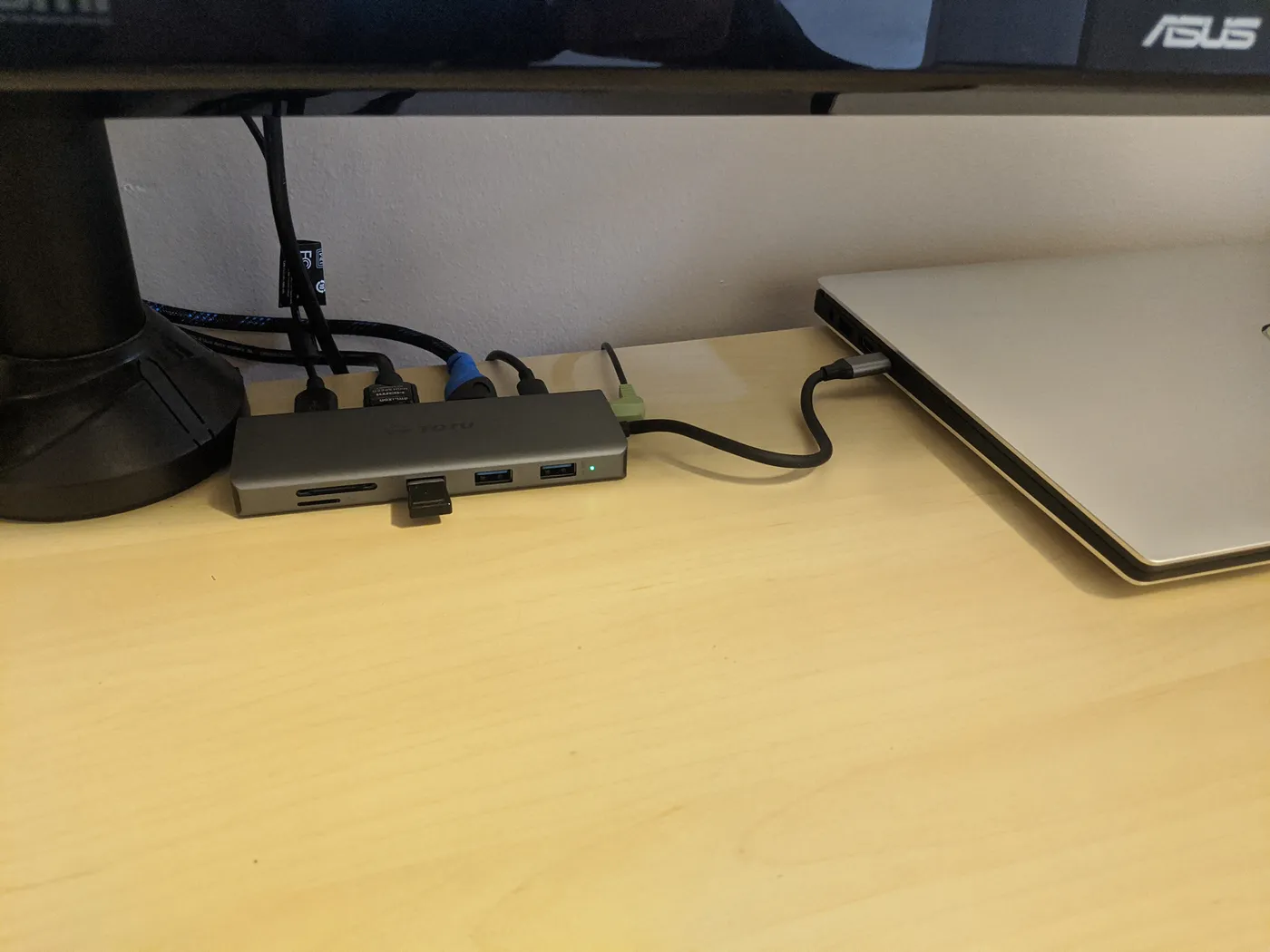
USB C hub with card reader and USB ports connected to a laptop on a wooden desk Charging
Match or exceed your laptop charger's wattage: 85W to 160W here.
Ports
Ethernet, SD readers and fast USB vary. Buy the ports you use.
Thunderbolt 4
Certified docks (Plugable, UGREEN Max) suit Thunderbolt laptops and offer more bandwidth.
How to Choose a Laptop Docking Station
By need
| Need | Consider | Why |
|---|---|---|
| Cheapest two-monitor hub | UGREEN 7-in-1 | About $27 |
| Ethernet on a budget | Anker 8-in-1 | Gigabit, two HDMI |
| Travel | Anker Nano 8-in-1 | Compact |
| Three monitors | Anker Nano 13-in-1 | 2 HDMI + DP |
| Many peripherals, Windows | Anker Prime | 14 ports, 160W |
| Thunderbolt laptop | Plugable or UGREEN Max 208 | Certified TB4 |
Scroll sideways to see every column.
By price at the time of writing
Prices change frequently; these tiers reflect typical prices when this guide was updated.
| Price tier | Docks |
|---|---|
| About $27–$54 | UGREEN 7-in-1, Anker Nano 8-in-1, Acer 9-in-1, Anker 8-in-1 |
| About $120 | Anker Nano 13-in-1 |
| About $170–$200 | Anker Prime, UGREEN Max 208, Plugable |
Frequently Asked Questions
Do I need a Thunderbolt dock?
Only if your laptop has Thunderbolt and you want its bandwidth, or the dock's certification. A USB-C hub covers most simple setups.
Will a dock charge my laptop?
Powered docks do. Hubs pass through power from your charger; check the listed wattage.
Why won't my second monitor show a separate image?
Your laptop may support fewer external displays over USB-C than the dock has outputs, or may mirror. Check its documentation.
Bottom Line
For most laptops, a hub is enough: the UGREEN 7-in-1 for two monitors at the lowest price, the Anker 8-in-1 if you need Ethernet, the Anker Nano for travel, and the Nano 13-in-1 for three displays.
For a Thunderbolt laptop, the UGREEN Revodok Max 208 is the value certified dock and the Plugable adds 100W charging. The Anker Prime suits Windows desks with many peripherals.