
Buying Guide
The Best Printers for College Students, Compared
We looked at 8 printers for college students side by side, with the trade-offs that separate them and who each one suits.
By Jamie Cole, Lead Product Researcher
10 min read8 products evaluated
We may earn a commission from purchases made through links in this guide. Learn more.
The right printer for a college student depends heavily on what you're actually studying, an architecture student printing large drafts has almost nothing in common with a law student running through hundreds of pages of case text, yet most buying guides treat every student the same. Scan needs vary just as much, a single signed form is a different job than a stack of handwritten problem sets a professor wants digitized.
Below are 8 printers for college students we compared on cost-per-page against a realistic 200-400 page semester volume, scan capability for common assignment types, and compatibility with the school-issued Chromebooks and locked-down Windows laptops many students are required to use.
Quick Picks
Our 8 recommendations at a glance. Tap a pick for the full verdict.

Best Overall for General Use
HP DeskJet 4355 Wireless All-in-One Color Inkjet Printer
Students in general education or undeclared majors with mixed print needs
Our take Check price for HP DeskJet 4355 Wireless All-in-One Color Inkjet Printer (opens in a new tab)

Best for Art & Design Majors
Canon PIXMA TS4320 Wireless Color Inkjet Printer
Art, design, and other visually heavy coursework needing color output
Our take Check price for Canon PIXMA TS4320 Wireless Color Inkjet Printer (opens in a new tab)

Best for Law & Business Majors
Brother HL-L2405W Wireless Compact Monochrome Laser Printer
Law, business, and other high-volume text-reading majors
Our take Check price for Brother HL-L2405W Wireless Compact Monochrome Laser Printer (opens in a new tab)

Best for Scanning Assignments
Canon PIXMA TR4720 All-in-One Wireless Printer
Students who regularly scan multi-page problem sets or signed documents
Our take Check price for Canon PIXMA TR4720 All-in-One Wireless Printer (opens in a new tab)

Best Budget Pick
Canon PIXMA TS3720 Wireless All-in-One Printer
Budget-conscious students with light, general printing needs
Our take Check price for Canon PIXMA TS3720 Wireless All-in-One Printer (opens in a new tab)
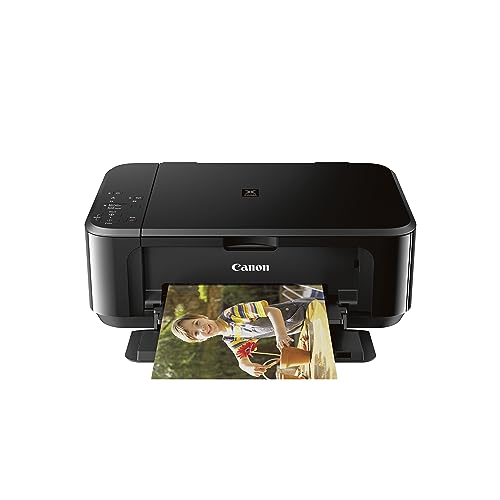
Best for Chromebook Compatibility
Canon Pixma MG3620 Wireless All-in-One Color Inkjet Printer
Students using a school-issued Chromebook or locked-down Windows laptop
Our take Check price for Canon Pixma MG3620 Wireless All-in-One Color Inkjet Printer (opens in a new tab)

Best for Ultra-Light Printing
Inkless Portable Printer for Travel (MT610Pro)
Students with very light printing needs who mostly use library printers
Our take Check price for Inkless Portable Printer for Travel (MT610Pro) (opens in a new tab)

Best for Group Projects
Canon TS6420 All-in-One Wireless Printer
Roommates or project groups splitting the cost of one shared printer
Our take Check price for Canon TS6420 All-in-One Wireless Printer (opens in a new tab)
Our Picks
Best Overall for General Use1 of 8
HP DeskJet 4355 Wireless All-in-One Color Inkjet Printer on Amazon (opens in a new tab)
For students without a highly specialized major, the DeskJet 4355 covers print, scan, and copy needs in one compact wireless unit with a 3-month Instant Ink trial included.
Best for
- Students in general education or undeclared majors with mixed print needs
Why we like it
It's a sensible default when your printing is a general mix of essays, worksheets, and the occasional form rather than anything major-specific.
After the included trial, run your own semester page estimate, a typical student prints somewhere in the 200-400 page range per semester, before deciding whether to keep the Instant Ink subscription or switch to buying cartridges as needed.
Key dimensions & specs
- Wireless color inkjet all-in-one
- Print, scan, copy
- 3-month Instant Ink trial included
- AI-capable
- Compact design
Pros
- Solid general-purpose pick for undeclared or non-technical majors
- Included ink trial reduces upfront ink cost
- Compact footprint for a dorm or apartment desk
- Simple wireless setup
Cons
- Not optimized for any single major's specific needs
- Instant Ink subscription cost applies after the trial
- No auto document feeder
Best for Art & Design Majors2 of 8
Canon PIXMA TS4320 Wireless Color Inkjet Printer on Amazon (opens in a new tab)
Art and design students printing color portfolios, storyboards, or presentation boards need a photo-capable color inkjet more than they need speed or volume, and the PIXMA TS4320's color output handles that better than a monochrome laser ever could.
Best for
- Art, design, and other visually heavy coursework needing color output
Why we like it
Duplex printing helps when a project calls for printing both sides of thicker paper stock.
Color inkjet cost-per-page runs noticeably higher than a monochrome laser, so this pick fits students whose printing is color-heavy rather than students defaulting to color for convenience.
Duplex printing for double-sided project pages.
Key dimensions & specs
- Wireless color inkjet all-in-one
- Duplex printing
- Print, copy, scan
- Compact desktop footprint
- 1-year limited warranty
Pros
- Strong color output for design and art coursework
- Duplex printing for double-sided project pages
- Compact enough for a shared studio or dorm desk
- Lower price than most photo-focused printers
Cons
- Higher cost-per-page than laser picks in this list
- Not built for large-format architecture drafts
- Ink can dry out if printing is infrequent
Best for Law & Business Majors3 of 8
Brother HL-L2405W Wireless Compact Monochrome Laser Printer on Amazon (opens in a new tab)
Law and business students who print hundreds of pages of case text, readings, or contracts a semester get the biggest cost benefit from a monochrome laser like the HL-L2405W, since laser toner has a dramatically lower cost-per-page than inkjet ink at high volume.
Best for
- Law, business, and other high-volume text-reading majors
Why we like it
Toner also doesn't dry out over breaks, unlike inkjet cartridges.
At a 200-400 page semester volume, the higher upfront price of a laser printer pays for itself faster than most students expect, especially compared to running an inkjet at the same page count.
Key dimensions & specs
- Wireless compact monochrome laser printer
- Mobile printing support
- Black and white output
- Includes Refresh Subscription trial
- Works with Alexa
Pros
- Lowest cost-per-page for high-volume text printing
- Toner doesn't dry out over school breaks
- Mobile printing support
- Compact for a laser printer
Cons
- Black and white output only
- Higher upfront price than entry inkjets
- Not suited to color-heavy coursework
Best for Scanning Assignments4 of 8
Canon PIXMA TR4720 All-in-One Wireless Printer on Amazon (opens in a new tab)
When a professor wants a scanned multi-page handwritten problem set or a signed multi-page form, an auto document feeder like the one on the TR4720 saves real time over feeding pages one at a time on a flatbed.
Best for
- Students who regularly scan multi-page problem sets or signed documents
Why we like it
This is a common assignment type in STEM and law coursework that most student printer guides never mention as a purchase factor.
Mobile printing support adds flexibility for a student without steady laptop access, and built-in fax covers the rare case a program still requires it for official documents.
Mobile printing from a phone.
Key dimensions & specs
- Wireless all-in-one with auto document feeder
- Built-in fax
- Mobile printing support
- Print, scan, copy, fax
- White finish
Pros
- Auto document feeder for multi-page scanning
- Mobile printing from a phone
- Handles single scans and stacks equally well
- Reasonable price for the added feeder
Cons
- Larger footprint than flatbed-only printers
- Color inkjet cost-per-page still applies for color jobs
- Fax feature is rarely used by most students
Best Budget Pick5 of 8
Canon PIXMA TS3720 Wireless All-in-One Printer on Amazon (opens in a new tab)
The PIXMA TS3720 is the cheapest full all-in-one in this list, covering basic print, scan, and copy needs without the extras that drive up price on other picks.
Best for
- Budget-conscious students with light, general printing needs
Why we like it
For a student on a tight budget whose printing is mostly short essays and worksheets, it's the lowest financial commitment that still covers the basics.
It lacks a document feeder and higher-volume features, so it fits a lighter semester print load better than a heavy-reading major's volume.
Compact and easy to fit on a small desk.
Key dimensions & specs
- Wireless all-in-one color inkjet
- Basic home printing focus
- Compact, lightweight body
- Print, scan, copy
- White finish
Pros
- Lowest price among full all-in-ones in this list
- Compact and easy to fit on a small desk
- Simple wireless setup
- Covers basic essay and worksheet printing
Cons
- No auto document feeder
- Higher cost-per-page than a laser at high volume
- Not ideal for color-heavy or high-volume majors
Best for Chromebook Compatibility6 of 8
Canon Pixma MG3620 Wireless All-in-One Color Inkjet Printer on Amazon (opens in a new tab)
Students issued a school Chromebook or a locked-down Windows build often can't install traditional printer drivers, and the MG3620's mobile and tablet printing support, including Google Cloud Print-style workflows, is built around exactly that kind of device-restricted printing.
Best for
- Students using a school-issued Chromebook or locked-down Windows laptop
Why we like it
It's worth checking your specific device's print support before assuming any printer will pair cleanly with a school-managed laptop.
Beyond device compatibility, it covers standard print, scan, and copy needs in a black finish that hides fingerprints better than white models common in this list.
Key dimensions & specs
- Wireless color inkjet all-in-one
- Mobile and tablet printing support
- Print, scan, copy
- Black finish
- Compact desktop design
Pros
- Strong mobile and tablet printing support for restricted devices
- Black finish resists visible smudging
- Reliable wireless pairing on personal networks
- Print, scan, and copy in one unit
Cons
- Highest price among the inkjet picks in this list
- No document feeder for multi-page scans
- School-managed Windows builds may still block driver installs regardless
Best for Ultra-Light Printing7 of 8
Inkless Portable Printer for Travel (MT610Pro) on Amazon (opens in a new tab)
5x11-inch Letter and A4 paper without any ink cartridge, which makes it a useful backup for a student who mostly relies on library printing but occasionally needs a page in a pinch.
Best for
- Students with very light printing needs who mostly use library printers
Why we like it
It works directly from a phone, which sidesteps device-compatibility questions entirely.
Thermal prints are black-and-white and fade over time, so this is not a realistic primary printer for a full course load, more a lightweight supplement for a student with minimal printing needs.
Works directly from a phone over Bluetooth.
Key dimensions & specs
- Bluetooth inkless thermal printer
- Supports 8.5x11" Letter and A4
- 300 DPI resolution
- IOS, Android, and laptop compatible
- No ink or toner cartridges
Pros
- No cost-per-page ink or toner expense
- Works directly from a phone over Bluetooth
- No driver installation needed for any device
- Extremely light and packable
Cons
- Thermal prints fade over time
- Black-and-white output only
- Not realistic as a primary printer for heavy semester volume
Best for Group Projects8 of 8
Canon TS6420 All-in-One Wireless Printer on Amazon (opens in a new tab)
The TS6420 sits at the top of this list's price range with the fullest feature set, a black finish, and Canon's more complete control layout.
Best for
- Roommates or project groups splitting the cost of one shared printer
Why we like it
It suits a group project team or an apartment full of roommates who want one shared printer capable of handling everyone's volume without becoming a bottleneck.
At this price, it makes the most financial sense split across multiple people rather than bought by a single student with light printing needs.
Key dimensions & specs
- Wireless all-in-one color inkjet
- Black finish
- Print, scan, copy
- Fuller control panel layout
- Compact desktop design
Pros
- Most complete feature set in this list
- Good fit for shared group or roommate printing
- Reliable wireless setup
- Black finish resists visible smudging
Cons
- Highest price in this list
- Overkill for a single student with light printing needs
- Color inkjet cost-per-page still applies for color jobs
How We Chose These Printers for College Students
Each pick was assessed across 5 criteria weighted for real-world use.
- Weighed each printer against the real needs of different majors, color output for design coursework, low cost-per-page for high-volume reading majors, and document feeders for scanning-heavy programs.
- Estimated cost across a realistic 200-400 page semester print volume, comparing inkjet ink cost against laser toner cost at that same page count.
- Scan capability for common assignment types
- Compared flatbed-only scanning against auto document feeders for the specific case of multi-page handwritten problem sets or signed forms professors commonly require.
- Checked mobile and tablet printing support as a proxy for compatibility with school-issued Chromebooks or locked-down Windows builds that block standard driver installs.
- Value for a student budget
- Weighed upfront price against expected semester ink or toner cost, since the cheapest printer to buy isn't always the cheapest to run for a full term.
What to Look for in a Printer for College Students
Key buying criteria so you get the right fit the first time.
Match actual size and capacity to your real need, not the category label alone
Listings for a printer often use a size or capacity label ("compact," "large," "heavy-duty") that isn't standardized across brands, so the same label can mean meaningfully different actual dimensions or capacity from one product to the next.
This matters because buying based on the category label rather than the specific listed dimensions or capacity is a common way to end up with something that doesn't actually fit your space or handle your real load.
Check the listing for exact measurements or a stated capacity figure, and compare that directly against your actual space or need, not just the marketing size category.
Verify build material and construction quality from reviews, not just spec-sheet claims
A product description can describe material or construction in flattering terms that don't always hold up under real, sustained use, and the gap between a listing's claimed quality and its actual durability only shows up in how the product performs after weeks or months of real use, not in day-one photos.
This matters more for anything you'll use daily or under real load, less for occasional light use where durability matters less.
Check reviews specifically for mentions of how the printer holds up over time, not just unboxing-day impressions, and treat a listing's own quality claims as a starting point to verify, not a guarantee.
Confirm any headline feature actually works as advertised, not just that it's listed
A feature appearing in a product's bullet points doesn't guarantee it performs well in practice, some features are functional but limited, and a few are closer to a marketing checkbox than a useful capability.
This matters directly if a specific feature is the main reason you're choosing this printer over a simpler, cheaper alternative, since a feature that underperforms in practice undermines the whole reason for paying more.
Check reviews specifically for real-world experiences with the exact feature that matters most to you, not just whether the feature is listed at all.
Weigh review count alongside rating, not rating alone
This matters more for a purchase you're relying on to perform consistently over time, less for a low-stakes, easily replaceable item.
Check both the star rating and the review count together for any printer you're considering, and treat a high rating on a very small review count as a promising but less-proven signal.
Check compatibility and fit with your existing setup before ordering
A printer that looks like a straightforward fit in photos can still have a compatibility detail, a connector type, a mounting requirement, a size threshold, that doesn't match your existing setup, and this kind of mismatch is one of the most common and avoidable reasons for a return.
This matters directly if the product needs to physically connect to, mount on, or otherwise integrate with something you already own.
Check the listing's specific compatibility details against your exact existing setup, not just the general product category, before ordering.
How to Choose a Printer for College Students
By Rating Confidence: Highest Rated vs Most Reviewed
| HP DeskJet 4355 Wireless All | |
| HP DeskJet 4355 Wireless All |
| Inkless Portable Printer for Travel | |
Inkless Portable Printer for Travel vs Brother HL
- Inkless Portable Printer for Travel
- The lower-priced option in this comparison, worth checking its actual specs and review history against your specific need before assuming it's enough.
- The higher-priced option, worth it if it offers real, checkable headroom in build quality, capacity, or features over the cheaper pick.
Default to Inkless Portable Printer for Travel unless your specific need calls for the pricier pick's extra headroom.
| HP DeskJet 4355 Wireless All |
For a First-Time Buyer Specifically
- Clear, specific dimensions or capacity and a real, established review history, not just marketing language.
- You need real durability and feature depth for regular use, where Brother HL's build gives real headroom over the cheaper picks.
- You only need this for light or occasional use, where Inkless Portable Printer for Travel covers the same job at a lower price.
Frequently Asked Questions
What's the best printer for a specific college major?
It depends on what your major actually requires. Art and design students benefit from a color inkjet like the Canon PIXMA TS4320, law and business students save money over a semester with a monochrome laser like the Brother HL-L2405W, and STEM students who scan multi-page problem sets do better with an auto document feeder like the Canon PIXMA TR4720.
How much should a college student expect to spend on printing per semester?
A typical student prints roughly 200-400 pages per semester. At that volume, a monochrome laser printer's lower cost-per-page usually beats an inkjet's total ink cost, while a lighter print load may not justify a laser printer's higher upfront price.
Will a printer work with a school-issued Chromebook?
Only if it supports mobile or cloud-based printing rather than relying on a traditional installed driver, since Chromebooks generally can't install standard printer drivers. The Canon Pixma MG3620's mobile and tablet printing support is built around this kind of device-restricted printing.
Is a laser printer or inkjet better for college students?
A monochrome laser like the Brother HL-L2405W is the better value for students printing large volumes of black-and-white text, like law or business coursework, since toner costs less per page and doesn't dry out over breaks. A color inkjet like the Canon PIXMA TS4320 is the better fit for students who need color output for design or presentation work.
Do I need a printer with a document feeder for scanning assignments?
Only if your coursework regularly requires scanning multi-page handwritten work or signed multi-page documents. For occasional single-page scans, a basic flatbed scanner like the one on the Canon PIXMA TS3720 is enough, but frequent multi-page scanning is much faster with the Canon PIXMA TR4720's auto document feeder.
Is it cheaper to print at the library or buy my own printer?
For light printing needs, campus library or lab printing fees per semester can come out cheaper than buying a printer plus ink over a full college stay. For students who print regularly or plan to share the cost with roommates or a project group, owning a printer usually works out cheaper over time.
Bottom Line
Best overall: HP DeskJet 4355 Wireless All-in-One Color Inkjet Printer — best overall for general use pick in this roundup. See the full verdicts above for every pick, with pros, cons and who each one suits.
Browse all printers for college students on Amazon — Prime-eligible options with current pricing.