
Buying Guide
The Best Monitor Light Bars for Curved Monitors, Compared
We compared 9 monitor light bars for curved monitors on features, build and practical fit to help you choose the right one for your space.
By Jamie Cole, Lead Product Researcher
10 min read8 products evaluated
We may earn a commission from purchases made through links in this guide. Learn more.
Jump to
Eight monitor light bars specifically designed or verified for curved monitor compatibility, ranked by buyer rating and review count. Covers ultrawide curved, 1000R, 1500R, and standard curved panels.
Most monitor light bars are designed for flat monitors. The clip mechanism on a flat-monitor bar assumes a vertical or near-vertical top edge to grip. On a curved monitor, the top edge is angled inward, which can cause a flat-bar clip to sit at an angle, direct light unevenly, or fail to grip securely. Bars designed for curved monitors use a wider clip base, a weighted counterbalance, or a flexible clip that accommodates the inward taper of a curved top edge.
The curvature radius matters: 1500R (common gaming curves) is less aggressive than 1000R (tight curves on ultrawide gaming monitors). Most bars marketed as curved-compatible handle 1500R reliably. For 1000R and tighter, verify the specific bar lists your curvature radius in its compatibility documentation.
Monitor curvature is measured in millimeters: 1800R is a gentle curve, 1500R is a moderate gaming curve, and 1000R is the tightest common consumer curve. A bar listed as curved-monitor compatible that does not specify radius may only work reliably on 1800R or 1500R panels. The BenQ ScreenBar Halo and Quntis backlight model both explicitly support curved panels and are the most validated options in this roundup for curved compatibility.
Ultrawide curved monitors (21:9 or 32:9) have a wider top edge than standard 16:9 curved monitors. 7-inch light bar undercovers a 34-inch or wider ultrawide panel. 7 inches and ultrawide-specific bars provide better coverage for panels above 32 inches wide. 7-inch bar is typically sufficient.
Bias lighting (backlight) on a curved monitor projects onto the curved surface behind the screen. The curve can cause the backlight to spread unevenly on the wall behind, depending on the radius and the angle of the wall. The BenQ ScreenBar Halo with its rear backlight is designed specifically for this scenario with adjustable backlight direction. Simpler backlight bars may produce inconsistent wall spread on tight curved panels.
Filter by curvature radius and monitor size compatibility.
Quick Picks
Our 8 recommendations at a glance. Tap a pick for the full verdict.
Best Overall
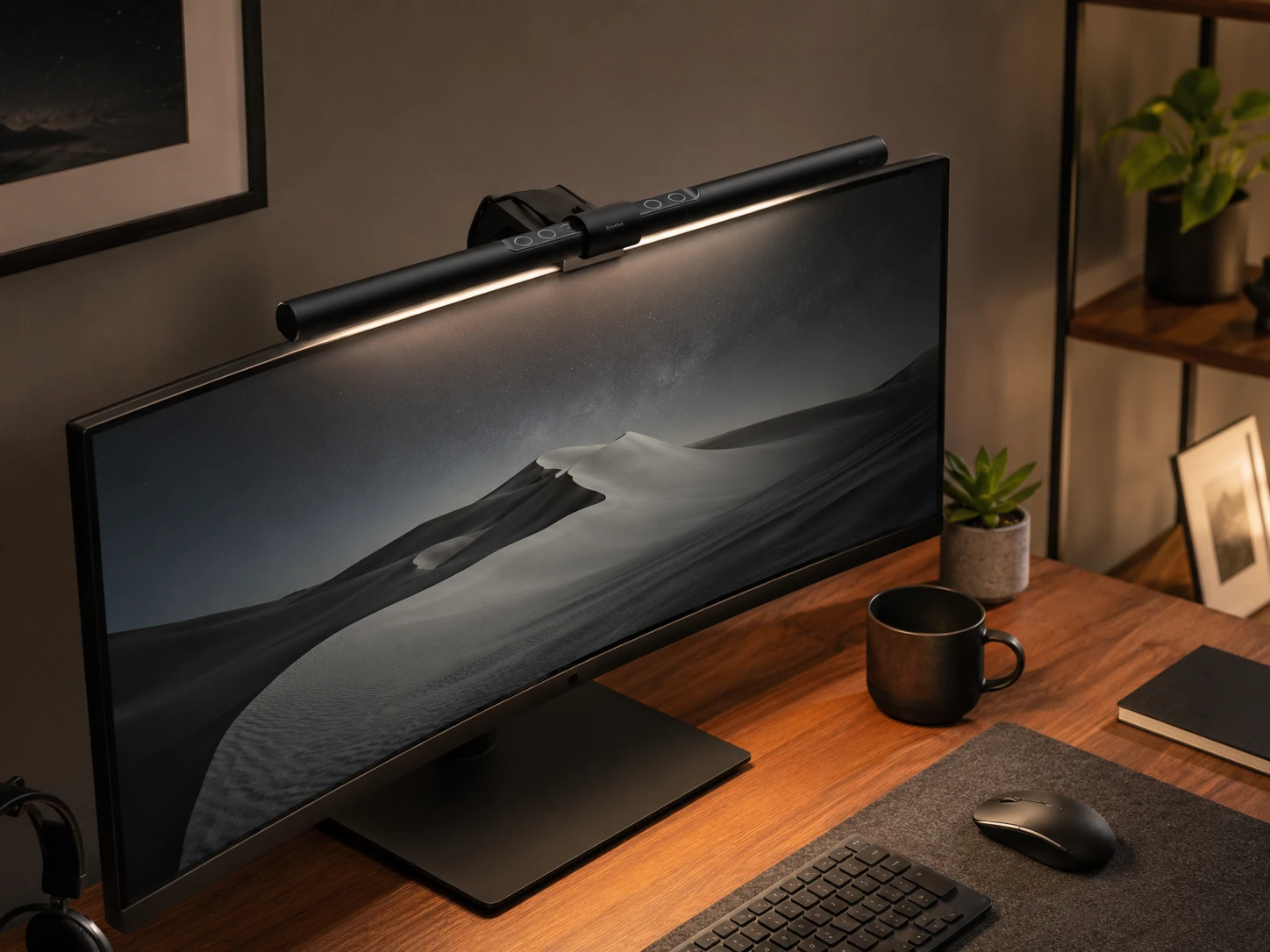
BenQ ScreenBar Classic Monitor Light Bar
Home offices and workstations with curved monitors at 1500R or larger radius that want the most review-validated light bar with auto-dimming
Our take Check price for BenQ ScreenBar Classic Monitor Light Bar (opens in a new tab)
Best Budget Pick
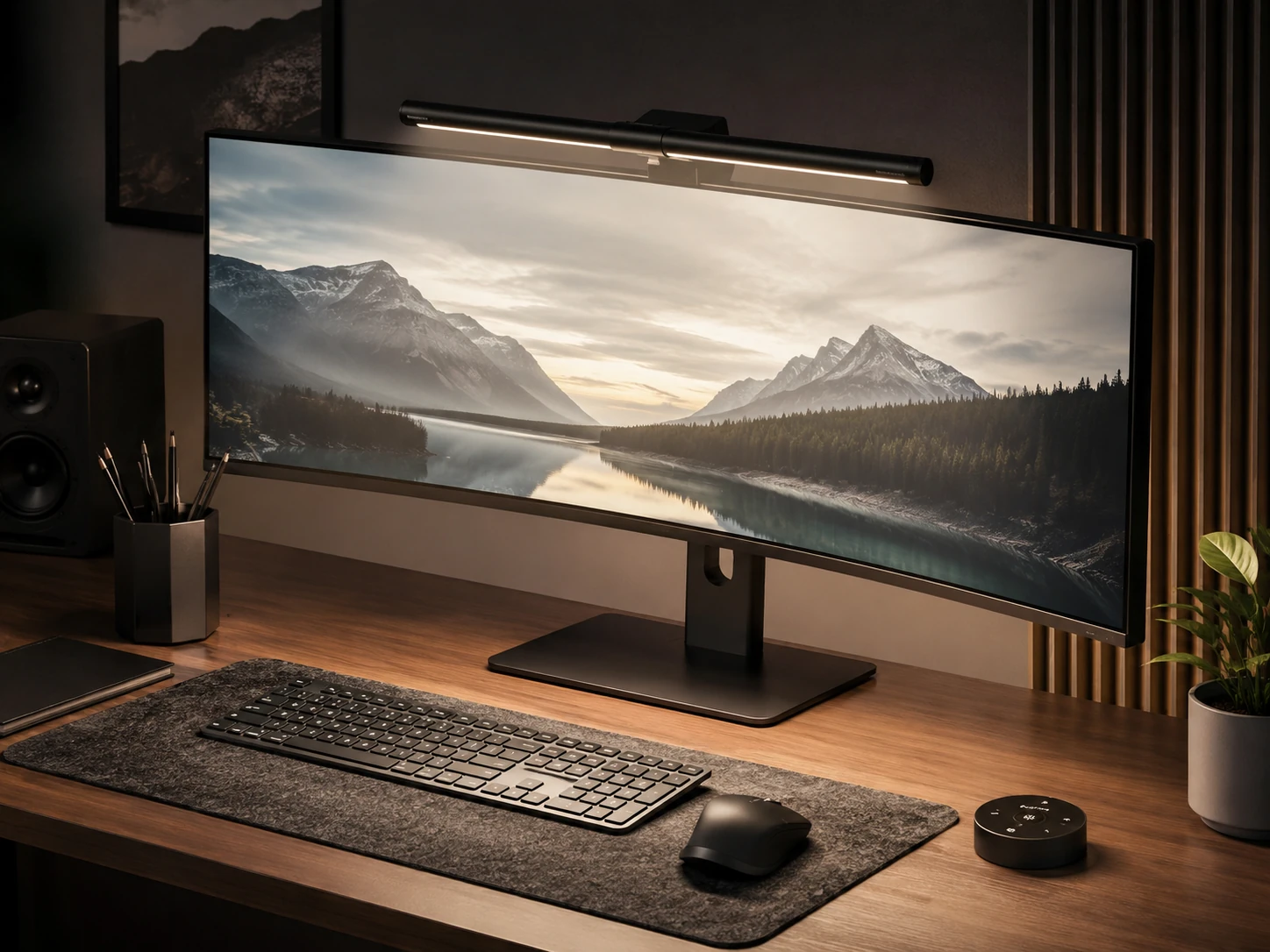
Quntis Computer Monitor Lamp, Auto-Dimming, Touch Control
Budget-conscious buyers who want the most review-validated monitor lamp with auto-dimming and high CRI performance
Our take Check price for Quntis Computer Monitor Lamp, Auto-Dimming, Touch Control (opens in a new tab)
Best Wireless Remote
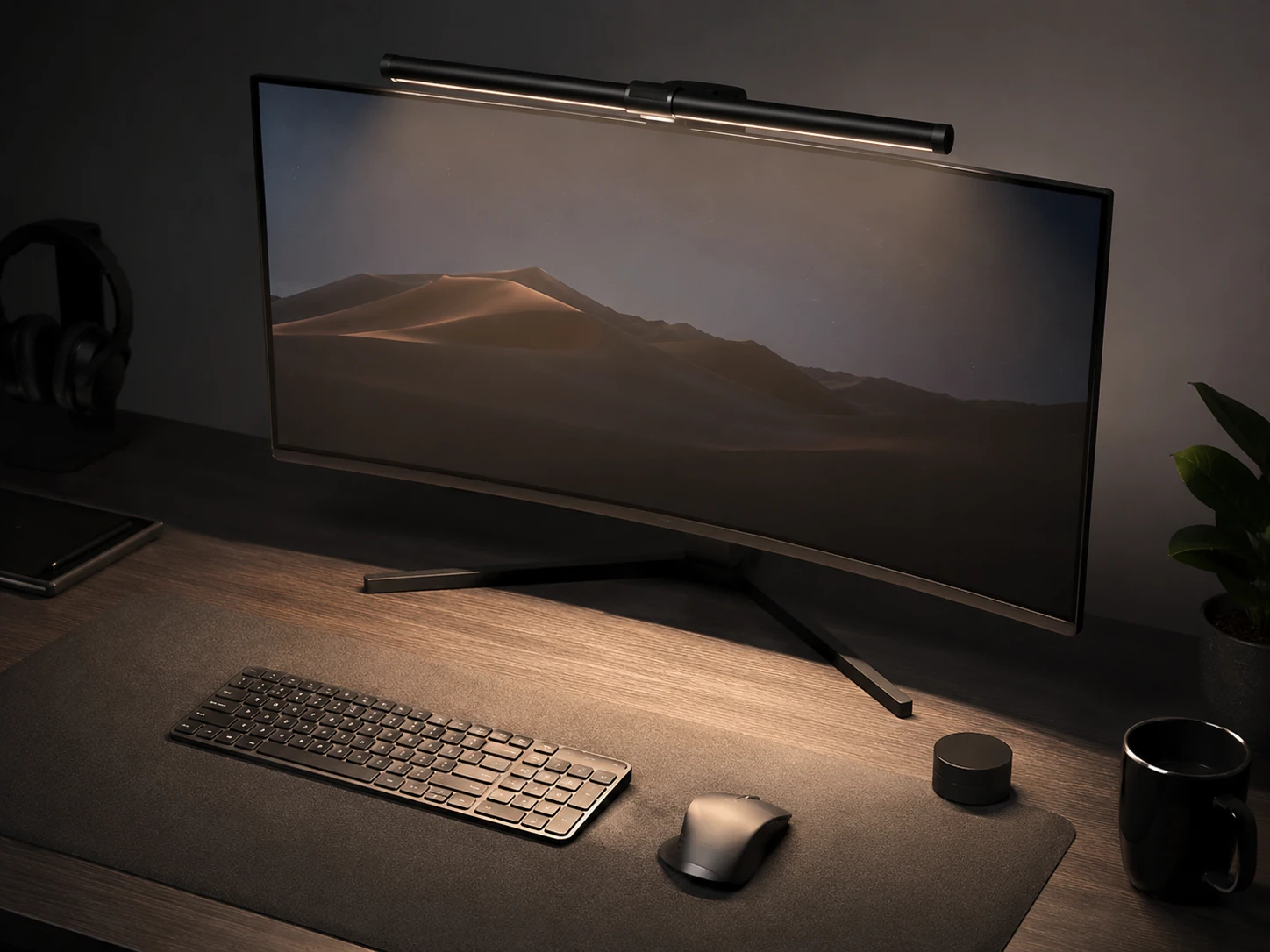
Xiaomi Mi Monitor Light Bar, Wireless 2.4GHz Remote
Home office setups where desk-surface wireless remote control is a priority over touching the bar for light adjustments
Our take Check price for Xiaomi Mi Monitor Light Bar, Wireless 2.4GHz Remote (opens in a new tab)
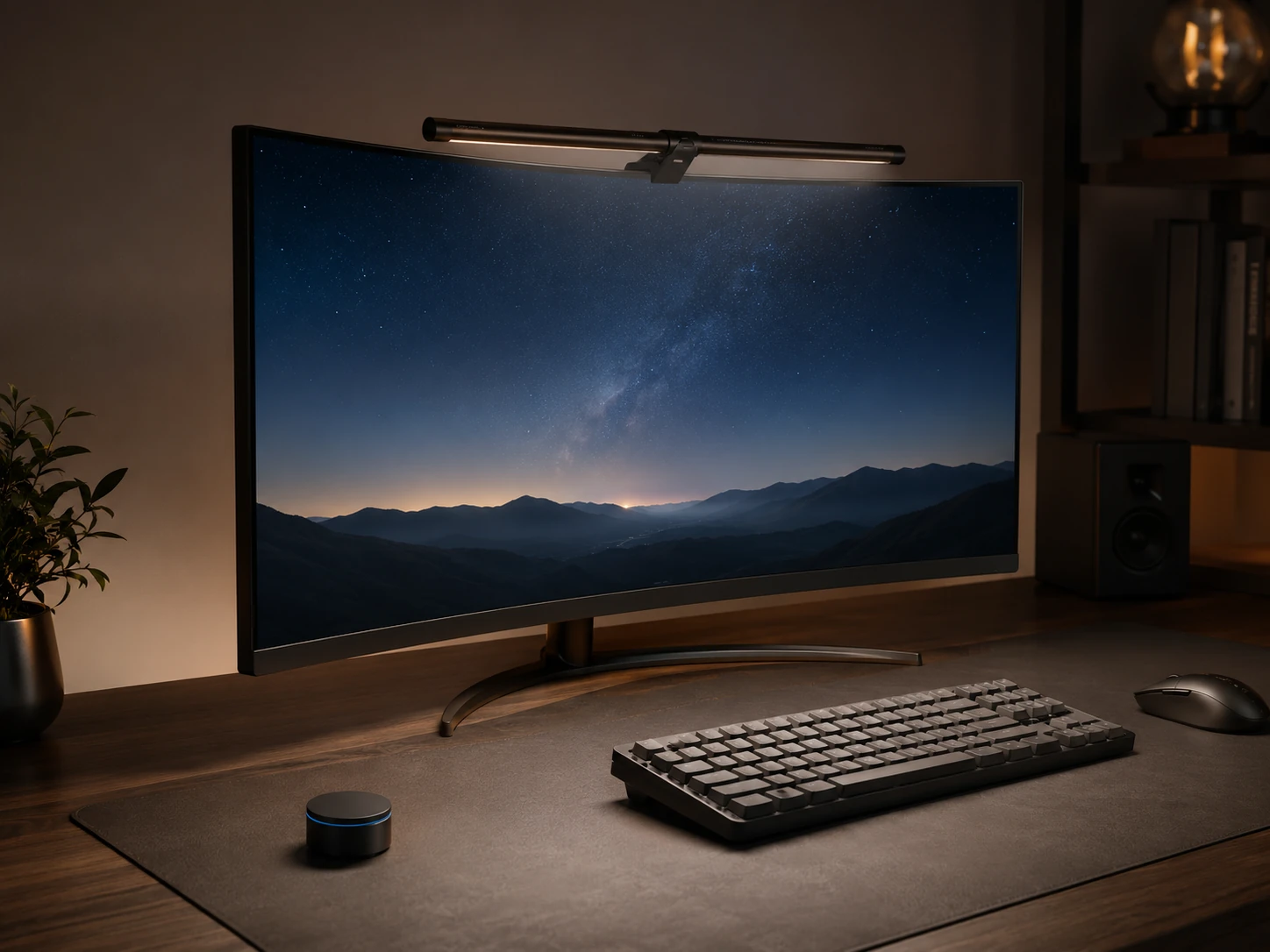
Best PRO+ Features
Quntis Monitor Light Bar PRO+, 20-inch, Remote, Auto-Dimming
Ultrawide monitor setups where maximum lux output and a 20-inch bar span are priorities for desk surface illumination
Our take Check price for Quntis Monitor Light Bar PRO+, 20-inch, Remote, Auto-Dimming (opens in a new tab)
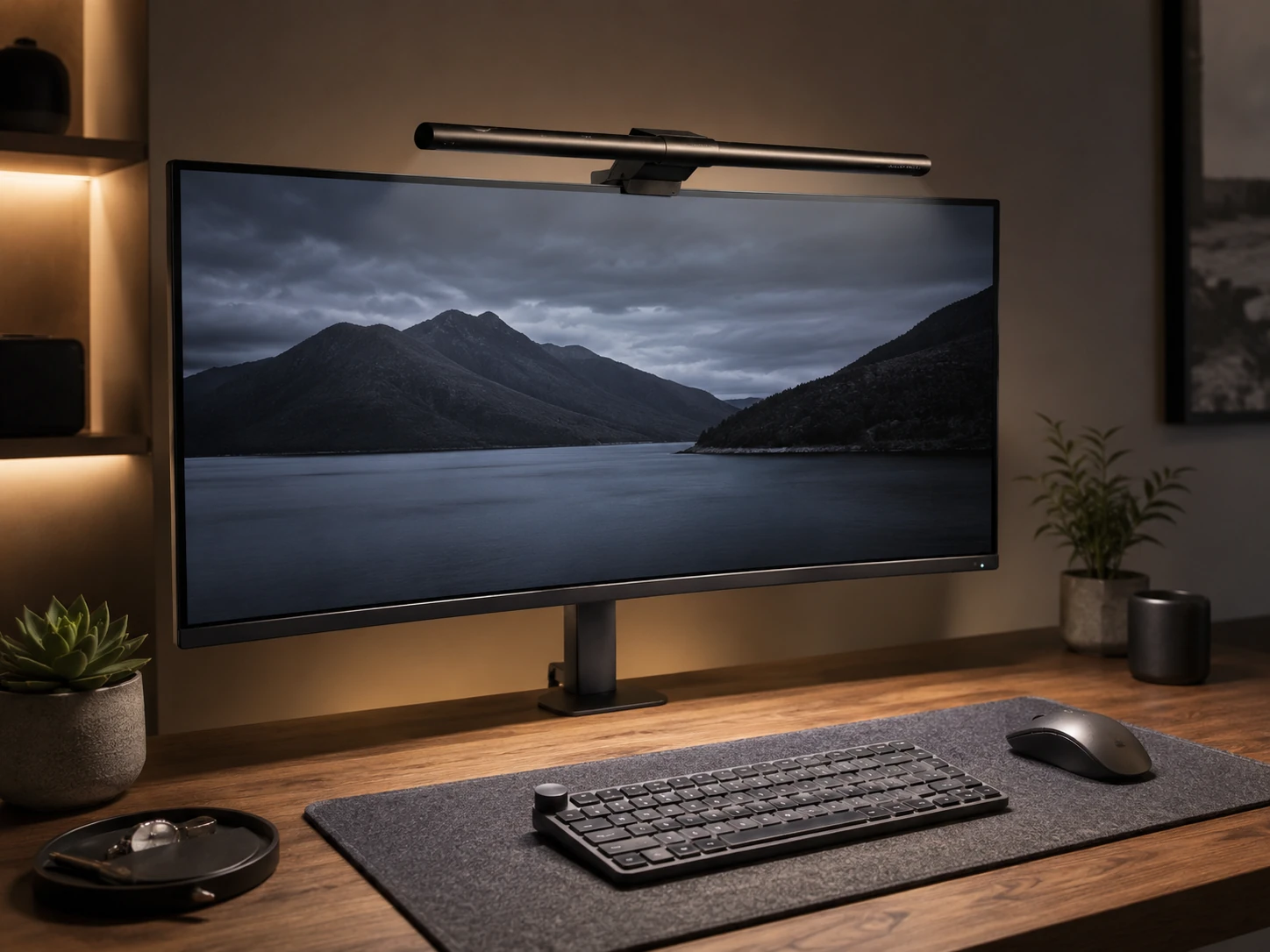
Best Premium Flat + Curved
BenQ ScreenBar Pro, Motion Sensor, USB-C, Curved Monitor
Buyers with tight-curve monitors (1000R) who want premium build quality, motion-sensor automation, and BenQ brand reliability
Our take Check price for BenQ ScreenBar Pro, Motion Sensor, USB-C, Curved Monitor (opens in a new tab)
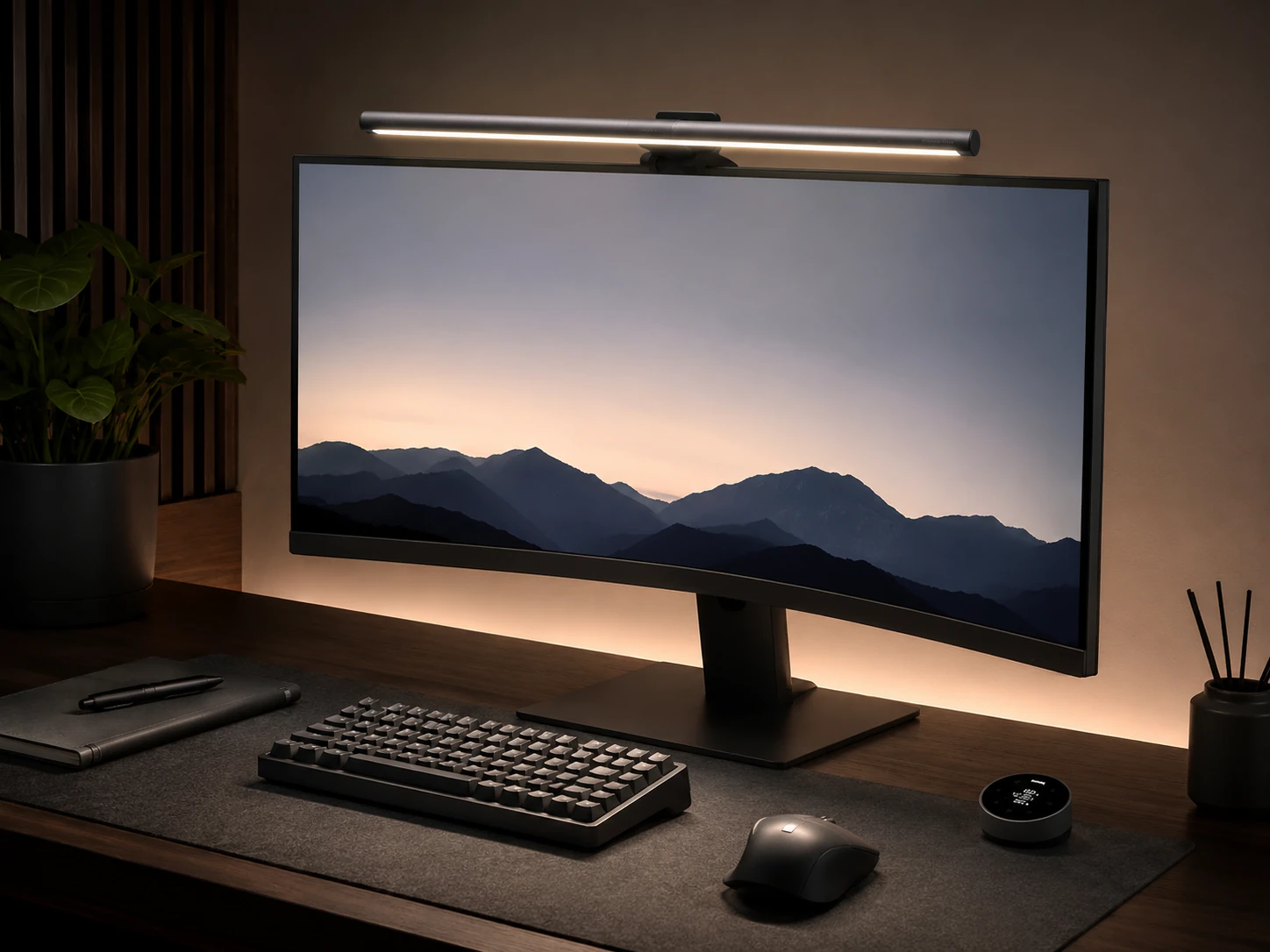
Best with Backlight
BenQ ScreenBar Halo 2, Backlight, Motion Sensor, Curved
Dark-room or dim-room setups where bias lighting behind a curved monitor is needed to reduce eye strain during long sessions
Our take Check price for BenQ ScreenBar Halo 2, Backlight, Motion Sensor, Curved (opens in a new tab)
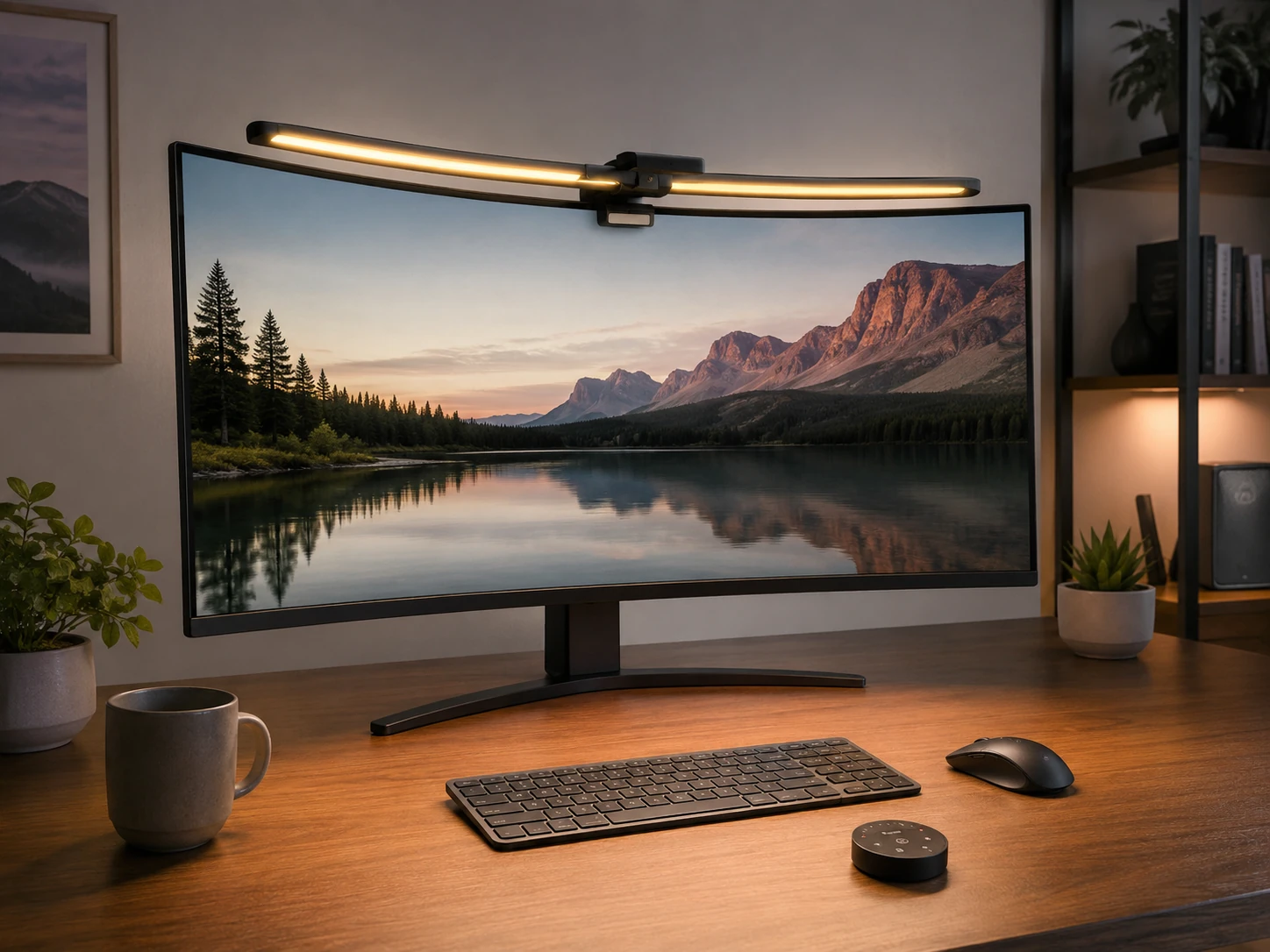
Best Curved-Specific Design
Quntis Curved Monitor Light Bar, Dual Pivoting Arms, Remote
Buyers with tight-curve monitors (1000R to 1200R) where standard flat-bar clips sit unstably and a purpose-built curved mount is needed
Our take Check price for Quntis Curved Monitor Light Bar, Dual Pivoting Arms, Remote (opens in a new tab)
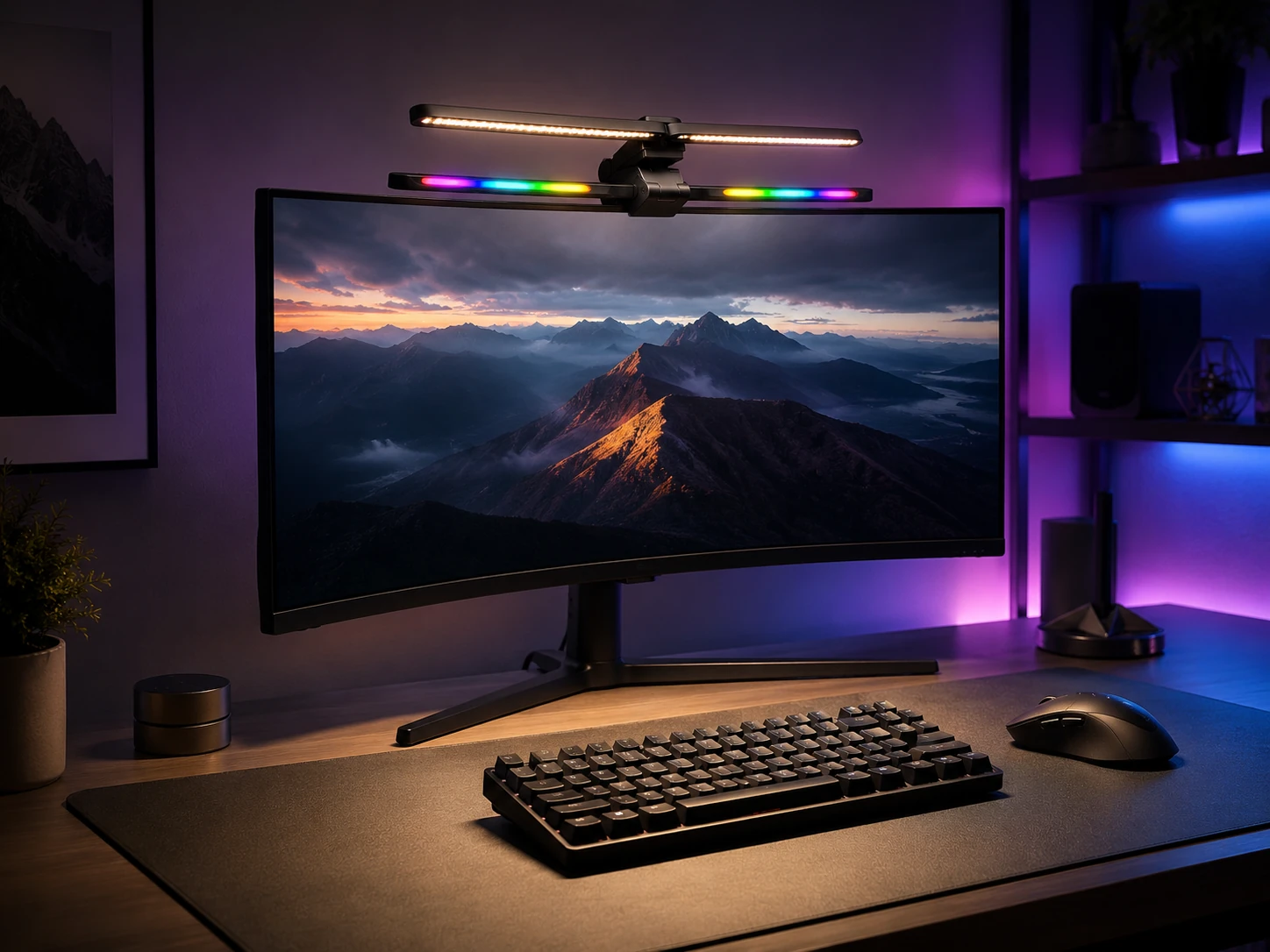
Best Curved RGB
Quntis Curved RGB Monitor Light Bar, Foldable Dual Head
Gaming setups with curved monitors from 1000R to 1800R where RGB ambient lighting alongside functional desk illumination is a priority
Our take Check price for Quntis Curved RGB Monitor Light Bar, Foldable Dual Head (opens in a new tab)
Our Picks
Best Overall1 of 8
BenQ ScreenBar Classic Monitor Light Bar on Amazon (opens in a new tab)
The BenQ ScreenBar Classic is a clip-on bar that mounts on the top edge of a flat or gently curved monitor and directs light downward onto the desk surface rather than toward the screen.
Best for
- Home offices and workstations with curved monitors at 1500R or larger radius that want the most review-validated light bar with auto-dimming
Why we like it
Its auto-dimming sensor adjusts brightness based on ambient light, which means it compensates for room lighting changes without manual intervention. The touch control panel on the bar itself handles color temperature and brightness adjustments directly.
The bar is compatible with curved monitors down to 1500R radius, which covers most consumer ultrawide monitors. Buyers with monitors curved to 1000R or tighter should look at the purpose-built curved designs like the Quntis Curved variants in this roundup. CRI 95 color rendering means colors on the lit surface appear close to how they would under daylight, which matters for design work and color-accurate tasks.
Key dimensions & specs
- Curved 1500R compatible
- Auto-dimming
- Touch control
- CRI 95
- USB-A powered
Pros
- 5,377 reviews at 4.7 stars, strongest trust signal in this roundup
- Auto-dimming adjusts to room lighting changes
- CRI 95 for accurate color rendering
- Touch control directly on the bar
Cons
- Compatible only to 1500R, not tighter curves
- No wireless remote, touch-only control
- No backlight option
Best Budget Pick2 of 8
Quntis Computer Monitor Lamp, Auto-Dimming, Touch Control on Amazon (opens in a new tab)
CRI 98 is higher than the BenQ ScreenBar Classic and produces very accurate color rendering for tasks where surface light quality matters.
Best for
- Budget-conscious buyers who want the most review-validated monitor lamp with auto-dimming and high CRI performance
Why we like it
The 900 Lux output is sufficient to illuminate a standard desk surface for extended work sessions. As a USB-powered lamp, it draws power directly from the monitor's USB port or a standard USB adapter, keeping the cable situation simple. The clip mount attaches to flat and gently curved monitors, with compatibility specifications similar to the BenQ Classic. Buyers who want the highest review count in this category at the lowest price, with CRI 98 performance, should start here.
Key dimensions & specs
- Auto-dimming
- Touch control
- CRI 98
- 900 Lux
- USB powered
Pros
- 13,623 reviews, highest review count in this roundup
- CRI 98, higher color accuracy than most picks
- Budget price at $39.95
- Auto-dimming included
Cons
- No wireless remote
- Compatibility may not extend to tight 1000R curves
- Lower lux than some premium picks
Best Wireless Remote3 of 8
Xiaomi Mi Monitor Light Bar, Wireless 2.4GHz Remote on Amazon (opens in a new tab)
4GHz wireless remote that sits on the desk for brightness and color temperature control without touching the bar itself.
Best for
- Home office setups where desk-surface wireless remote control is a priority over touching the bar for light adjustments
Why we like it
Magnetic rotation allows the bar to pivot on its mount, which is useful for directing light at slightly different angles depending on desk layout and monitor position. The metal body construction is noticeably more durable than plastic-body alternatives in this price range.
4 stars, the Xiaomi has strong market validation for a mid-range wireless pick. USB-C powered with CRI 95 color rendering. The wireless remote is the primary differentiator here for buyers who want desk-surface control without reaching up to touch the bar, which is a more natural interaction pattern for light adjustment during extended sessions.
Key dimensions & specs
- Wireless remote
- Magnetic rotation
- CRI 95
- USB-C powered
- Metal body
Pros
- Wireless 2.4GHz remote for desk-level control
- Magnetic rotation for adjustable beam direction
- Metal body for durability
- USB-C powered
Cons
- 4.4 stars, lower rating than the BenQ or Quntis picks
- Curved monitor compatibility not as broad as dedicated curved designs
- $67.99 above entry-level pricing
Best PRO+ Features4 of 8
Quntis Monitor Light Bar PRO+, 20-inch, Remote, Auto-Dimming on Amazon (opens in a new tab)
The Quntis Monitor Light Bar PRO+ extends to 20 inches, which is wider than most standard light bars and provides broader light coverage across a wider desk surface or ultrawide monitor setup.
Best for
- Ultrawide monitor setups where maximum lux output and a 20-inch bar span are priorities for desk surface illumination
Why we like it
The 1,200 Lux output is the highest in this roundup and covers larger desk surfaces adequately without bright spots or falloff toward the edges. A wireless remote is included alongside auto-dimming functionality. With curved monitor compatibility listed in the specifications, this is a strong mid-to-upper-range option for buyers who need wide light coverage at high output. 4 stars reflect moderate market validation at this price point. For buyers specifically prioritizing lux output and bar width, this is the pick to compare against the BenQ ScreenBar Pro.
Key dimensions & specs
- 20-inch bar
- Wireless remote
- Auto-dimming
- 1200 Lux
- Curved monitor compatible
Pros
- 1,200 Lux, highest output in this roundup
- 20-inch bar width covers ultrawide setups
- Wireless remote plus auto-dimming
- Curved monitor compatible
Cons
- 4.4 stars, lower rating than top picks
- 2,385 reviews, moderate validation
- $69.99 pricing above the budget tier
Best Premium Flat + Curved5 of 8
BenQ ScreenBar Pro, Motion Sensor, USB-C, Curved Monitor on Amazon (opens in a new tab)
The BenQ ScreenBar Pro is rated for curved monitors from 1000R to 1800R, which is the broadest compatibility range among the BenQ products in this roundup and covers virtually all consumer curved monitors including tight 1000R gaming displays.
Best for
- Buyers with tight-curve monitors (1000R) who want premium build quality, motion-sensor automation, and BenQ brand reliability
Why we like it
A proximity motion sensor detects when someone sits at the desk and turns the light on automatically, and turns it off when the space is vacated. The wireless dial controller sits on the desk for precision control of brightness and color temperature. USB-C powered and rated at 1,000 Lux. For buyers who want the backlight feature in addition to front lighting, the ScreenBar Halo 2 is the step up from this model.
Key dimensions & specs
- 1000R-1800R curved compatible
- Motion sensor
- USB-C
- 1000 Lux
- Wireless dial controller
Pros
- 1000R-1800R compatibility, broadest curved range in BenQ lineup
- 4.8 stars, highest rating in premium tier
- Motion sensor for automatic on/off
- Wireless dial controller for precision adjustment
Cons
- $139.00, premium price tier
- 1,234 reviews, lower validation than budget picks
- No backlight (see Halo 2 for that)
Best with Backlight6 of 8
BenQ ScreenBar Halo 2, Backlight, Motion Sensor, Curved on Amazon (opens in a new tab)
The BenQ ScreenBar Halo 2 adds a backlight panel to the rear-facing side of the bar, creating ambient bias lighting behind the monitor in addition to the front downward-facing desk illumination.
Best for
- Dark-room or dim-room setups where bias lighting behind a curved monitor is needed to reduce eye strain during long sessions
Why we like it
Bias lighting behind a monitor reduces eye strain during extended sessions in dark rooms by reducing contrast between the bright screen and the surrounding dark environment. The backlight color temperature can be adjusted independently of the front light. Compatible from 1000R to 1800R curved monitors, the Halo 2 supports the same tight-curve setups as the ScreenBar Pro while adding the backlight feature. Motion sensor and wireless dial controller are included., this is the most expensive pick in the roundup and is specifically for buyers who want a complete front-and-back lighting solution rather than desk-only illumination.
Key dimensions & specs
- 1000R-1800R curved
- Front and back lighting
- Motion sensor
- Wireless dial
- CRI 95
Pros
- Front desk lighting plus independent rear bias light
- 1000R-1800R curved compatibility
- Motion sensor and wireless dial included
- 4.7 stars at 1,045 reviews
Cons
- $199.00, most expensive pick in this roundup
- 1,045 reviews, lower validation than budget picks
- Bias light benefit diminishes in bright rooms
Best Curved-Specific Design7 of 8
Quntis Curved Monitor Light Bar, Dual Pivoting Arms, Remote on Amazon (opens in a new tab)
The Quntis Curved Monitor Light Bar uses dual pivoting arms specifically engineered for curved monitor surfaces, rather than adapting a flat-bar design to a curve.
Best for
- Buyers with tight-curve monitors (1000R to 1200R) where standard flat-bar clips sit unstably and a purpose-built curved mount is needed
Why we like it
The dual-arm mount flexes to match the curvature of the monitor top edge, providing a more secure and stable fit than clip-on designs on tight curves. This approach is particularly relevant for monitors with 1000R to 1200R curvature where standard clip mounts may rock or slip., CRI 98+, and a remote control included, this pick offers a purpose-built curved solution at mid-range pricing. 7 stars it has lower market validation than the BenQ or Quntis budget picks, but the dual-arm design addresses a genuine fit issue that standard flat bars cannot. Buyers with tight-curve monitors who find flat bars unstable on their setup should start here.
Key dimensions & specs
- Dual pivoting arm design
- Curved monitor specific
- Remote control
- CRI 98+
Pros
- Dual pivoting arms fit curved surfaces more securely than flat clips
- CRI 98+ for high color accuracy
- Remote control included
- 4.7 stars
Cons
- 253 reviews, lower validation
- $59.99 above budget tier for a non-premium unit
- Purpose-built for curves only, not for flat monitors
Best Curved RGB8 of 8
Quntis Curved RGB Monitor Light Bar, Foldable Dual Head on Amazon (opens in a new tab)
The Quntis Curved RGB Monitor Light Bar adds 15 RGB lighting modes to the dual-head foldable design, making it the only pick in this roundup with color RGB capability.
Best for
- Gaming setups with curved monitors from 1000R to 1800R where RGB ambient lighting alongside functional desk illumination is a priority
Why we like it
The foldable dual-head format allows the bar to be adjusted to match tight curves from 1000R to 1800R while still providing desk surface illumination alongside the RGB ambient effect. A remote control handles mode switching and brightness without touching the bar. At the same price as the non-RGB Quntis Curved, this pick trades the simpler profile of the non-RGB version for the RGB mode flexibility. CRI 98+ means the white working light is still high quality when RGB modes are turned off. For buyers who want a purpose-built curved mount with RGB for gaming and ambiance, there is no direct alternative in this roundup.
Key dimensions & specs
- RGB lighting
- Foldable dual head
- 15 RGB modes
- 1000R-1800R
- CRI 98+
- Remote control
Pros
- Only RGB pick in this roundup
- 15 RGB modes plus white light modes
- 1000R-1800R curved compatibility
- CRI 98+ for accurate white working light
Cons
- 253 reviews, lower validation
- RGB feature adds complexity for buyers who only want white light
- Foldable dual-head may be less rigid than single-bar designs
Frequently Asked Questions
What curvature radius do most monitor light bars support?
Most standard clip-on light bars are designed for flat monitors and support gentle curves down to 1500R. Monitors with a 1000R to 1200R curve require either a purpose-built curved design like the Quntis Curved variants, or a premium model like the BenQ ScreenBar Pro or Halo 2 that explicitly lists 1000R compatibility. Always verify the curvature spec before purchasing a standard clip-on bar for a gaming-grade curved monitor.
Do monitor light bars cause screen glare on curved monitors?
Light bars are designed to direct light downward onto the desk surface rather than toward the screen, which minimizes glare regardless of monitor type. On curved monitors the slight inward angle of the top edge can cause a standard flat-bar clip to tilt the beam direction slightly. Purpose-built curved mounts like the Quntis Curved correct this by matching the mount angle to the monitor curvature.
What is the difference between a 1000R and 1800R monitor for light bar compatibility?
The R number describes the radius of the curve in millimeters. A 1000R curve is tighter than 1800R. Most consumer curved monitors sold as general displays use 1800R or 1500R. Gaming monitors commonly use 1000R to 1200R for a more immersive curve. Tighter curves (lower R numbers) are harder for standard clip mounts to grip securely.
Is auto-dimming worth it on a monitor light bar?
Auto-dimming adjusts brightness based on ambient room light using a built-in sensor. It is useful in rooms where lighting changes throughout the day, such as rooms with natural light from windows. For setups in controlled artificial-light environments, manual control is sufficient. The BenQ ScreenBar Classic and Quntis Monitor Lamp both include auto-dimming at their respective price points.
Which monitor light bar is best for a 1000R curved gaming monitor?
The BenQ ScreenBar Pro at $139 and the BenQ ScreenBar Halo 2 at $199 both list 1000R-1800R compatibility with premium build quality. 99 uses dual pivoting arms specifically designed for curved surfaces and reaches tight curves more securely than flat-clip designs.
Bottom Line
Best overall: BenQ ScreenBar Classic Monitor Light Bar — best overall pick in this roundup. See the full verdicts above for every pick, with pros, cons and who each one suits.
Browse all the best monitor light bars for curved monitors, compared on Amazon — Prime-eligible options with current pricing.