
Buying Guide
8 Best Ergonomic Keyboard and Mouse Sets in 2026
8 keyboard and mouse sets in 2026, reviewed honestly on which are genuinely ergonomic and which are standard wireless combos sold under an ergonomic label.
By Jamie Cole, Lead Product Researcher
10 min read8 products evaluated
Most products sold as an "ergonomic keyboard and mouse set" are not built the same way. Some pair a curved or split keyboard with a sculpted mouse designed to reduce wrist strain, while others are standard flat wireless combos with the word ergonomic added to the listing title. This guide evaluates both types honestly, and none of the mice included here are true vertical mice, so if pronation relief from the mouse specifically is your priority, a dedicated vertical mouse purchased separately will do more for you than any set.
Below are 8 keyboard and mouse sets we compared on whether the keyboard is actually curved or split, whether the paired mouse offers any real ergonomic shape, receiver type, and price, ranging from a $19.99 budget silent combo to a $59.99 wave-style set.
Quick Picks
Our 8 recommendations at a glance. Tap a pick for the full verdict.

Best Genuinely Ergonomic Set
Logitech Wave Keys Wireless Ergonomic Keyboard - Graphite
Buyers who want a keyboard that is actually ergonomic, not just labeled as a set
Our take Check price for Logitech Wave Keys Wireless Ergonomic Keyboard - Graphite (opens in a new tab)

Best True Split Design
Logitech Ergo K860 Wireless Ergonomic Split Keyboard with Wrist Rest
Buyers who want the most ergonomically serious keyboard and are willing to pair a vertical mouse separately
Our take Check price for Logitech Ergo K860 Wireless Ergonomic Split Keyboard with Wrist Rest (opens in a new tab)

Best Wired Split Under $50
Perixx PERIBOARD-512B Wired Ergonomic Keyboard
Budget buyers who want a true split layout without paying for wireless
Our take Check price for Perixx PERIBOARD-512B Wired Ergonomic Keyboard (opens in a new tab)

Best Budget Curved Combo
Wireless Keyboard and Mouse Combo, Full Size Silent Ergonomic Keyboard and Mouse
Budget buyers who want a matched set, with modest ergonomic benefit
Our take Check price for Wireless Keyboard and Mouse Combo, Full Size Silent Ergonomic Keyboard and Mouse (opens in a new tab)

Best Budget Curved Combo (Color Option)
Wireless Keyboard and Mouse Combo, 2.4G Full Size Silent Keyboard (Avocado Green)
Buyers who want the budget matched set in a specific color
Our take Check price for Wireless Keyboard and Mouse Combo, 2.4G Full Size Silent Keyboard (Avocado Green) (opens in a new tab)

Standard Combo, Not Ergonomic
Logitech MK345 Full Size Wireless Keyboard and Mouse Combo - Black
Buyers who want a reliable standard combo and don't actually need ergonomic features
Our take Check price for Logitech MK345 Full Size Wireless Keyboard and Mouse Combo - Black (opens in a new tab)

Standard Combo, Not Ergonomic
Logitech MK540 Full Size Advanced Wireless Keyboard and Mouse Combo
Buyers who specifically want this combo's features and don't need ergonomic design
Our take Check price for Logitech MK540 Full Size Advanced Wireless Keyboard and Mouse Combo (opens in a new tab)

Cheapest Standard Combo
Logitech MK270 Full Size Wireless Keyboard and Mouse Combo - Black
Buyers who want the absolute cheapest working combo and don't need any ergonomic features
Our take Check price for Logitech MK270 Full Size Wireless Keyboard and Mouse Combo - Black (opens in a new tab)
Our Picks
Best Genuinely Ergonomic Set1 of 8
Logitech Wave Keys Wireless Ergonomic Keyboard - Graphite
Wave Keys is the closest thing in this list to a purpose-built ergonomic keyboard rather than a standard board wearing the label.
Best for
- Buyers who want a keyboard that is actually ergonomic, not just labeled as a set
Why we like it
Its curved key deck and attached rocking palm rest reduce wrist bend compared to a flat keyboard, even though it is a wave curve rather than a true split that separates into two halves.
Ergonomic curved design, not just labeled that way. On price, it comes in below Logitech Ergo K860 Wireless Ergonomic Split Keyboard with Wrist Rest, which is worth weighing if cost is your deciding factor between the two.
On the other side, No bundled mouse in this specific listing.
Key specs
- Wave-curved key deck, single-piece frame
- Rocking cushioned palm rest
- Bluetooth and USB receiver pairing
- Compact footprint
- Graphite finish
Pros
- ergonomic curved design, not just labeled that way
- Rocking palm rest adjusts to wrist angle
- Dual wireless connection options
- Compact footprint fits smaller desks
Cons
- Costs more than the standard combos in this list
- Wave curve, not a true split layout
- No bundled mouse in this specific listing
Best True Split Design2 of 8
Logitech Ergo K860 Wireless Ergonomic Split Keyboard with Wrist Rest
The Ergo K860 uses a separated key layout split into two angled halves, not a single curved wave surface, and it is the only pick in this list built around a true split rather than a curve marketed as one.
Best for
- Buyers who want the most ergonomically serious keyboard and are willing to pair a vertical mouse separately
Why we like it
A dense memory foam palm rest runs the full width of the board.
On the other side, Wider overall footprint than a wave keyboard.
Key specs
- True split key layout, not a wave curve
- Full-width memory foam palm rest
- Multi-device Bluetooth, up to 3 devices
- Wireless, Logi Bolt USB receiver included
- Reverse tilt keeps wrists in a more neutral angle
Pros
- Only split layout in this list
- Dense memory foam rest across the full width
- Pairs with up to 3 devices over Bluetooth
- Reverse tilt reduces wrist extension
Cons
- Most expensive pick in this list
- No bundled mouse in this specific listing
- Wider overall footprint than a wave keyboard
Best Wired Split Under $503 of 8
Perixx PERIBOARD-512B Wired Ergonomic Keyboard
The PERIBOARD-512B pairs a split key section with a wired USB connection, the cheapest way in this list to get a real split layout rather than a curved single-piece frame.
Best for
- Budget buyers who want a true split layout without paying for wireless
Why we like it
Its firmer molded plastic wrist rest trades softness for a surface that resists flattening over years of use.
On the other side, Shortcut row is Windows-specific.
Key specs
- Genuine split key layout
- Molded plastic wrist rest
- Wired USB connection
- Windows-specific shortcut key row
- Natural typing angle
Pros
- Cheapest true split layout in this list
- No battery or wireless pairing to manage
- Firm wrist rest resists flattening over time
- Dedicated Windows shortcut keys
Cons
- No bundled ergonomic mouse
- Wired only, no Bluetooth option
- Shortcut row is Windows-specific
Best Budget Curved Combo4 of 8
Wireless Keyboard and Mouse Combo, Full Size Silent Ergonomic Keyboard and Mouse
This set is a matched keyboard and mouse pairing sold together, unlike most of the standalone ergonomic keyboards above.
Best for
- Budget buyers who want a matched set, with modest ergonomic benefit
Why we like it
The keyboard has a mildly curved key layout marketed as ergonomic, though it is a much gentler curve than the Wave Keys or true split picks, and the included mouse is a standard sculpted shape rather than anything vertical.
The real tradeoff against that pick: Curve is much milder than a true wave or split keyboard.
On the other side, Build quality expectations should match the price.
Key specs
- Mildly curved full-size key layout
- Standard sculpted mouse (not vertical)
- 2.4G wireless, single USB receiver for both
- Quiet/silent key switches
- Long battery life claimed
Pros
- sold as a matched keyboard + mouse pair
- Cheapest set in this list
- Single receiver pairs both devices at once
- Quiet typing for shared spaces
Cons
- Curve is much milder than a true wave or split keyboard
- Mouse is sculpted, not vertical, minimal pronation relief
- Build quality expectations should match the price
Best Budget Curved Combo (Color Option)5 of 8
Wireless Keyboard and Mouse Combo, 2.4G Full Size Silent Keyboard (Avocado Green)
This is functionally the same tier of product as the previous pick: a matched wireless keyboard and mouse set with a mildly curved keyboard shape and a standard sculpted mouse, sold here in an Avocado Green finish for buyers who want a colorway beyond black or graphite.
Best for
- Buyers who want the budget matched set in a specific color
Why we like it
On the other side, Same modest ergonomic benefit as the black budget option.
Key specs
- Mildly curved full-size key layout
- 3-level DPI adjustable mouse
- 2.4G wireless, single USB receiver for both
- Fn multimedia key row
- Avocado Green colorway
Pros
- matched keyboard + mouse set
- Adjustable mouse DPI
- Distinct colorway for desk setups that want it
- low-cost price
Cons
- Curve is much milder than a true wave or split keyboard
- Mouse is sculpted, not vertical
- Same modest ergonomic benefit as the black budget option
Standard Combo, Not Ergonomic6 of 8
Logitech MK345 Full Size Wireless Keyboard and Mouse Combo - Black
The MK345 is a standard flat keyboard and mouse combo, not an ergonomic one, and it is included here specifically as a comparison point rather than a recommended ergonomic pick.
Best for
- Buyers who want a reliable standard combo and don't actually need ergonomic features
Why we like it
There is no curve to the key deck and no sculpted shaping to the mouse beyond a basic contour.
On the other side, Mouse has no real ergonomic shaping.
Key specs
- Flat, standard key layout
- Basic contoured mouse, no ergonomic shaping
- 2.4GHz wireless, single USB receiver
- Spill-resistant keyboard design
- Full-size layout with numpad
Pros
- Reliable, established brand hardware
- Simple single-receiver wireless pairing
- Full-size layout with numpad
- Reasonably priced
Cons
- Not ergonomic despite frequently appearing in ergonomic set searches
- Flat key deck, no wrist relief
- Mouse has no real ergonomic shaping
Standard Combo, Not Ergonomic7 of 8
Logitech MK540 Full Size Advanced Wireless Keyboard and Mouse Combo
Like the MK345, the MK540 is a standard flat combo, not an ergonomic one, despite frequently surfacing in searches for ergonomic keyboard and mouse sets.
Best for
- Buyers who specifically want this combo's features and don't need ergonomic design
Why we like it
It adds a spill-resistant design and a slightly more refined mouse shape than the MK345, along with a longer claimed battery life.
The real tradeoff against that pick: Not ergonomic, priced similarly to a curved keyboard.
On the other side, Mouse has no real ergonomic shaping.
Key specs
- Flat, standard key layout
- Contoured mouse, no ergonomic shaping
- 2.4GHz wireless, single USB receiver
- Spill-resistant keyboard design
- Extended battery life claimed
Pros
- Refined build quality from an established brand
- Spill-resistant design
- Longer claimed battery life than the MK345
- Simple single-receiver setup
Cons
- Not ergonomic, priced similarly to a curved keyboard
- Flat key deck, no wrist relief
- Mouse has no real ergonomic shaping
Cheapest Standard Combo8 of 8
Logitech MK270 Full Size Wireless Keyboard and Mouse Combo - Black
The MK270 is the cheapest pick in this entire list and, like the MK345 and MK540, is a standard flat combo with no ergonomic shaping to either the keyboard or mouse.
Best for
- Buyers who want the absolute cheapest working combo and don't need any ergonomic features
Why we like it
It is a reasonable no-frills pick if all you need is a working wireless keyboard and mouse for basic tasks.
On the other side, No wrist relief benefit whatsoever.
Key specs
- Flat, standard key layout
- Basic mouse, no ergonomic shaping
- 2.4GHz wireless, single USB receiver
- Full-size layout with numpad
- Long battery life claimed
Pros
- Cheapest pick in this list
- Established, reliable brand
- Simple single-receiver setup
- Full-size layout with numpad
Cons
- Not ergonomic at all
- Priced close to curved budget alternatives
- No wrist relief benefit whatsoever
How We Chose
Each pick was assessed across 5 criteria weighted for real-world use.
- Is the keyboard actually curved or split
- Checked each listing's real construction to confirm whether the keyboard has a genuine wave curve or split layout, or is a flat standard board using the word ergonomic loosely in its title.
- Is the paired mouse actually ergonomic
- Assessed whether the bundled mouse offers a sculpted grip shape, a vertical design, or no meaningful ergonomic shaping at all, since none of the sets here include a true vertical mouse.
- Receiver and connection type
- 4GHz USB receiver, and Bluetooth pairing across sets, and noted where a keyboard and mouse share one receiver versus needing separate connections.
- Matched sets vs standalone keyboards
- Distinguished products that are truly sold and packaged as a keyboard-and-mouse pair from standalone ergonomic keyboards that frequently surface in set searches without an included mouse.
- Value for price
- Weighed real ergonomic benefit, connection type, and build quality against price, from the budget curved combos to the true split keyboard.
What to Look for in an Ergonomic Keyboard and Mouse Sets
Key buying criteria so you get the right fit the first time.
Understand what split, curved, and vertical layouts each actually change about your hand position
A curved keyboard bends the key rows into an arc that reduces how far your fingers reach across the board but keeps both hands in a fixed relative position, a split keyboard physically separates the two halves so each hand and wrist can angle independently to a more natural position, and a fully vertical keyboard rotates the hands toward a handshake-like orientation that reduces forearm rotation (pronation) more aggressively than either curved or split designs.
These are meaningfully different interventions, not just cosmetic variations on the same idea, and the amount of adjustment period and the specific relief they provide differs: a curved board requires almost no adaptation, a split board requires learning a new hand spacing, and a vertical board requires the most significant adaptation period but addresses forearm rotation most directly.
If a specific pain type (wrist deviation, forearm rotation, shoulder width) has been identified, match the layout type to that specific issue rather than assuming any keyboard labeled "ergonomic" addresses the same problem.
Check the key switch type, since it affects both typing feel and finger force required
Ergonomic keyboards commonly use one of three switch technologies: membrane (a soft rubber dome under each key, quiet and inexpensive but requiring the key to bottom out fully to register), scissor or low-profile (a shorter, more stable keystroke similar to a laptop keyboard), or mechanical (an individual physical switch per key with more configurable actuation force and travel distance, generally louder but often preferred for tactile feedback and reduced bottoming-out force).
This matters for anyone with existing wrist or finger strain specifically because mechanical switches can be selected for lighter actuation force, requiring less pressure to register a keystroke than a standard membrane keyboard, a genuine factor in repetitive strain rather than just a preference for typing feel.
If finger fatigue or strain is a specific concern, check for stated actuation force (measured in grams) rather than assuming all keyboards require the same finger pressure to type.
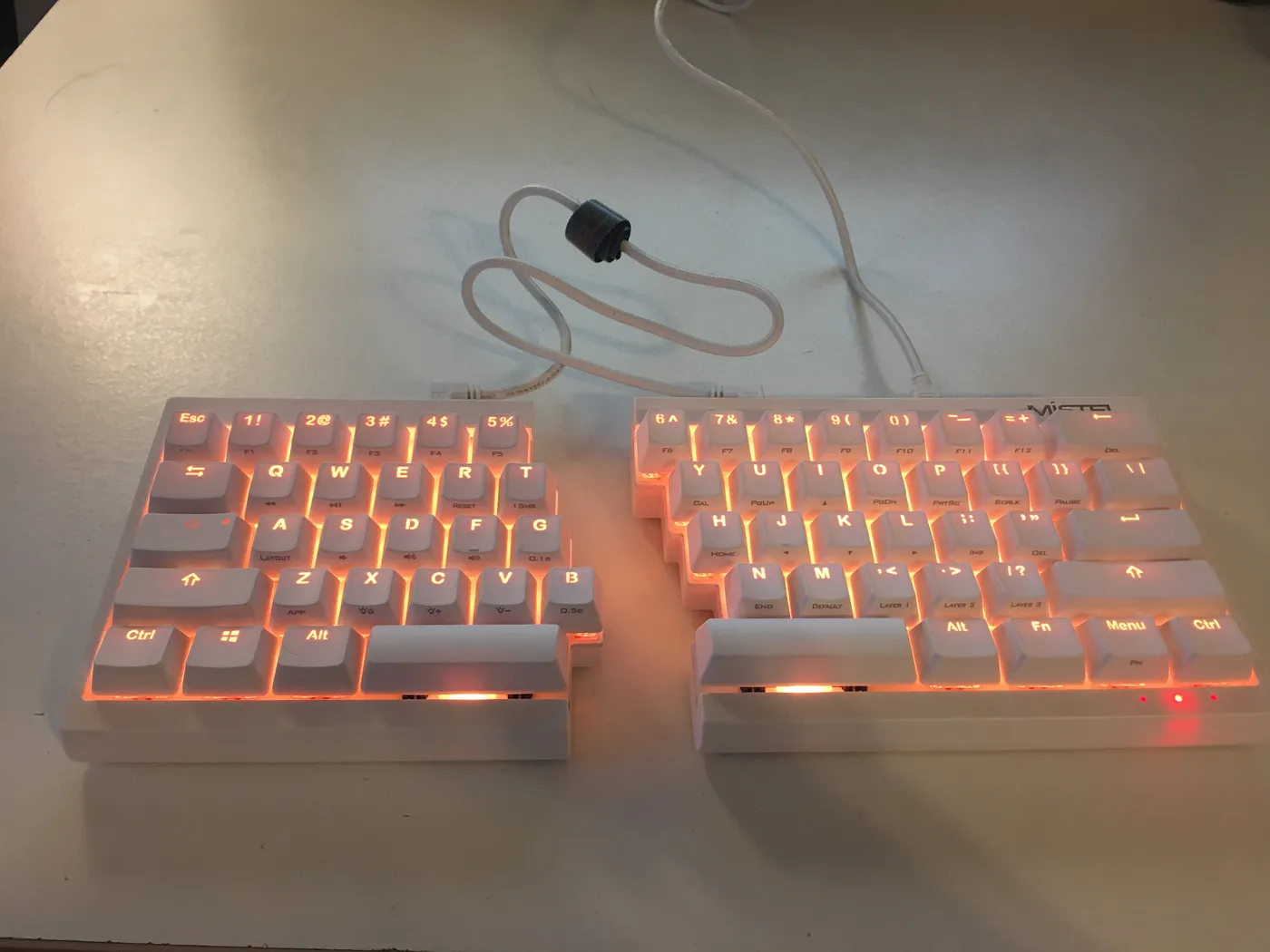
Split keyboard halves with orange backlighting on a desk Confirm wireless connection type matches your actual devices, and know the battery tradeoffs
4GHz USB receiver (generally lower latency and more reliable than Bluetooth, but requires a free USB port and the receiver can be lost), or wired USB (zero latency and no battery to manage, but no cable-free movement).
Multi-device Bluetooth models that support pairing with several devices and switching between them are a genuine convenience for anyone alternating between a work laptop and a personal computer, but this feature isn't universal even among Bluetooth keyboards.
Check the specific connection type and, for wireless models, confirm multi-device pairing support explicitly if you need to switch between more than one computer regularly, and factor in that backlit wireless models draw more power and need more frequent charging than non-backlit equivalents.
Check for a negative tilt option and separate wrist rest, since flat isn't always neutral
A truly neutral wrist position during typing involves the hands tilting slightly downward from the wrist toward the keys (negative tilt), which is the opposite of the upward tilt most standard and even many "ergonomic" keyboards default to with their built-in feet, and only some ergonomic models offer an actual negative-tilt adjustment or come with a design that achieves this angle by default.
A separate, adequately sized wrist rest matters independently of the keyboard's own tilt, since resting the wrist (not just the palm) on a support surface during typing reduces the upward bend at the wrist that a raised keyboard back otherwise creates.
Check specifically for a stated negative tilt option or a naturally downward-sloping design, and confirm whether a wrist rest is included versus needing to be purchased separately, rather than assuming any "ergonomic" label includes proper tilt geometry.
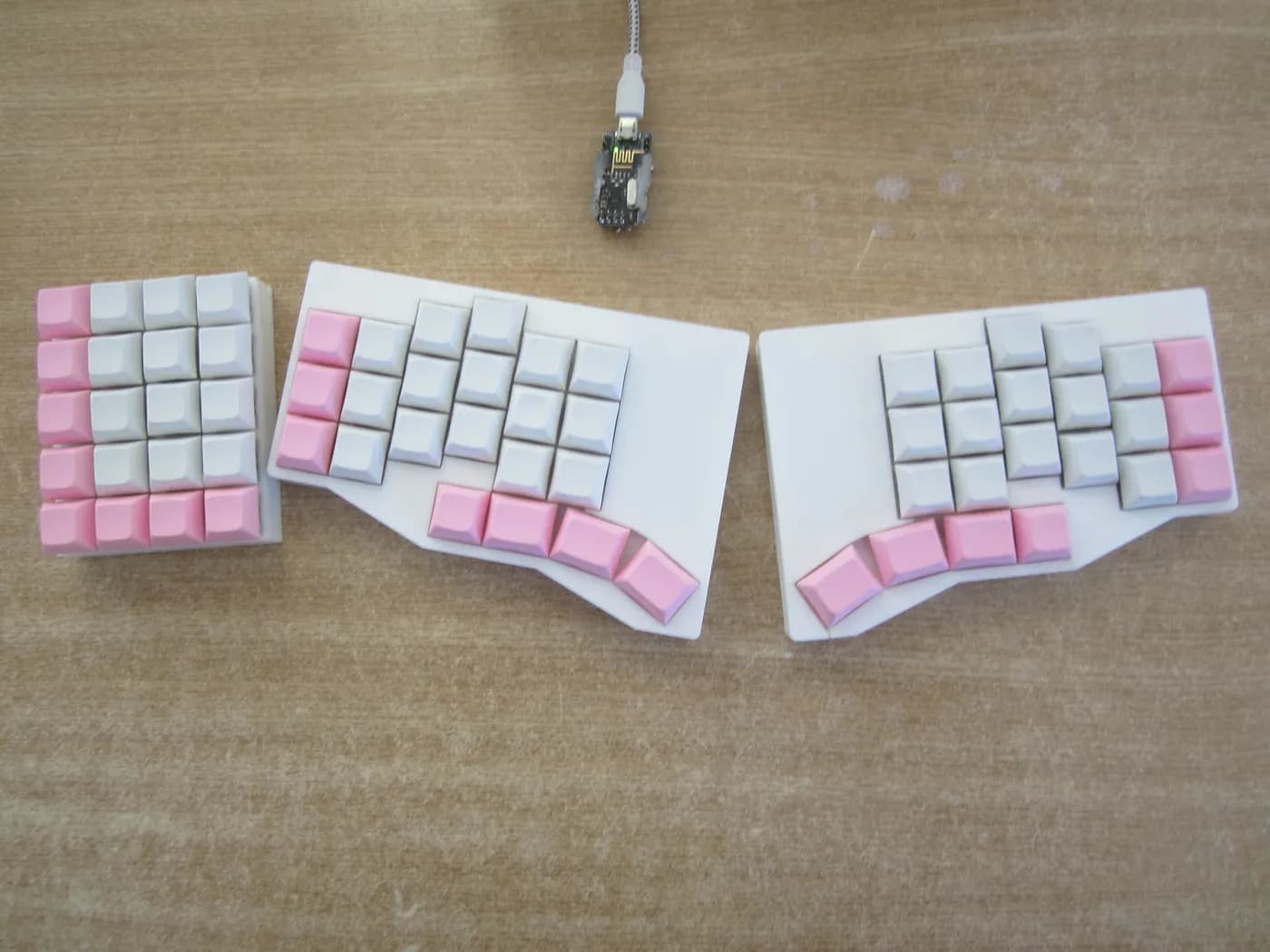
Pink and white split ergonomic keyboard with thumb clusters Weigh review volume against star rating, since some ergonomic keyboards share variants with different genuine track records
Ergonomic keyboards, especially from smaller brands, are frequently sold in multiple color or configuration variants that share the same underlying design and sometimes the same pooled review history despite being technically separate listings, which can make one specific variant's review count look artificially large or, conversely, leave a new design with almost no independent track record despite looking similar to an established model.
A keyboard central to your daily work deserves a design with substantial, focused review history behind it, not just a plausible-looking rating built on a thin or shared sample.
When comparing keyboards, especially similarly-designed variants from the same brand, check both the star rating and the review count together, and read a handful of reviews to confirm they describe the exact variant you're considering.
How to Choose an Ergonomic Keyboard and Mouse Sets
By Layout Type
| Your priority | Recommended pick in this comparison |
|---|---|
| Minimal adjustment period | Logitech Wave Keys Wireless Ergonomic Keyboard |
| Independent hand and wrist angling | Logitech Ergo K860 Wireless Ergonomic Split Keyboard with Wrist Rest |
| Maximum forearm rotation relief | Wireless Keyboard and Mouse Combo |
By Budget
| Price range | Recommended pick |
|---|---|
| Under $20 | Wireless Keyboard and Mouse Combo |
| Mid-range | Perixx PERIBOARD-512B Wired Ergonomic Keyboard |
| No firm budget ceiling, prioritizing switch quality or ergonomics | Logitech Ergo K860 Wireless Ergonomic Split Keyboard with Wrist Rest |
Wired vs Wireless
- Wired
- Zero input latency and no battery to manage, including no backlight battery drain if illuminated. In this comparison: Perixx PERIBOARD-512B Wired Ergonomic Keyboard.
- Wireless (Bluetooth/2.4GHz)
- Cable-free desk setup, at the cost of battery management and, for Bluetooth, potentially more input latency. In this comparison: Logitech Wave Keys Wireless Ergonomic Keyboard, Logitech Ergo K860 Wireless Ergonomic Split Keyboard with Wrist Rest, Wireless Keyboard and Mouse Combo.
By Switch Type and Typing Feel
| Your priority | Recommended pick |
|---|---|
| Lowest cost, quiet typing | Wireless Keyboard and Mouse Combo |
| Tactile feedback, lighter actuation force | Logitech Ergo K860 Wireless Ergonomic Split Keyboard with Wrist Rest |
For Wrist Pain or Carpal Tunnel Specifically
- Look for
- A genuine split or vertical layout (not just a curved surface), a negative tilt option or naturally downward-sloping design, and an included wrist rest sized for your hand.
- In this comparison
- Wireless Keyboard and Mouse Combo fits this specifically: sold as a matched keyboard + mouse pair.
When to Spend More
- Spend more if
- You want what Logitech Ergo K860 Wireless Ergonomic Split Keyboard with Wrist Rest offers: Only split layout in this list. That's a real functional upgrade over the budget picks here, not just a brand markup.
- Save if
- Wireless Keyboard and Mouse Combo already covers the essentials: sold as a matched keyboard + mouse pair. The main thing you'd be paying extra for elsewhere in this list is adjustability you may not need.
Frequently Asked Questions
Do any of these sets include a true vertical mouse?
Every mouse in this list, including the ones bundled with the budget curved combos, is either a basic mouse or a sculpted mouse with a contoured grip, not a true vertical mouse. If pronation relief from the mouse specifically is your priority, buy a dedicated vertical mouse separately and pair it with one of the standalone ergonomic keyboards in this list.
Why are some non-ergonomic keyboards included in a guide about ergonomic sets?
The Logitech MK270, MK345, and MK540 frequently appear in searches and category listings for ergonomic keyboard and mouse sets despite being standard flat combos with no ergonomic shaping. We include them as honest comparison points so buyers can see exactly what they'd be giving up in wrist relief by choosing a cheaper standard combo instead.
What's the difference between a wave keyboard and a true split keyboard?
A wave keyboard curves the key deck but keeps both hands on one continuous frame. A true split keyboard, like the Ergo K860 or Perixx PERIBOARD-512B, separates into two independently positioned halves. If you specifically want to widen the gap between your hands, confirm you're buying a genuine split, not a curve marketed as one.
Is a matched keyboard and mouse set better than buying separately?
Buying separately usually gives better ergonomics since you can pair a true split keyboard with a dedicated vertical mouse, but it costs more and may need two receivers. A matched set is the smarter choice when budget is limited and you don't need vertical-mouse-level pronation relief.
Are these sets left-hand friendly?
Every mouse in this list is shaped for right-hand use. Left-handed buyers will need to source a separate ergonomic mouse regardless of which keyboard in this list they choose.
Which set gives the best value for an ergonomic setup?
99, though you'll still need to pair a mouse separately for a fully ergonomic setup. 99 budget combos are the better starting point.
Bottom Line
Best overall: Logitech Wave Keys Wireless Ergonomic Keyboard - Graphite — best genuinely ergonomic set pick in this roundup. See the full verdicts above for every pick, with pros, cons and who each one suits.
Browse all ergonomic keyboard and mouse sets on Amazon — Prime-eligible options with current pricing.