
Buying Guide
The Best Office Chairs Under $300 for Everyday Work
We compared eight office chairs under $300 on seat height, lumbar and armrest adjustment, weight capacity and warranty to show what each step up in price actually adds.
By Jamie Cole, Lead Product Researcher
10 min read8 products evaluated
We may earn a commission from purchases made through links in this guide. Learn more.
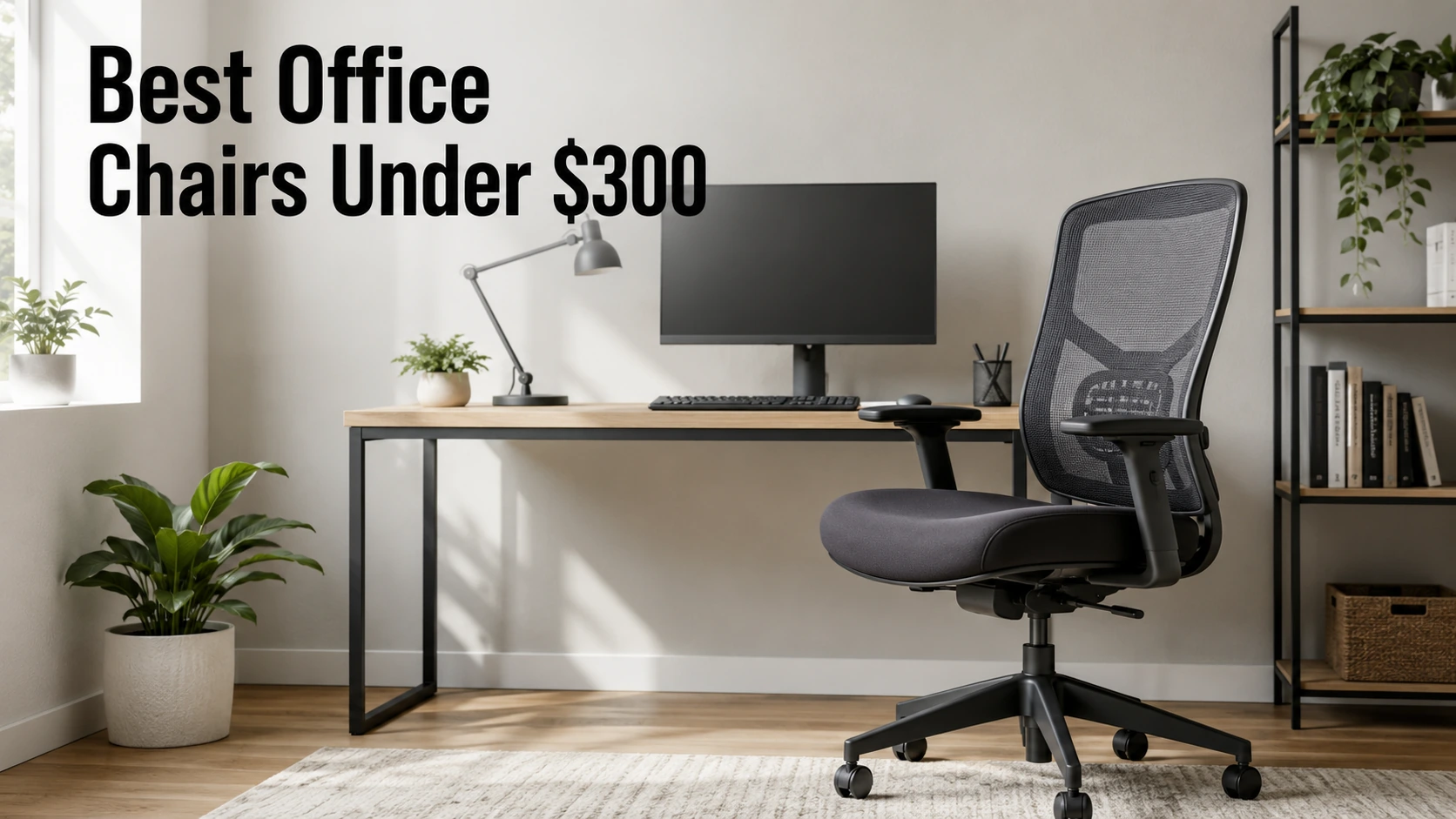
Office-chair comfort starts with dimensions, not cushioning. If the seat can't drop low enough for your feet to rest flat, or rise high enough for your elbows to reach the desk, mesh and padding are unlikely to make up for it.
Under $300, the differences between chairs come down to which adjustments you get. Cheaper chairs typically offer seat height, basic tilt and a fixed or cushion-style lumbar. As the price rises, you start to see adjustable lumbar, headrests, armrests that move in more than one direction and, on a few models, a stated warranty. Knowing which of those you actually need is most of the decision.
The eight chairs below range from under $40 to just under $300 at the time of writing, and each covers a different situation, from a very small budget or a compact desk to taller users and people who want finer lumbar control. Our comparison is based on published specifications, adjustment ranges, stated weight capacity, warranty and price position, not hands-on testing.
Quick Picks
Our 8 recommendations at a glance. Tap a pick for the full verdict.
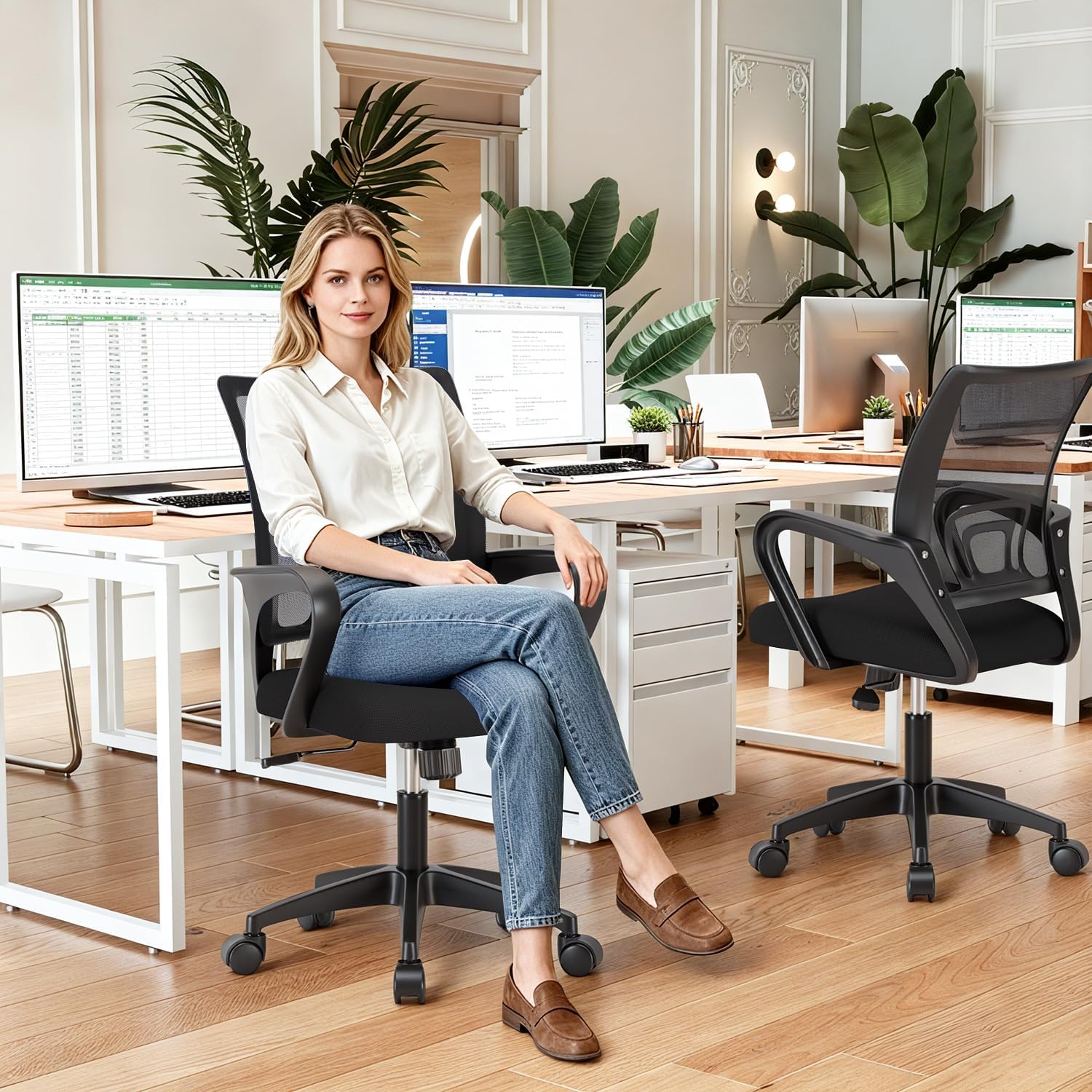
Best Budget Choice
BestOffice Ergonomic Chair
The least expensive chair here, with a mesh back, a lumbar cushion and a stated 250 lb capacity.
Best for: A spare or occasional-use desk, or anyone who needs a functional chair for as little money as possible.
Our take Check price for BestOffice Ergonomic Chair (opens in a new tab)

Best for Small Desks
NEO CHAIR with Flip-Up Arms
Flip-up armrests let the chair slide fully under a compact desk when you're not using it.
Best for: A compact desk or shared room where the chair needs to disappear under the desktop between work sessions.
Our take Check price for NEO CHAIR with Flip-Up Arms (opens in a new tab)

Best for Reclining Breaks
Hbada Ergonomic Office Chair
A high-back mesh chair with a retractable footrest and a recline of up to 155 degrees.
Best for: People who want to recline with their feet up between calls or tasks without leaving the desk.
Our take Check price for Hbada Ergonomic Office Chair (opens in a new tab)

Best for Most People
SIHOO M18 High-Back Mesh Chair
Adjustable lumbar, an adjustable headrest and a three-year warranty at a mid-range price.
Best for: Someone choosing a primary home-office chair who wants adjustable lumbar support and a headrest without spending near $300.
Our take Check price for SIHOO M18 High-Back Mesh Chair (opens in a new tab)

Best Armrest Adjustment
SIHOO M57 Ergonomic Mesh Chair
SIHOO's step up from the M18, adding 3D armrests and an S-curve back.
Best for: People who rest their forearms on the armrests while typing, or whose keyboard and mouse aren't directly in front of them.
Our take Check price for SIHOO M57 Ergonomic Mesh Chair (opens in a new tab)

Best Adaptive Lumbar
Marsail Ergonomic Mesh Chair
A lumbar system Marsail says adapts to your posture, plus 3D arms and a 300 lb capacity.
Best for: People who move around in their chair often, and heavier users up to 300 lb who still want 3D armrests.
Our take Check price for Marsail Ergonomic Mesh Chair (opens in a new tab)

Best Lumbar Adjustment
Duramont Ergonomic Adjustable Chair
Lumbar support that adjusts in both height and depth, for precise placement.
Best for: People with a particular lower-back support need who want to set lumbar position and firmness precisely.
Our take Check price for Duramont Ergonomic Adjustable Chair (opens in a new tab)

Best for Taller Users
GABRYLLY Big and Tall Mesh Chair
The highest seat range here, up to 22 inches, on a wider mesh back rated for 280 lb.
Best for: Taller people, especially at a desk above 30 inches, who need a seat that rises further than most budget chairs.
Our take Check price for GABRYLLY Big and Tall Mesh Chair (opens in a new tab)
| Pick | Why it’s here | Best for | Price |
|---|---|---|---|
| The least expensive chair here, with a mesh back, a lumbar cushion and a stated 250 lb capacity. | A spare or occasional-use desk, or anyone who needs a functional chair for as little money as possible. | Check price for BestOffice Ergonomic Chair (opens in a new tab) |
| Flip-up armrests let the chair slide fully under a compact desk when you're not using it. | A compact desk or shared room where the chair needs to disappear under the desktop between work sessions. | Check price for NEO CHAIR with Flip-Up Arms (opens in a new tab) |
| A high-back mesh chair with a retractable footrest and a recline of up to 155 degrees. | People who want to recline with their feet up between calls or tasks without leaving the desk. | Check price for Hbada Ergonomic Office Chair (opens in a new tab) |
| Adjustable lumbar, an adjustable headrest and a three-year warranty at a mid-range price. | Someone choosing a primary home-office chair who wants adjustable lumbar support and a headrest without spending near $300. | Check price for SIHOO M18 High-Back Mesh Chair (opens in a new tab) |
| SIHOO's step up from the M18, adding 3D armrests and an S-curve back. | People who rest their forearms on the armrests while typing, or whose keyboard and mouse aren't directly in front of them. | Check price for SIHOO M57 Ergonomic Mesh Chair (opens in a new tab) |
| A lumbar system Marsail says adapts to your posture, plus 3D arms and a 300 lb capacity. | People who move around in their chair often, and heavier users up to 300 lb who still want 3D armrests. | Check price for Marsail Ergonomic Mesh Chair (opens in a new tab) |
| Lumbar support that adjusts in both height and depth, for precise placement. | People with a particular lower-back support need who want to set lumbar position and firmness precisely. | Check price for Duramont Ergonomic Adjustable Chair (opens in a new tab) |
| The highest seat range here, up to 22 inches, on a wider mesh back rated for 280 lb. | Taller people, especially at a desk above 30 inches, who need a seat that rises further than most budget chairs. | Check price for GABRYLLY Big and Tall Mesh Chair (opens in a new tab) |
Our Picks
Best Budget Choice1 of 8
BestOffice Ergonomic Chair on Amazon (opens in a new tab)
The BestOffice chair is here for one reason: it is the lowest-cost way in this guide to get a mesh-back chair with adjustable height, armrests and some lumbar support.
Best for
- A spare or occasional-use desk, or anyone who needs a functional chair for as little money as possible.
Skip if
- It will be your primary work chair and adjustable lumbar matters to you; the SIHOO M18 or Hbada offers it.
Why we like it
Its seat height range of 15.7 to 19.3 inches runs lower than most chairs in this roundup, which is useful if you are on the shorter side or working at a desk below the usual 29 to 30 inches. Mesh is generally more breathable than padding, and BestOffice lists a 250 lb weight capacity.
What you give up is adjustment. Lumbar support comes from a cushion rather than an adjustable mechanism, tilt is basic, and there is no headrest. That may be enough for a secondary or occasional-use desk. For a primary work chair, the adjustable lumbar on the SIHOO M18 or Hbada gives you more control.
Key dimensions & specs
- Seat height: 15.7–19.3"
- Weight capacity: 250 lb
- Back: mesh
- Lumbar: cushion
- Armrests: adjustable
- Tilt: basic
Pros
- Lowest price in this guide by a wide margin
- Low minimum seat height suits shorter users
- Mesh back for breathability
Cons
- Lumbar support is a cushion, not an adjustable mechanism
- No headrest and only basic tilt
- Basic build quality
Best for Small Desks2 of 8
NEO CHAIR with Flip-Up Arms on Amazon (opens in a new tab)
The NEO CHAIR earns its place through its armrests: they flip up out of the way, so the chair can tuck under a shallow or narrow desk instead of blocking a small room.
Best for
- A compact desk or shared room where the chair needs to disappear under the desktop between work sessions.
Skip if
- You rest your forearms on the armrests while typing; height-adjustable arms, like those on the SIHOO M57 or Marsail, are the better fit.
Why we like it
That is a real consideration in a bedroom office or a corner setup, where a chair with fixed arms often can't clear the desk edge. Flip-up arms can also let you sit closer to the desk. The limitation is adjustment: the arms fold away, but they don't move up, down or sideways like the 2D and 3D armrests further up this list.
The rest of the specification is straightforward for the price: a mesh back, lumbar support, tilt and a 15.5- to 19.5-inch seat height range, the lowest minimum here.
Key dimensions & specs
- Seat height: 15.5–19.5"
- Armrests: flip-up
- Back: mesh
- Lumbar: built-in support
- Tilt: yes
Pros
- Armrests flip up so the chair fits under a small desk
- Lowest minimum seat height in this guide
- Mesh back at a low price
Cons
- Armrests fold away but don't adjust in height or width
- Minimal padding
- No headrest
Best for Reclining Breaks3 of 8
Hbada Ergonomic Office Chair on Amazon (opens in a new tab)
The Hbada is the chair to consider if you want to lean back and put your feet up between tasks; its retractable footrest and 90- to 155-degree recline make it the most flexible for resting of anything here.
Best for
- People who want to recline with their feet up between calls or tasks without leaving the desk.
Skip if
- You don't expect to recline; the SIHOO M18 gives similar back support with fewer moving parts.
Why we like it
It is also a capable desk chair on paper, with a high mesh back, adjustable lumbar support and a headrest. The seat height range of 17.5 to 21.5 inches suits average to taller users at a standard desk.
The footrest is worth being realistic about. It is designed for breaks rather than work: a deep recline moves you away from the keyboard, so for typing you would sit upright as in any other chair. If you rarely recline, the SIHOO M18 offers similar support without the extra mechanism.
Key dimensions & specs
- Seat height: 17.5–21.5"
- Recline: 90–155°
- Footrest: retractable
- Back: high-back mesh
- Lumbar: adjustable
- Headrest: yes
Pros
- Retractable footrest for breaks
- Wide recline range
- Adjustable lumbar and headrest
Cons
- Reclined positions aren't suited to typing
- Weight capacity isn't listed in the specifications
- Armrest adjustment isn't specified
Best for Most People4 of 8
SIHOO M18 High-Back Mesh Chair on Amazon (opens in a new tab)
For most setups in this guide, we would start with the SIHOO M18: adjustable lumbar support, an adjustable headrest and a stated three-year warranty, at less than half the price of the most expensive chair here.
Best for
- Someone choosing a primary home-office chair who wants adjustable lumbar support and a headrest without spending near $300.
Skip if
- You rely on armrests to support your forearms while typing; the SIHOO M57's 3D arms are the better fit.
Why we like it
Those are the three features we would prioritize in a primary work chair. Adjustable lumbar lets you move support closer to where your lower back curves, and a headrest can help when you lean back to read or take calls. The warranty is one of only three stated in this guide.
The armrests are the compromise. They are 2D, with fewer directions of adjustment than the 3D arms on the SIHOO M57 and Marsail. If you type with your forearms resting on the arms, or work at an angle to your desk, that difference is worth paying for.
Key dimensions & specs
- Seat height: 17.5–21"
- Back: high-back mesh
- Lumbar: adjustable
- Headrest: adjustable
- Armrests: 2D
- Warranty: 3 years
Pros
- Adjustable lumbar and headrest at a mid-range price
- Three-year warranty
- High mesh back supports the upper back
Cons
- 2D armrests are less flexible than the M57's 3D arms
- Weight capacity isn't listed in the specifications
- Minimum seat height may be high for shorter users at a standard desk
Best Armrest Adjustment5 of 8
SIHOO M57 Ergonomic Mesh Chair on Amazon (opens in a new tab)
The M57 is worth paying more than the M18 for one specific reason: its 3D armrests, which move in more directions and can be set closer to your keyboard and mouse.
Best for
- People who rest their forearms on the armrests while typing, or whose keyboard and mouse aren't directly in front of them.
Skip if
- You rarely use armrests; the SIHOO M18 is nearly the same chair for less money.
Why we like it
That matters more than it might seem. Armrests that sit too wide or too far back can leave your forearms without support while you type. With a third axis of adjustment, the arms are more likely to meet you where you actually work, especially if your keyboard sits on a tray or your monitor is off-center.
The rest of the chair tracks closely with the M18: an S-curve high mesh back, adjustable lumbar, a headrest and a three-year warranty, with a slightly higher seat range of 17.7 to 21.7 inches. If you don't use armrests much, the M18 gives you most of the same chair for less.
Key dimensions & specs
- Seat height: 17.7–21.7"
- Armrests: 3D
- Back: S-curve high-back mesh
- Lumbar: adjustable
- Headrest: yes
- Warranty: 3 years
Pros
- 3D armrests can be set closer to the keyboard
- Adjustable lumbar and headrest
- Three-year warranty
Cons
- Costs noticeably more than the similar M18
- Weight capacity isn't listed in the specifications
- Higher minimum seat height than the budget chairs
Best Adaptive Lumbar6 of 8
Marsail Ergonomic Mesh Chair on Amazon (opens in a new tab)
The Marsail is the chair for people who don't want to keep fiddling with lumbar settings: the manufacturer describes its lumbar system as adaptive, adjusting to posture changes on its own rather than being set by hand.
Best for
- People who move around in their chair often, and heavier users up to 300 lb who still want 3D armrests.
Skip if
- You know exactly where you want lumbar support; the Duramont lets you set its height and depth by hand.
Why we like it
That is a design approach more often found on expensive chairs, and it may suit anyone who shifts position a lot through the day. It is a manufacturer claim rather than something the specifications quantify, so how closely it follows your back is hard to judge from the listing alone.
On paper, the rest of the package is strong for the price. It has 3D armrests like the SIHOO M57, an adjustable headrest and a 17- to 21-inch seat range. At 300 lb, it also carries the highest stated weight capacity in this guide.
Key dimensions & specs
- Seat height: 17–21"
- Weight capacity: 300 lb
- Lumbar: adaptive (per manufacturer)
- Armrests: 3D
- Back: high-back mesh
- Headrest: adjustable
Pros
- Highest stated weight capacity in this guide
- 3D armrests at a mid-range price
- Lumbar designed to follow posture changes
Cons
- Adaptive lumbar performance isn't quantified in the specifications
- No stated warranty in the listing
- Lumbar can't be positioned as precisely as the Duramont's
Best Lumbar Adjustment7 of 8
Duramont Ergonomic Adjustable Chair on Amazon (opens in a new tab)
The Duramont is the most expensive chair in this guide, and the case for it rests on one feature: lumbar support you can adjust in both height and depth.
Best for
- People with a particular lower-back support need who want to set lumbar position and firmness precisely.
Skip if
- You don't have a specific lumbar requirement; the SIHOO M18 covers the same basics for far less.
Why we like it
Most chairs here let you move lumbar support up or down, or rely on a cushion. Adding depth control means you can also set how firmly it presses into your lower back. If you know where you want lumbar support, or find fixed lumbar either too firm or too faint, that control is the main reason to pay more.
Beyond the lumbar mechanism, the Duramont is similar to the SIHOO M18: mesh high back, adjustable headrest, 2D armrests, a 17- to 21-inch seat range and a three-year warranty. That makes it hard to justify for people without a specific lumbar need, since the M18 costs less than half as much at the time of writing.
Key dimensions & specs
- Seat height: 17–21"
- Lumbar: height and depth adjustable
- Back: high-back mesh
- Headrest: adjustable
- Armrests: 2D
- Warranty: 3 years
Pros
- Lumbar adjusts in both height and depth
- Adjustable headrest
- Three-year warranty
Cons
- Most expensive chair in this guide
- 2D armrests at a price where 3D arms are available
- Otherwise similar to the much cheaper SIHOO M18
Best for Taller Users8 of 8
GABRYLLY Big and Tall Mesh Chair on Amazon (opens in a new tab)
If you're tall, the GABRYLLY's 18- to 22-inch seat height range is the reason to look at it: it rises higher than any other chair in this guide, which may help taller users keep their thighs roughly level at a standard or taller desk.
Best for
- Taller people, especially at a desk above 30 inches, who need a seat that rises further than most budget chairs.
Skip if
- You're of average height and mainly need weight capacity; the Marsail is rated higher and costs less.
Why we like it
It pairs that range with a wider mesh back, adjustable lumbar, a headrest and a stated 280 lb capacity. The listing calls it a big-and-tall chair, but its weight rating is actually a little lower than the Marsail's 300 lb, so heavier users who don't need the extra height may be better served there.
The armrests flip up rather than adjust, which helps the chair fit under a desk but gives less forearm support than the 3D arms on the M57 or Marsail. The listing also doesn't give a seat width, so if seat size is the main concern, check the manufacturer's dimensions before ordering.
Key dimensions & specs
- Seat height: 18–22"
- Weight capacity: 280 lb
- Back: wider high-back mesh
- Lumbar: adjustable
- Headrest: yes
- Armrests: flip-up
Pros
- Highest seat range in this guide
- Wider mesh back than standard chairs
- Adjustable lumbar and headrest
Cons
- Weight rating is below the Marsail's despite the big-and-tall name
- Flip-up armrests don't adjust
- Seat width isn't specified
How We Chose These Office Chairs Under $300
Each pick was assessed across 5 criteria weighted for real-world use.
- Seat height range
- We compared each chair's listed minimum and maximum seat height against a standard 29- to 30-inch desk, and noted which chairs suit shorter or taller users at either end of the range.
- Lumbar and armrest adjustment
- We counted what actually adjusts, cushion versus adjustable lumbar, height-only versus height-and-depth lumbar, and 2D versus 3D versus flip-up armrests, rather than taking the word "adjustable" at face value.
- Weight capacity
- We recorded stated weight capacities where the manufacturer lists one and flagged chairs whose listings don't include it.
- Warranty
- We noted stated warranty length. Three chairs here list a three-year warranty; the others don't state one in their listings.
- Price position
- We compared what each price step adds, from a basic mesh chair under $40 to lumbar that adjusts in height and depth just under $300. Prices change often, so we treat them as relative position rather than fixed figures.
What to Look for in an Office Chair Under $300
Key buying criteria so you get the right fit the first time.
Match seat height to your desk, not a generic range
Seat height only matters relative to your desk. A common guideline is to sit with your feet flat on the floor, thighs roughly level and elbows near desk height. Most chairs here cover roughly 17 to 21 inches, which suits many people at a standard desk of about 29 to 30 inches.
Shorter people, or anyone at a lower desk, can start with minimum height: the NEO CHAIR and BestOffice go down to about 15.5 and 15.7 inches. Taller people, or anyone at a higher desk, can start with the maximum, where the GABRYLLY reaches 22 inches.
Check seat depth, even though few budget chairs adjust it
Seat depth is the distance from the backrest to the front edge of the seat. Too deep, and the front edge can press behind your knees when your back is against the lumbar support; too shallow, and your thighs get less support.
None of the chairs in this guide list an adjustable seat depth, and most listings don't give a depth figure at all. If you are notably shorter or taller than average, check the manufacturer's dimensions and compare them with your thigh length while seated.
Leave a margin on weight capacity
We would choose a chair rated comfortably above your body weight rather than one that only just covers it.
Only three chairs here state a capacity: the BestOffice (250 lb), GABRYLLY (280 lb) and Marsail (300 lb). For the others, check the manufacturer's documentation before relying on them.
Know what each material trades off
Every chair in this guide uses a mesh back, which is generally more breathable than padding and can help in a warm room. Mesh can feel less contoured than a shaped, padded back, which is one reason we would look for adjustable lumbar support on a mesh chair.
Padded seats and bonded or PU leather can look more substantial, but their surfaces can show wear over time. In a warm room, mesh is generally the cooler option.
Count the adjustments, not the word "adjustable"
Listings often say "adjustable armrests" or "adjustable lumbar" without saying how. Manufacturers don't use the 2D and 3D labels consistently, but more axes generally means more ways to position the arms; 3D armrests make it easier to bring them close to your keyboard than 2D ones. Lumbar may adjust in height only, in height and depth, or not at all if it's a cushion.
If you have a specific need, such as a keyboard tray, an angled monitor or lower-back discomfort, look for the exact adjustment in the specifications rather than the general claim.
How to Choose an Office Chair Under $300
By priority
| Priority | Consider | Why |
|---|---|---|
| Lowest cost | BestOffice Ergonomic Chair | Mesh back, lumbar cushion and adjustable arms for the least money |
| A small desk or shared room | NEO CHAIR with Flip-Up Arms | Arms flip up so the chair tucks under the desk |
| A primary work chair on a mid-range budget | SIHOO M18 | Adjustable lumbar, headrest and a three-year warranty |
| Forearm support while typing | SIHOO M57 or Marsail | 3D armrests that can move closer to the keyboard |
| Precise lumbar placement | Duramont | Lumbar adjusts in height and depth |
| Reclining with your feet up | Hbada | Retractable footrest and 90–155° recline |
| Height | GABRYLLY | Seat rises to 22 inches, the highest here |
| Weight capacity | Marsail | 300 lb, the highest stated rating here |
Scroll sideways to see every column.
By price at the time of writing
Prices change frequently; these tiers reflect typical prices when this guide was updated.
| Price tier | Chairs |
|---|---|
| Under $60 | BestOffice, NEO CHAIR |
| About $110–$140 | Hbada, SIHOO M18, Marsail |
| About $190–$215 | SIHOO M57, GABRYLLY |
| Just under $300 | Duramont |
First ergonomic chair or replacing one you've outgrown
- First ergonomic chair
- We would prioritize the basics, seat height that fits your desk, adjustable lumbar and adjustable armrests, over extras like footrests. Extras are easier to judge once you know what a chair gets wrong for you.
- Replacing a chair
- Start from what your old chair got wrong. If the lumbar never sat in the right place, look at the Duramont or Marsail; if the arms were in the way, the SIHOO M57's 3D arms or the NEO CHAIR's flip-up arms solve different versions of that problem.
Frequently Asked Questions
Can you get a genuinely ergonomic office chair under $300?
Yes, if you focus on adjustment rather than branding. In this price range you can find adjustable lumbar support, headrests, 3D armrests and, on some chairs, a three-year warranty. Compared with premium chairs, what you typically give up is warranty length, adjustable seat depth and more refined lumbar systems.
What does a much more expensive chair add?
Premium office chairs commonly add longer warranties, adjustable seat depth and more refined lumbar systems. Whether that is worth it depends on how much those specific features matter to you. The chairs here cover the core adjustments: seat height, lumbar and armrests.
How long should an office chair under $300 last?
The clearest guide is the warranty. Three chairs here, the SIHOO M18, SIHOO M57 and Duramont, list three years; the others don't state one. None of the listings here give a lifespan estimate, so treat the warranty as the most concrete indicator.
Should I buy an office chair online without trying it?
It is common, and specifications help. The most useful thing to check remotely is seat height: sit with your feet flat and measure from the floor to the back of your knee, then compare that with the chair's minimum and maximum. Check the return policy too, since fit is personal and hard to judge from photos.
Is it worth spending close to $300 for occasional use?
Not necessarily. For an occasional-use chair, we would prioritize adjustable height and some lumbar support, which the budget picks here cover. Spending more makes sense when you want a specific feature: adjustable lumbar (SIHOO M18), 3D armrests (SIHOO M57 or Marsail) or height-and-depth lumbar (Duramont).
Bottom Line
For most setups in this guide, we would start with the SIHOO M18: adjustable lumbar, an adjustable headrest and a three-year warranty are the features we would prioritize in a primary work chair, at a mid-range price.
The SIHOO M57 is the better fit if you rely on armrests while typing, and the Duramont if you want precise lumbar placement. The NEO CHAIR makes more sense for a compact desk, and the GABRYLLY is the one to look at if you're tall.