
Buying Guide
The Best Office Chairs for Lower-Back Support
We compared eight office chairs on lumbar adjustment, seat depth, recline behavior and warranty, from a budget stopgap to 12-year Steelcase models.
By Jamie Cole, Lead Product Researcher
11 min read8 products evaluated
We may earn a commission from purchases made through links in this guide. Learn more.
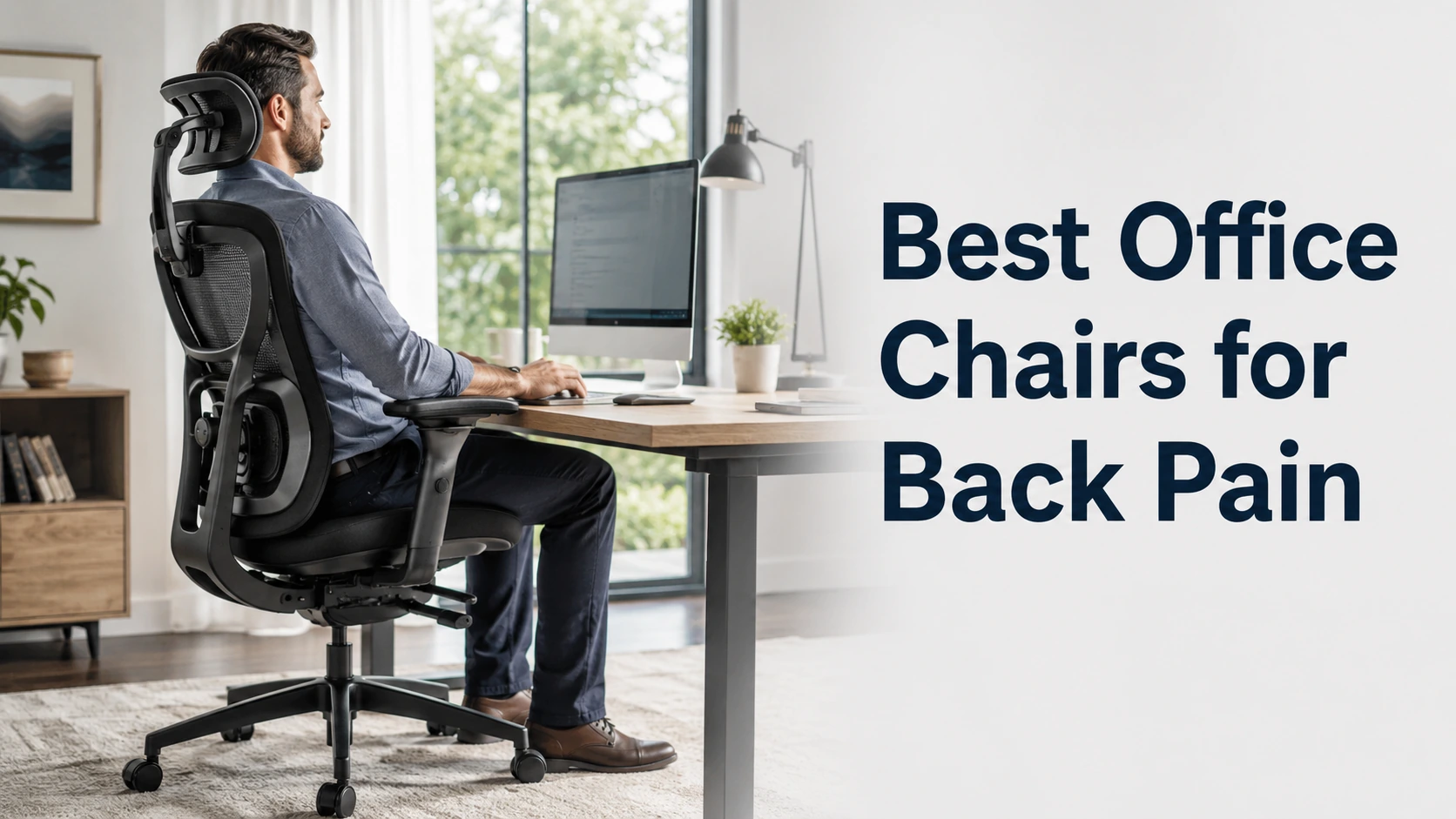
A chair can't treat back pain, but it can stop working against you. The features that matter most are the ones that let you fit the chair to your body: lumbar support you can move to where your lower back curves, a seat depth that lets you sit back against that support, and a recline that keeps the backrest in contact as you lean.
Those features show up at very different prices. Adjustable lumbar reaches down to budget chairs; seat-depth adjustment and long warranties mostly appear further up. Knowing which adjustment your current chair is missing is the quickest way to narrow the list.
The eight chairs below run from under $40 to about $1,500 at the time of writing. Our comparison is based on published specifications, adjustment ranges, warranty terms and price position, not hands-on testing, and nothing here is medical advice. If your pain is persistent or severe, a physician or physical therapist is the right first stop.
Quick Picks
Our 8 recommendations at a glance. Tap a pick for the full verdict.

Best Overall
CLOUVOU Ergonomic Office Chair
A flexible S-curve lumbar, 4D armrests and a three-year warranty at a mid-range price.
Best for: People with lower-back discomfort who want flexible lumbar support and fully adjustable armrests without moving into premium pricing.
Our take Check price for CLOUVOU Ergonomic Office Chair (opens in a new tab)

Best Foam Cushioning
QLTPLUS Ergonomic Office Chair
A high-density foam seat and back for people who prefer padding to mesh.
Best for: Anyone who prefers a padded seat and back to mesh and wants adjustable lumbar support on a moderate budget.
Our take Check price for QLTPLUS Ergonomic Office Chair (opens in a new tab)
Best Premium
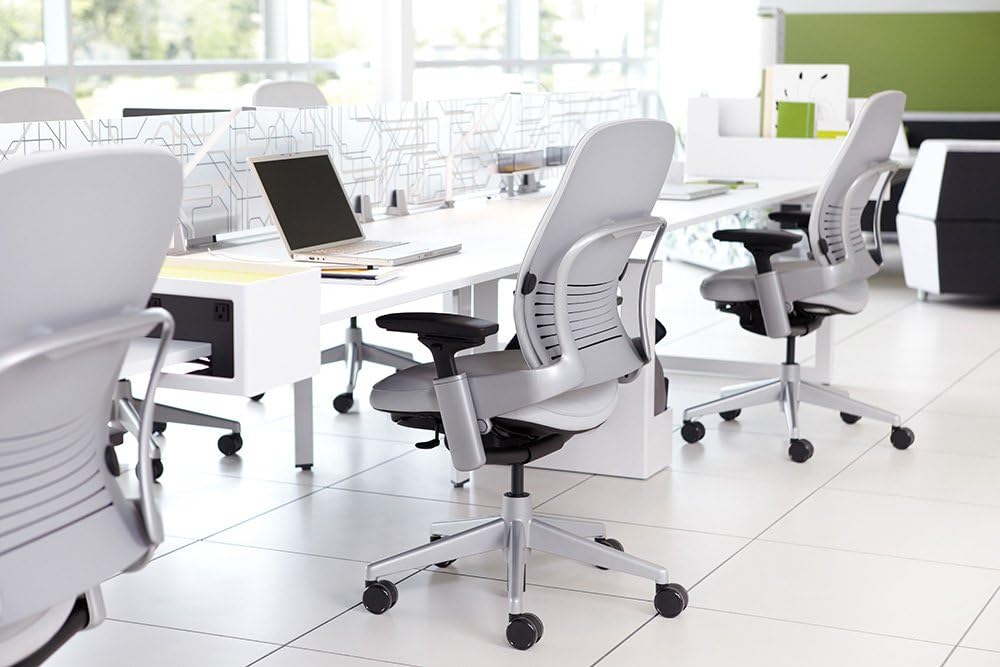
Steelcase Leap V2 Office Chair
Adjustable lower-back firmness, a seat that glides forward as you recline, and a 12-year warranty.
Best for: People who have already tried adjustable-lumbar chairs and want control over lumbar firmness and recline behavior, backed by a long warranty.
Our take Check price for Steelcase Leap V2 Office Chair (opens in a new tab)

Best Long-Warranty Value
Steelcase Series 1 Office Chair
Steelcase's LiveBack design, seat-depth adjustment and a 12-year warranty for about $500.
Best for: Buyers who want seat-depth adjustment and a long warranty and would rather not pay premium Steelcase prices.
Our take Check price for Steelcase Series 1 Office Chair (opens in a new tab)
Best for Multi-Device Work
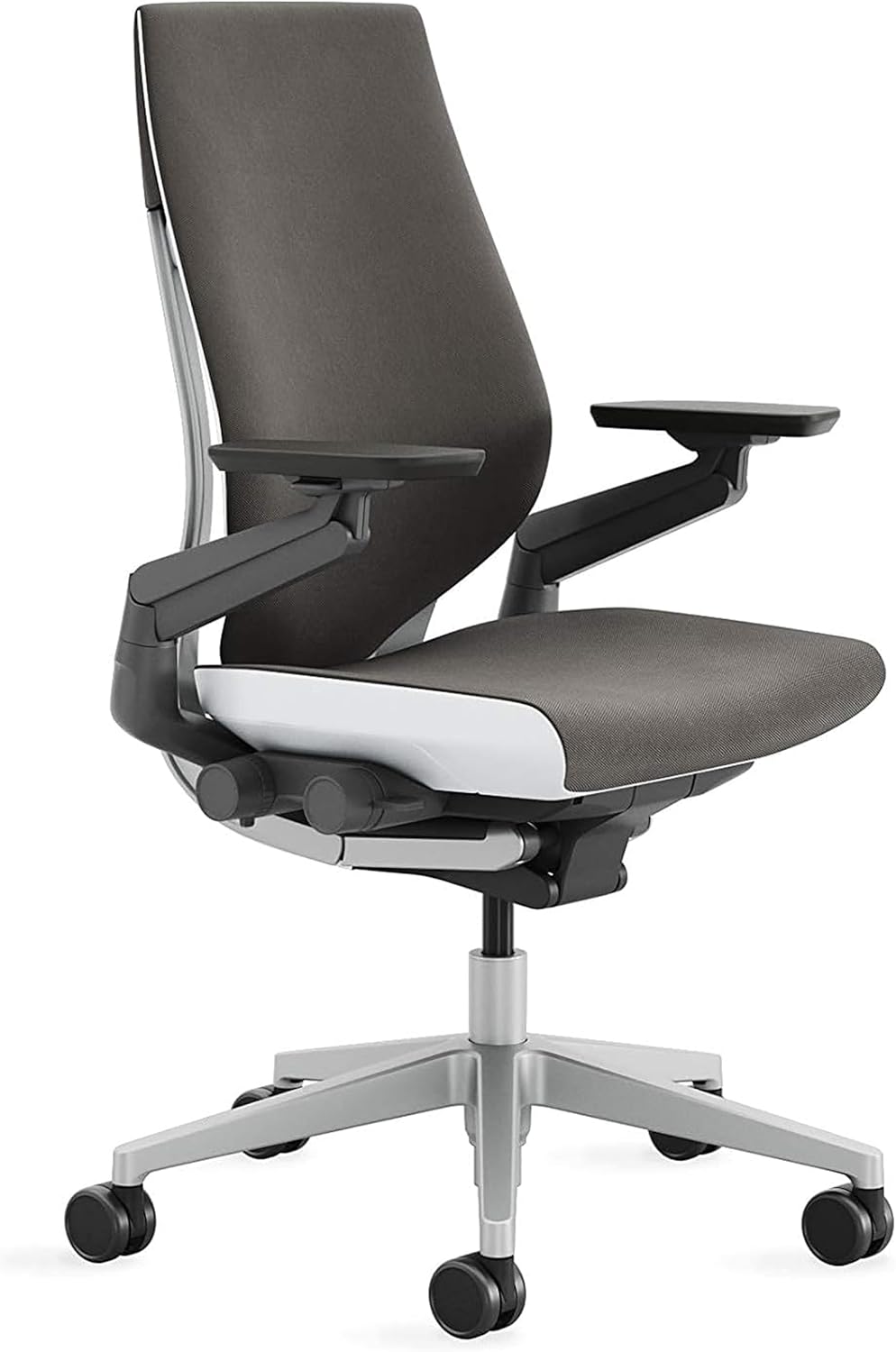
Steelcase Gesture Office Chair
A 360-degree arm mechanism designed for tablet, phone and laptop use alongside the desk.
Best for: People who move between a keyboard, tablet and phone through the day and want arm support in more positions.
Our take Check price for Steelcase Gesture Office Chair (opens in a new tab)

Best Auto-Adjusting Backrest
SIHOO Doro C300 Ergonomic Chair
A backrest SIHOO says follows your movement, with seat-depth adjustment under $300.
Best for: People who shift position often and want seat-depth adjustment without moving to Steelcase prices.
Our take Check price for SIHOO Doro C300 Ergonomic Chair (opens in a new tab)

Best Budget Choice
FelixKing Ergonomic Office Chair
Adjustable lumbar, a headrest and a high mesh back for around $130.
Best for: Anyone on a tight budget who wants adjustable lumbar and a headrest in a primary work chair.
Our take Check price for FelixKing Ergonomic Office Chair (opens in a new tab)

Lowest Price
BestOffice Ergonomic Office Chair
A mesh chair with a lumbar cushion for under $40, best treated as a stopgap.
Best for: A temporary or secondary chair while you work out which adjustments you actually need.
Our take Check price for BestOffice Ergonomic Office Chair (opens in a new tab)
| Pick | Why it’s here | Best for | Price |
|---|---|---|---|
| A flexible S-curve lumbar, 4D armrests and a three-year warranty at a mid-range price. | People with lower-back discomfort who want flexible lumbar support and fully adjustable armrests without moving into premium pricing. | Check price for CLOUVOU Ergonomic Office Chair (opens in a new tab) |
| A high-density foam seat and back for people who prefer padding to mesh. | Anyone who prefers a padded seat and back to mesh and wants adjustable lumbar support on a moderate budget. | Check price for QLTPLUS Ergonomic Office Chair (opens in a new tab) |
| Adjustable lower-back firmness, a seat that glides forward as you recline, and a 12-year warranty. | People who have already tried adjustable-lumbar chairs and want control over lumbar firmness and recline behavior, backed by a long warranty. | Check price for Steelcase Leap V2 Office Chair (opens in a new tab) |
| Steelcase's LiveBack design, seat-depth adjustment and a 12-year warranty for about $500. | Buyers who want seat-depth adjustment and a long warranty and would rather not pay premium Steelcase prices. | Check price for Steelcase Series 1 Office Chair (opens in a new tab) |
| A 360-degree arm mechanism designed for tablet, phone and laptop use alongside the desk. | People who move between a keyboard, tablet and phone through the day and want arm support in more positions. | Check price for Steelcase Gesture Office Chair (opens in a new tab) |
| A backrest SIHOO says follows your movement, with seat-depth adjustment under $300. | People who shift position often and want seat-depth adjustment without moving to Steelcase prices. | Check price for SIHOO Doro C300 Ergonomic Chair (opens in a new tab) |
| Adjustable lumbar, a headrest and a high mesh back for around $130. | Anyone on a tight budget who wants adjustable lumbar and a headrest in a primary work chair. | Check price for FelixKing Ergonomic Office Chair (opens in a new tab) |
| A mesh chair with a lumbar cushion for under $40, best treated as a stopgap. | A temporary or secondary chair while you work out which adjustments you actually need. | Check price for BestOffice Ergonomic Office Chair (opens in a new tab) |
Our Picks
Best Overall1 of 8
CLOUVOU Ergonomic Office Chair on Amazon (opens in a new tab)
The CLOUVOU is our starting point for most readers because it combines three things usually split across price tiers: a flexible S-curve lumbar support, 4D armrests and a stated three-year warranty.
Best for
- People with lower-back discomfort who want flexible lumbar support and fully adjustable armrests without moving into premium pricing.
Skip if
- You need to adjust seat depth to sit back against the lumbar; the SIHOO Doro C300 offers that at a similar price.
Why we like it
The lumbar is designed to flex with the curve of your back rather than sit at a fixed point, which may suit people who find rigid lumbar pads uncomfortable. A suspended mesh back and an adjustable headrest round out the upper-body support, and the 17- to 21-inch seat range fits many people at a standard desk.
What it lacks is seat-depth adjustment, which the SIHOO Doro C300 and the Steelcase chairs offer. If you are shorter or taller than average and struggle to sit back against the lumbar, that may matter more than the extra armrest adjustment.
Key dimensions & specs
- Seat height: 17–21"
- Lumbar: flexible S-curve support
- Back: suspended mesh
- Armrests: 4D
- Headrest: adjustable
- Warranty: 3 years
Pros
- Flexible lumbar designed to follow the back's curve
- 4D armrests
- Three-year warranty
Cons
- No seat-depth adjustment
- Mesh may feel cool in a cold room
- Costs twice as much as the QLTPLUS
Best Foam Cushioning2 of 8
QLTPLUS Ergonomic Office Chair on Amazon (opens in a new tab)
The QLTPLUS is the pick for people who find mesh too firm or too thin: its seat and back use high-density foam rather than a suspended mesh.
Best for
- Anyone who prefers a padded seat and back to mesh and wants adjustable lumbar support on a moderate budget.
Skip if
- You work in a warm room or are tall; a mesh chair with a higher seat range, like the SIHOO Doro C300, is the better fit.
Why we like it
Thick foam may feel more supportive to people who dislike sinking into a thin seat, and this is the only chair here built around padding rather than mesh. It also has adjustable lumbar support, padded armrests, tilt and a stated three-year warranty, at about half the price of the CLOUVOU.
The trade-offs are heat and height. Foam holds warmth more than mesh, and the seat tops out at 20.5 inches, which may be low for taller users at a standard desk.
Key dimensions & specs
- Seat height: 16.5–20.5"
- Seat and back: high-density foam
- Lumbar: adjustable
- Armrests: padded
- Warranty: 3 years
Pros
- Foam seat and back for people who prefer padding
- Adjustable lumbar
- Three-year warranty at a mid-range price
Cons
- Foam holds more heat than mesh
- 20.5-inch maximum seat height
- Armrest adjustment isn't specified
Best Premium3 of 8
Steelcase Leap V2 Office Chair on Amazon (opens in a new tab)
The Leap V2 is the premium choice here for fine-tuning lower-back support: you can adjust how firmly the lower back pushes, not just where it sits.
Best for
- People who have already tried adjustable-lumbar chairs and want control over lumbar firmness and recline behavior, backed by a long warranty.
Skip if
- Your main issue is lumbar position rather than firmness; the Steelcase Series 1 or CLOUVOU covers that for far less.
Why we like it
Steelcase describes a "natural glide" system in which the seat moves forward as you recline, intended to keep your back in contact with the backrest instead of sliding you into a slump. Add upper-back force control, height-adjustable arms, seat-edge adjustment and a 12-year warranty, and it is the most adjustable back-support package in this guide.
It is also one of the two most expensive chairs here and has no headrest. At close to three times the price of the Steelcase Series 1, it makes sense mainly if firmness control and recline behavior are the specific things your current chair gets wrong.
Key dimensions & specs
- Lumbar: adjustable lower-back firmness
- Recline: natural glide (seat moves forward as you recline)
- Upper-back force control
- Armrests: height-adjustable
- Seat-edge adjustment
- Warranty: 12 years
Pros
- Lower-back firmness is adjustable, not just position
- Seat glides forward as you recline
- 12-year warranty
Cons
- Costs many times more than the budget picks
- No headrest
- Overlaps heavily with the similarly priced Gesture
Best Long-Warranty Value4 of 8
Steelcase Series 1 Office Chair on Amazon (opens in a new tab)
The Series 1 is the most affordable way into a 12-year warranty in this guide, and it adds seat-depth adjustment, which several cheaper chairs here lack.
Best for
- Buyers who want seat-depth adjustment and a long warranty and would rather not pay premium Steelcase prices.
Skip if
- You want a headrest or 4D arms at a lower price; the CLOUVOU is the better fit.
Why we like it
Steelcase's LiveBack backrest is designed to flex as you move rather than lock into one position. Seat-depth adjustment lets you slide the seat so you can sit back against the backrest without the front edge pressing behind your knees, useful for shorter and taller users alike. Its 15.5- to 20.5-inch seat range runs lower than most chairs here.
The limits are price relative to the mid-range picks and fewer headline features: no headrest, and a simpler back system than the Leap V2. Armrests are optional, so check which version a listing includes.
Key dimensions & specs
- Seat height: 15.5–20.5"
- Back: LiveBack flexible backrest
- Seat depth: adjustable
- Armrests: armless or 4D
- Tilt tension adjustment
- Warranty: 12 years
Pros
- 12-year warranty at a mid-premium price
- Seat-depth adjustment
- Low minimum seat height suits shorter users
Cons
- Costs more than the CLOUVOU and SIHOO without a headrest
- Simpler back system than the Leap V2
- Armrests depend on the configuration you buy
Best for Multi-Device Work5 of 8
Steelcase Gesture Office Chair on Amazon (opens in a new tab)
The Gesture earns its place for a specific kind of work: its arms rotate through 360 degrees and are designed to support you while using tablets, phones and laptops in positions a standard desk chair doesn't anticipate.
Best for
- People who move between a keyboard, tablet and phone through the day and want arm support in more positions.
Skip if
- You work mostly at one screen and keyboard; the Leap V2 or Series 1 is the better fit.
Why we like it
If you spend part of the day reaching for devices or working in unusual positions, arm support that follows you may help keep your upper body settled. Beyond the arms, it has Steelcase's 3D LiveBack backrest, seat depth and height adjustment, a tilt limiter and a 12-year warranty.
For a single-screen desk setup, much of that is more product than you need. It is the most expensive chair here, and for pure lower-back adjustment the Leap V2 offers firmness control at a slightly lower price.
Key dimensions & specs
- Back: 3D LiveBack
- Armrests: 360° arm mechanism
- Seat depth and height: adjustable
- Tilt limiter
- Warranty: 12 years
Pros
- Arm mechanism designed for device use
- Seat-depth adjustment
- 12-year warranty
Cons
- Most expensive chair in this guide
- More than a single-screen setup needs
- Lumbar firmness isn't adjustable like the Leap V2's
Best Auto-Adjusting Backrest6 of 8
SIHOO Doro C300 Ergonomic Chair on Amazon (opens in a new tab)
The Doro C300 is the chair for people who don't want to keep adjusting lumbar settings: SIHOO describes its backrest as auto-following, moving with posture shifts rather than being set by hand.
Best for
- People who shift position often and want seat-depth adjustment without moving to Steelcase prices.
Skip if
- You prefer to set lumbar position precisely yourself; the CLOUVOU's adjustable support may suit you better.
Why we like it
How closely that follows any individual back isn't something the specifications quantify, so treat it as design intent. What is clearly documented is seat-depth adjustment, uncommon at this price and the main reason to choose it over the CLOUVOU, plus a suspended mesh back and a 17.7- to 21.7-inch seat range that suits average to taller users.
Its warranty is three years, like the mid-range chairs, rather than the Steelcase chairs' 12.
Key dimensions & specs
- Seat height: 17.7–21.7"
- Backrest: auto-following (per manufacturer)
- Seat depth: adjustable
- Back: suspended mesh
- Armrests: adjustable
- Warranty: 3 years
Pros
- Seat-depth adjustment under $300
- Backrest designed to move with you
- Higher seat range than the CLOUVOU
Cons
- Auto-following performance isn't quantified
- Three-year warranty versus Steelcase's 12
- Armrest adjustment range isn't specified
Best Budget Choice7 of 8
FelixKing Ergonomic Office Chair on Amazon (opens in a new tab)
The FelixKing is the least expensive chair here with the basics we would look for in a back-conscious chair: adjustable lumbar support, a high mesh back and a headrest.
Best for
- Anyone on a tight budget who wants adjustable lumbar and a headrest in a primary work chair.
Skip if
- You can stretch to the QLTPLUS or CLOUVOU; both add a stated three-year warranty.
Why we like it
That combination covers the essentials at roughly the price of a basic task chair. The 17- to 21-inch seat range fits many people at a standard desk, and the armrests and tilt adjust.
What you give up compared with the mid-range picks is refinement and documentation: no seat-depth adjustment, no stated warranty and less detail on how the armrests and lumbar adjust. The listing also describes the lumbar as both adjustable and a fixed pad, so check the product details before relying on it.
Key dimensions & specs
- Seat height: 17–21"
- Lumbar: adjustable (see note)
- Back: high-back mesh
- Headrest: yes
- Armrests: adjustable
Pros
- Adjustable lumbar at a budget price
- Headrest included
- High mesh back
Cons
- No seat-depth adjustment
- No stated warranty
- Lumbar description is inconsistent in the listing
Lowest Price8 of 8
BestOffice Ergonomic Office Chair on Amazon (opens in a new tab)
The BestOffice is here as a stopgap rather than a recommendation for back support: it is the cheapest way to replace a chair that has no lumbar support at all.
Best for
- A temporary or secondary chair while you work out which adjustments you actually need.
Skip if
- This will be your main work chair and back support is the priority; the FelixKing is the better fit.
Why we like it
Its lumbar support is a cushion rather than an adjustable mechanism, tilt is basic, and there is no headrest. What it does offer is a mesh back, adjustable armrests, a stated 250 lb capacity and a low 15.7-inch minimum seat height that may suit shorter users.
If back support is the reason you are shopping, the FelixKing's adjustable lumbar is a meaningful step up for about three times the price.
Key dimensions & specs
- Seat height: 15.7–19.3"
- Lumbar: cushion
- Back: mesh
- Armrests: adjustable
- Weight capacity: 250 lb
Pros
- Lowest price in this guide
- Low minimum seat height
- Mesh back
Cons
- Lumbar is a cushion, not adjustable
- Basic tilt and build
- No headrest
How We Chose These Office Chairs for Back Pain
Each pick was assessed across 5 criteria weighted for real-world use.
- Lumbar adjustment
- We compared how each chair's lumbar support works, from a fixed cushion to adjustable height and adjustable firmness, using the manufacturers' published specifications.
- Seat depth and height
- We checked which chairs list seat-depth adjustment and compared seat-height ranges against a standard 29- to 30-inch desk.
- Recline and backrest behavior
- We noted recline mechanisms the manufacturers describe, such as Steelcase's natural glide and SIHOO's auto-following backrest, and treated them as design claims rather than measured results.
- Warranty
- We recorded stated warranty terms, which range from none listed to 12 years.
- Price position
- We compared what each price step adds, from a lumbar cushion under $40 to firmness control and 12-year warranties above $1,000. Prices change often, so we use them for relative position.
What to Look for in an Office Chair for Back Pain
Key buying criteria so you get the right fit the first time.
Adjustable lumbar you can place, not just a pad
Lumbar support only helps if it meets your lower back where it curves. A cushion or fixed pad sits wherever the manufacturer put it; adjustable lumbar lets you move it up or down, and a few chairs let you change how firmly it presses.
In this guide, the FelixKing, QLTPLUS and CLOUVOU offer adjustable or flexible lumbar, the Leap V2 adds firmness control, and the BestOffice relies on a cushion.
Seat depth that lets you sit back
If the seat is too deep for your legs, the front edge can press behind your knees when your back is against the backrest, which can push you forward and away from the lumbar support. Seat-depth adjustment addresses this by sliding the seat.
The Steelcase Series 1 and Gesture, the Leap V2 (seat-edge adjustment) and the SIHOO Doro C300 offer it; the other chairs here don't list it.
Seat height that fits your desk
A common guideline is to sit with your feet flat, thighs roughly level and elbows near desk height. At a standard desk of about 29 to 30 inches, check both ends of a chair's seat range.
The Steelcase Series 1 and BestOffice go lowest, to about 15.5 and 15.7 inches; the SIHOO Doro C300 goes highest, to 21.7 inches.
Recline that keeps your back supported
Leaning back changes where the backrest meets you. Steelcase says the Leap V2's seat glides forward as you recline to keep the backrest in contact, and SIHOO describes the Doro C300's backrest as following your movement. Simpler chairs tilt the whole seat and back together.
If you recline often while reading or on calls, look for recline behavior described in the specifications rather than just a tilt lever.
Warranty as the clearest comparable signal
Warranty length is one of the few concrete, comparable indicators in chair listings. The Steelcase chairs here carry 12 years, the CLOUVOU, QLTPLUS and Doro C300 three years, and the budget chairs don't state one.
How to Choose an Office Chair for Back Pain
By the adjustment you're missing
| What your current chair lacks | Consider | Why |
|---|---|---|
| Lumbar that reaches your back | CLOUVOU or FelixKing | Flexible or adjustable lumbar support |
| Seat depth | SIHOO Doro C300 or Steelcase Series 1 | Seat-depth adjustment at two price levels |
| Lumbar firmness | Steelcase Leap V2 | Adjustable lower-back firmness |
| Padding instead of mesh | QLTPLUS | High-density foam seat and back |
| Support while using devices | Steelcase Gesture | 360° arm mechanism |
Scroll sideways to see every column.
By price at the time of writing
Prices change frequently; these tiers reflect typical prices when this guide was updated.
| Price tier | Chairs |
|---|---|
| Under $40 | BestOffice |
| About $130–$150 | FelixKing, QLTPLUS |
| About $300 | CLOUVOU, SIHOO Doro C300 |
| About $500 | Steelcase Series 1 |
| About $1,400–$1,500 | Steelcase Leap V2, Steelcase Gesture |
Frequently Asked Questions
What should I look for in a chair if I have lower-back pain?
We would prioritize lumbar support you can adjust to where your lower back curves, seat depth that lets you sit back against it, and seat height that fits your desk. A chair can support better sitting habits, but it is not a treatment; persistent pain is worth discussing with a physician or physical therapist.
Can a new office chair reduce back pain?
It may help if your current chair doesn't fit you, for example if the lumbar sits in the wrong place or the seat is too deep. Results vary by person and by the cause of the pain, which a chair can't address on its own. A clinician can help identify whether your setup is a factor.
Do I also need a standing desk?
Not necessarily. A standing desk lets you change position during the day, which some people find helpful, but standing for long periods has its own drawbacks. If you are considering one, see our guide to standing desks.
Which chair is best for sciatica?
Sciatica has several possible causes, and the right setup depends on yours, so this is a question for a clinician rather than a product guide. From a chair perspective, adjustable seat depth and a seat edge that doesn't press behind your knees are reasonable things to look for.
How should I adjust a new chair?
Start with seat height so your feet rest flat, then seat depth if the chair has it, then lumbar position, then armrests. A poorly adjusted chair can feel worse than a simpler chair that fits, so it is worth taking time over the setup.
Bottom Line
For most readers, we would start with the CLOUVOU: flexible lumbar support, 4D armrests and a three-year warranty cover the core adjustments at a mid-range price. If seat depth is the problem, the SIHOO Doro C300 costs about the same and adds it.
The Steelcase Series 1 is the value route to a 12-year warranty, while the Leap V2 is the premium choice for fine control over lumbar firmness and recline. On a tight budget, the FelixKing covers adjustable lumbar and a headrest for around $130.