
Buying Guide
The Best Vertical MacBook Stands for Home Offices
We compared 9 vertical MacBook stands on features, build and practical fit to help you choose the right one for your space.
By Jamie Cole, Lead Product Researcher
10 min read8 products evaluated
We may earn a commission from purchases made through links in this guide. Learn more.
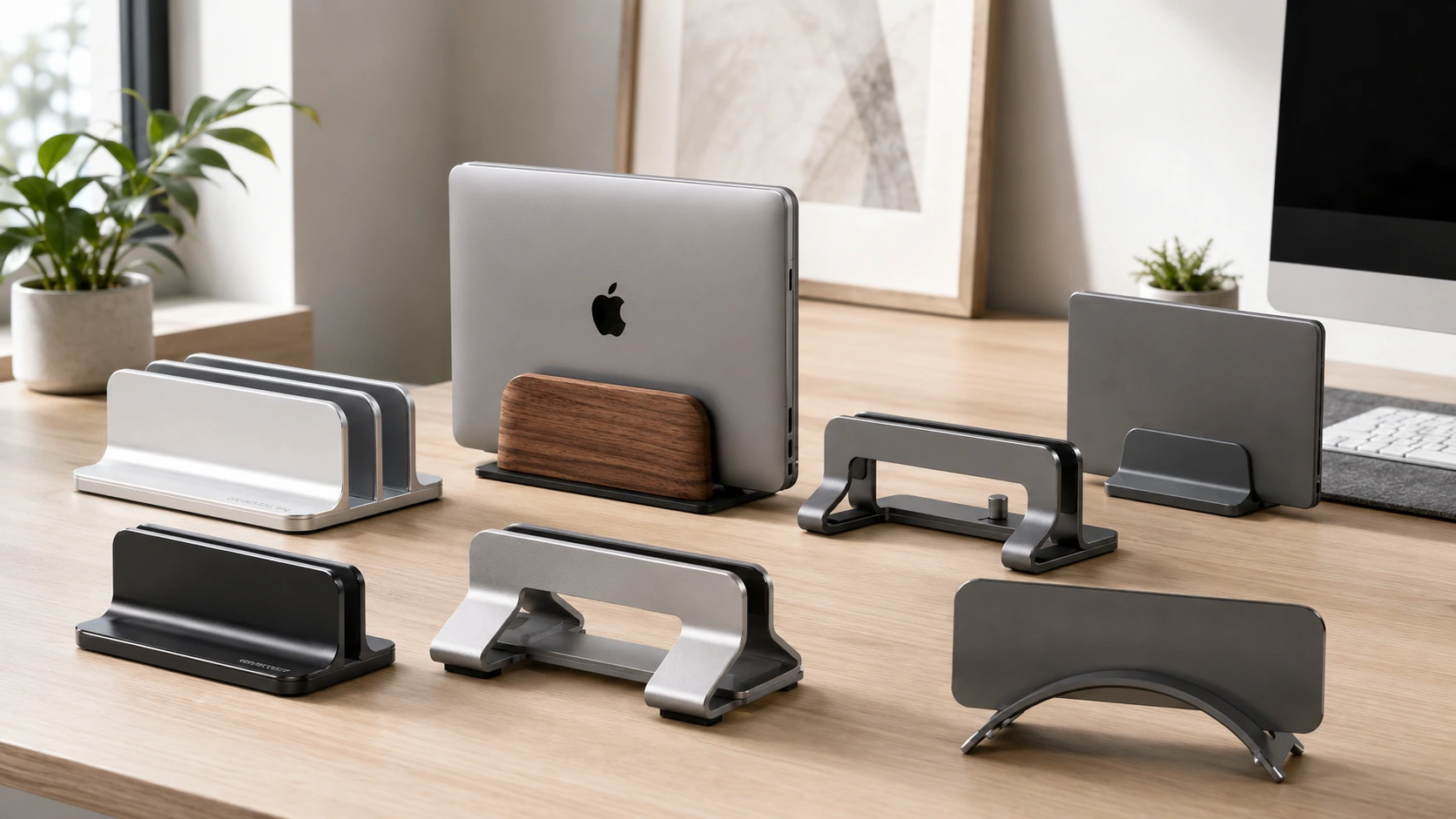
8 vertical MacBook stands ranked by Amazon buyer rating and verified review count.
A vertical MacBook stand stores the laptop in portrait orientation on the desk surface while connected to an external monitor in clamshell mode. The stand frees desk space equal to the laptop footprint and positions the laptop where cable connections are deliberate rather than ad hoc.
This guide covers eight vertical MacBook stands ranked by Amazon buyer rating and verified review count, including passive aluminum holders, model-specific arc designs, combined hub-stands, and Thunderbolt 4 docking stations.
8 stars, lifetime warranty and universal fit for all MacBook models.
Quick Picks
Our 8 recommendations at a glance. Tap a pick for the full verdict.
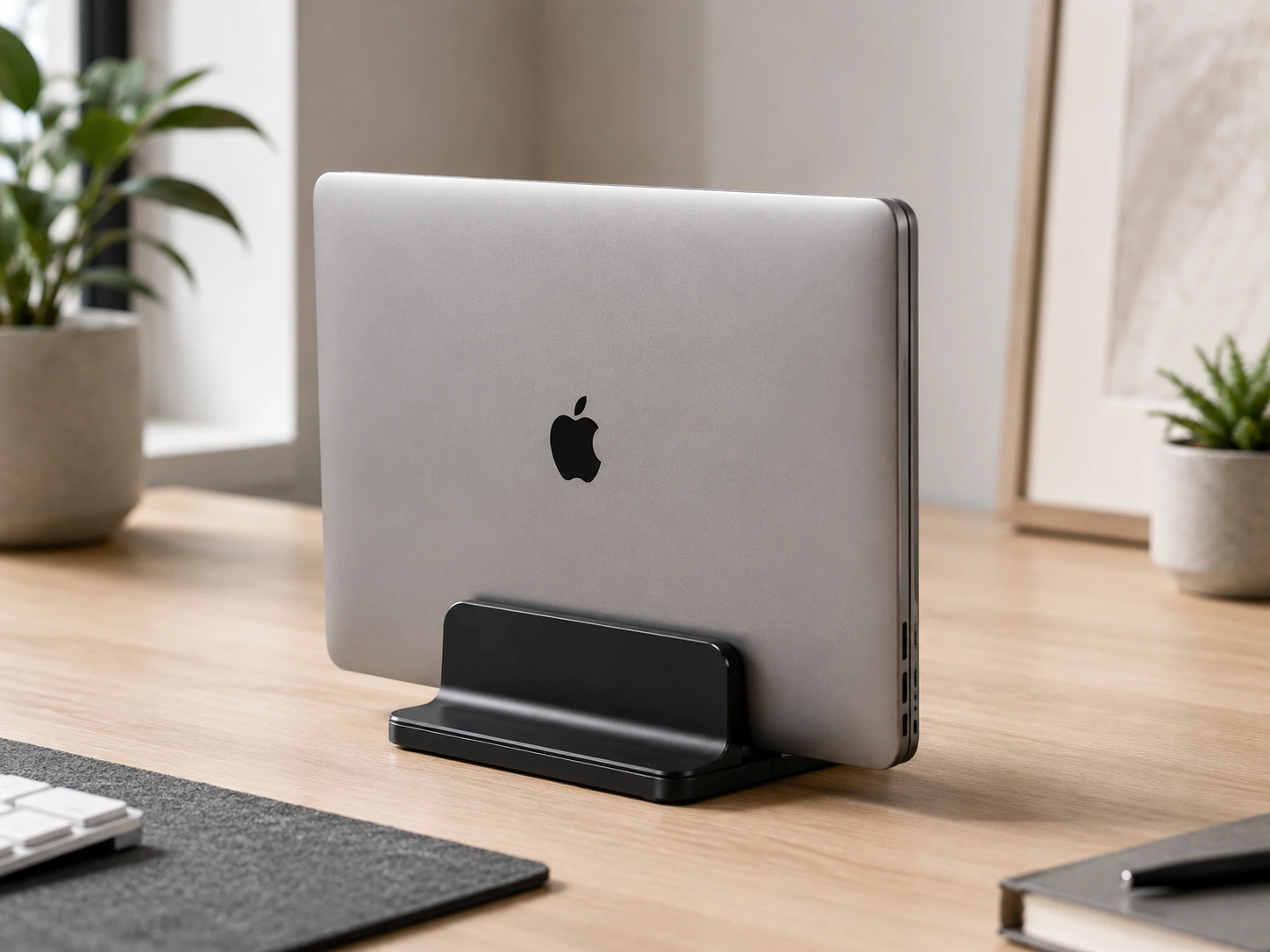
Best Overall for MacBook
OMOTON Aluminum Vertical Laptop Stand
MacBook users who want the widest adjustment range and lifetime warranty in an aluminum stand that works with all MacBook models including older Intel and newer Apple Silicon
Our take Check price for OMOTON Aluminum Vertical Laptop Stand (opens in a new tab)
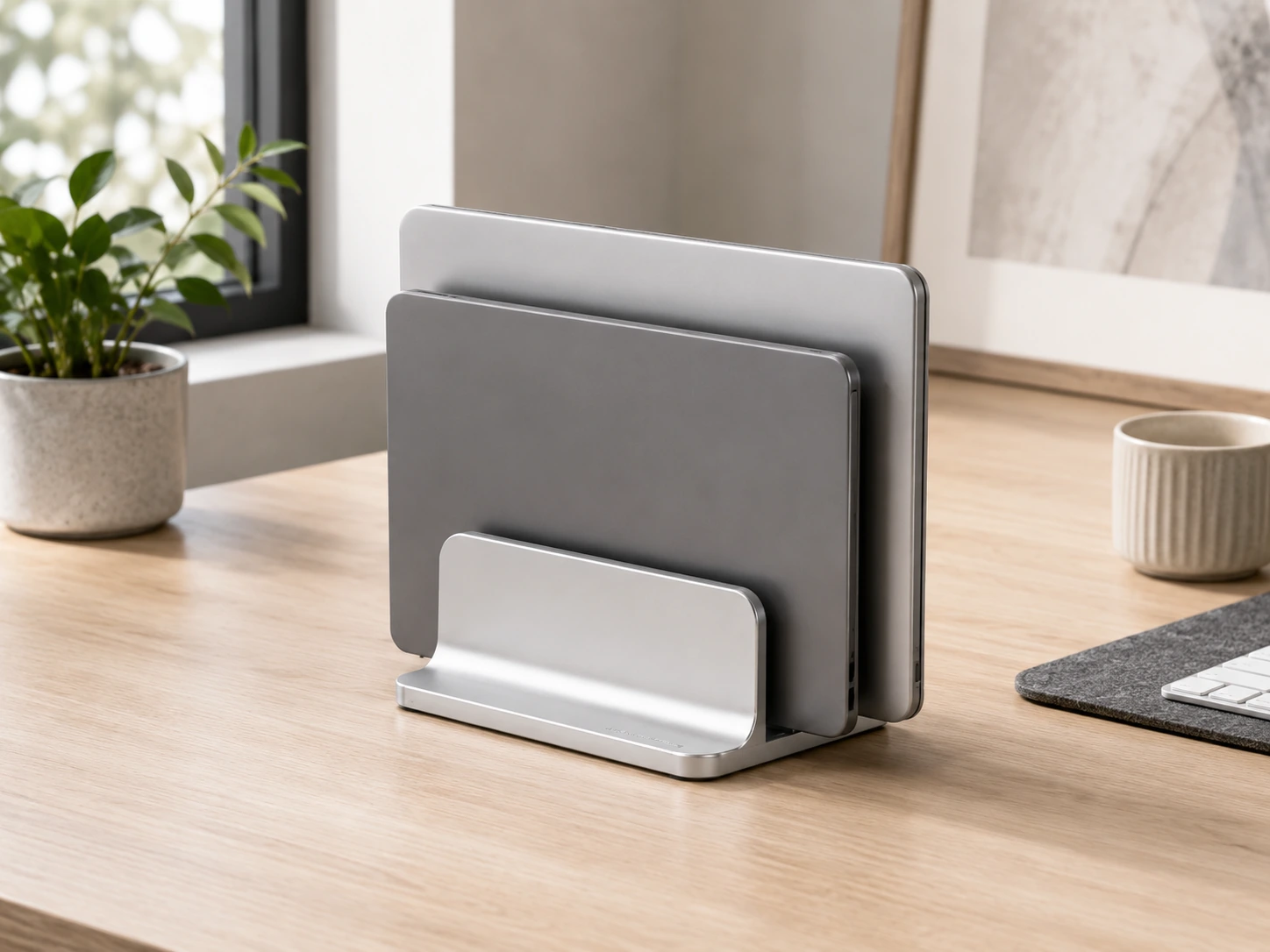
Best Dual Slot for MacBook
OMOTON Dual Aluminum Vertical Laptop Stand
MacBook users who also need to store a second device (iPhone stand, iPad, or second laptop) in the same footprint alongside the MacBook
Our take Check price for OMOTON Dual Aluminum Vertical Laptop Stand (opens in a new tab)
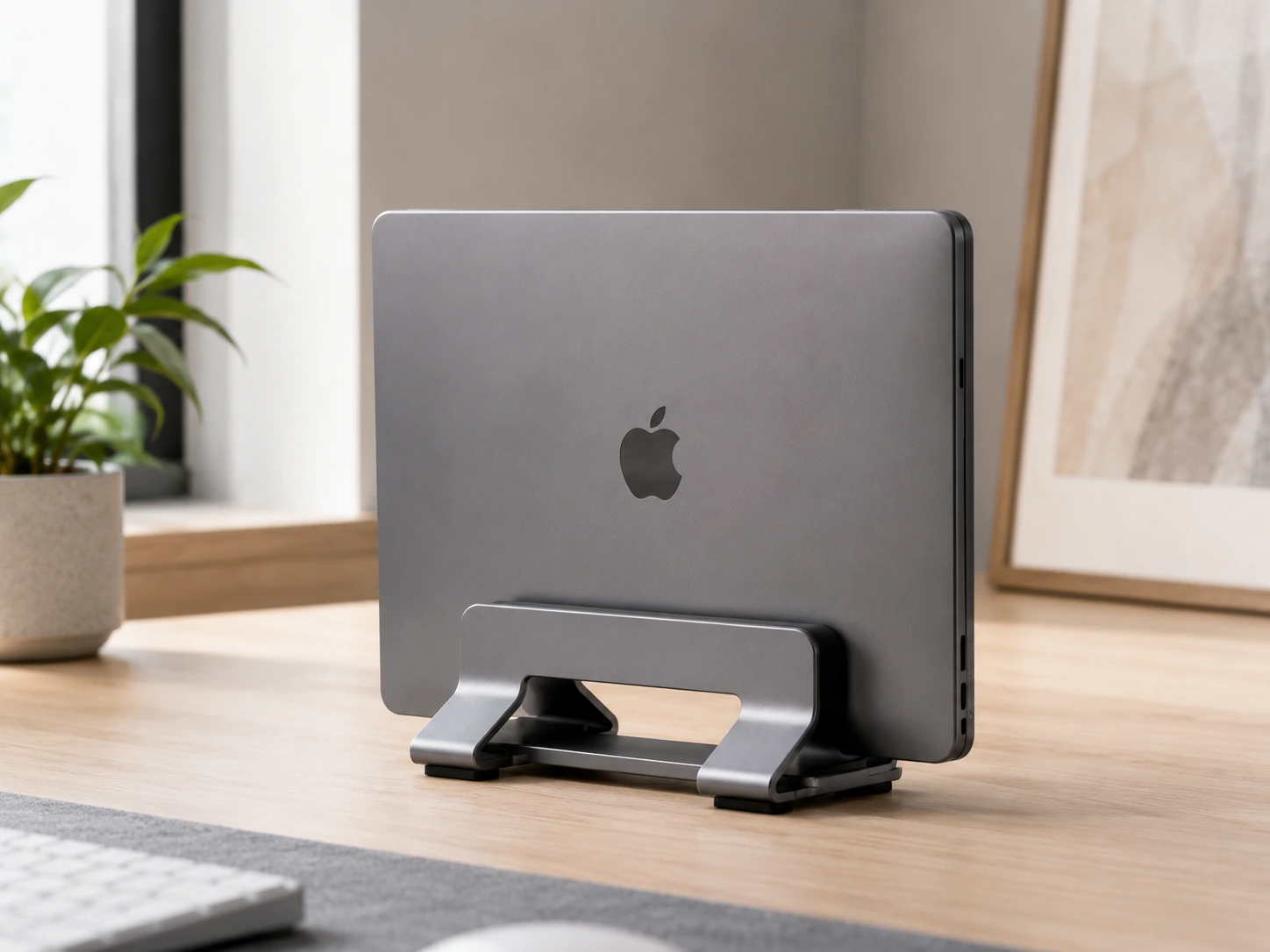
Best Budget MacBook Stand
Psitek Aluminum Vertical Laptop Stand
MacBook users who want aerospace-grade aluminum at the lowest price in this roundup with a 5-year warranty covering their investment
Our take Check price for Psitek Aluminum Vertical Laptop Stand (opens in a new tab)

Best Budget Dual
Psitek Dual Aluminum Laptop Stand (Black)
MacBook users who manage two Apple devices and want dual aerospace-grade aluminum storage at under $19, the lowest dual-slot aluminum price in this roundup
Our take Check price for Psitek Dual Aluminum Laptop Stand (Black) (opens in a new tab)

Best with Cable Cutout
UGREEN Vertical Laptop Stand with Cable Slot
MacBook users with a dedicated desk setup who want charging and USB-C hub cables routed cleanly through the stand base rather than draped over the desk surface
Our take Check price for UGREEN Vertical Laptop Stand with Cable Slot (opens in a new tab)

Best MacBook-Dedicated
HumanCentric Vertical MacBook Stand
MacBook users who want a stand engineered specifically for Apple laptop proportions with precision silicone inserts that fit the MacBook at exact contact points
Our take Check price for HumanCentric Vertical MacBook Stand (opens in a new tab)

Best Minimal Mac Stand
Twelve South BookArc for MacBook
MacBook users who want the stand to visually disappear when the MacBook is docked, showing only the laptop rather than a visible support mechanism
Our take Check price for Twelve South BookArc for MacBook (opens in a new tab)
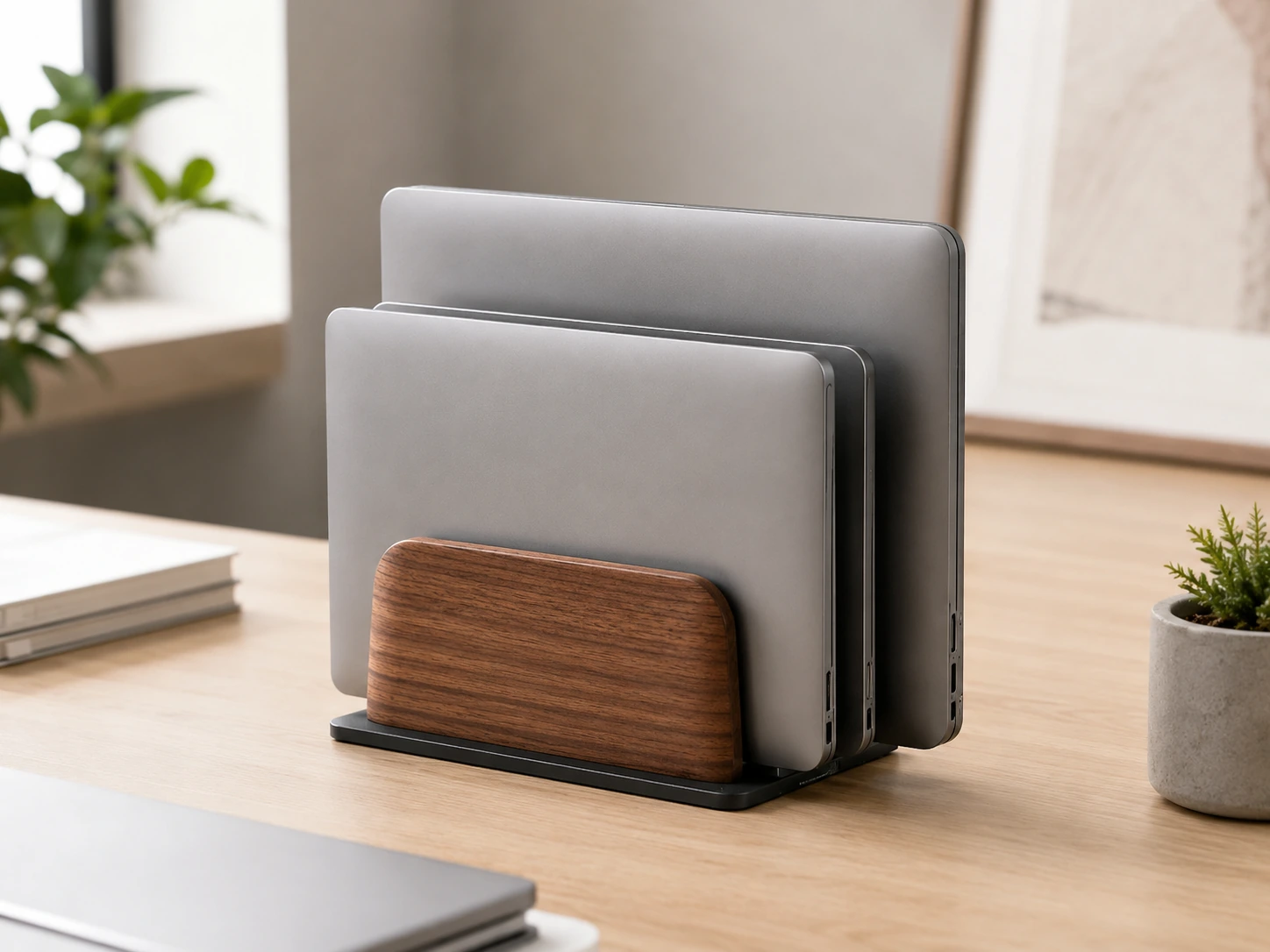
Best Premium Wood Dual
UPERGO Walnut + Aluminum Dual Laptop Stand
MacBook users with warm-toned or wood desk setups who want a dual-slot stand made of natural walnut rather than aluminum, matching the desk surface material
Our take Check price for UPERGO Walnut + Aluminum Dual Laptop Stand (opens in a new tab)
| Pick | Best for | Key spec | Price |
|---|---|---|---|
| MacBook users who want the widest adjustment range and lifetime warranty in an aluminum stand that works with all MacBook models including older Intel and newer Apple Silicon | Aluminum alloy body | Check price for OMOTON Aluminum Vertical Laptop Stand (opens in a new tab) |
| MacBook users who also need to store a second device (iPhone stand, iPad, or second laptop) in the same footprint alongside the MacBook | Dual aluminum slots | Check price for OMOTON Dual Aluminum Vertical Laptop Stand (opens in a new tab) |
| MacBook users who want aerospace-grade aluminum at the lowest price in this roundup with a 5-year warranty covering their investment | 6061 aerospace aluminum | Check price for Psitek Aluminum Vertical Laptop Stand (opens in a new tab) |
| MacBook users who manage two Apple devices and want dual aerospace-grade aluminum storage at under $19, the lowest dual-slot aluminum price in this roundup | 6061 aerospace aluminum | Check price for Psitek Dual Aluminum Laptop Stand (Black) (opens in a new tab) |
| MacBook users with a dedicated desk setup who want charging and USB-C hub cables routed cleanly through the stand base rather than draped over the desk surface | Aluminum alloy | Check price for UGREEN Vertical Laptop Stand with Cable Slot (opens in a new tab) |
| MacBook users who want a stand engineered specifically for Apple laptop proportions with precision silicone inserts that fit the MacBook at exact contact points | MacBook-dedicated design | Check price for HumanCentric Vertical MacBook Stand (opens in a new tab) |
| MacBook users who want the stand to visually disappear when the MacBook is docked, showing only the laptop rather than a visible support mechanism | Minimal aluminum arc design | Check price for Twelve South BookArc for MacBook (opens in a new tab) |
| MacBook users with warm-toned or wood desk setups who want a dual-slot stand made of natural walnut rather than aluminum, matching the desk surface material | Solid black walnut base | Check price for UPERGO Walnut + Aluminum Dual Laptop Stand (opens in a new tab) |
Our Picks
Best Overall for MacBook1 of 8
OMOTON Aluminum Vertical Laptop Stand on Amazon (opens in a new tab)
71 inches, covering thin MacBook Air and thick 17-inch gaming laptops in the same stand.
Best for
- MacBook users who want the widest adjustment range and lifetime warranty in an aluminum stand that works with all MacBook models including older Intel and newer Apple Silicon
Why we like it
The non-slip silicone pads protect the laptop finish at the contact points without leaving marks. It is a competitive aluminum stand backed by OMOTON's lifetime warranty. The adjustment range is the widest of any stand in this roundup, which makes it the practical choice for users who own or plan to own multiple laptops of different thicknesses.
Key dimensions & specs
- Aluminum alloy body
- Adjustable 0.55 to 2.71 in slot
- Tool-free knurled screw lock
- Non-slip silicone pads
- Lifetime warranty
Pros
- 4.8 stars across thousands of buyers
- Lifetime manufacturer warranty
- Widest adjustment range in this roundup
- Aluminum for long-term durability
Cons
- Single slot only
- No cable management cutout
Best Dual Slot for MacBook2 of 8
OMOTON Dual Aluminum Vertical Laptop Stand on Amazon (opens in a new tab)
The OMOTON dual vertical stand provides two independently adjustable aluminum slots in a footprint smaller than two separate single stands.
Best for
- MacBook users who also need to store a second device (iPhone stand, iPad, or second laptop) in the same footprint alongside the MacBook
Why we like it
65 inches and locks independently, so a thin MacBook Air and a thicker Windows laptop can share the same stand without compromise. It is the most affordable dual-slot aluminum stand with independent per-slot adjustment and a lifetime warranty. Users managing two devices benefit from the consolidated footprint and the aluminum construction that holds its adjustment position over daily use.
Key dimensions & specs
- Dual aluminum slots
- Each slot adjustable 0.55 to 1.65 in
- Tool-free per-slot adjustment
- Non-slip silicone pads
- Lifetime warranty
Pros
- 4.8 stars with the largest buyer base in this roundup
- Two independent adjustable slots
- Lifetime warranty
- Aluminum construction
Cons
- Narrower range per slot than single-slot model
- Silver color only
Best Budget MacBook Stand3 of 8
Psitek Aluminum Vertical Laptop Stand on Amazon (opens in a new tab)
The Psitek single stand uses 6061 aerospace-grade aluminum with an anodized finish that resists scratches and matches premium laptop aesthetics more closely than standard aluminum alloy alternatives.
Best for
- MacBook users who want aerospace-grade aluminum at the lowest price in this roundup with a 5-year warranty covering their investment
Why we like it
65 inches covers most consumer and ultrabook laptops including MacBook Air and Pro. It is the lowest-priced aluminum stand in this roundup and offers a 5-year warranty, which is longer than most competitors at any price. The aerospace-grade aluminum construction and extended warranty make it a strong long-term value for the price.
Key dimensions & specs
- 6061 aerospace aluminum
- Adjustable 0.5 to 1.65 in
- Anodized scratch-resistant finish
- Non-slip silicone pads
- 5-year warranty
Pros
- 4.8 stars
- Lowest price in this roundup
- 6061 aerospace aluminum build quality
- 5-year warranty is longer than most competitors
Cons
- Narrower adjustment range than OMOTON single
- Less brand recognition than OMOTON
Best Budget Dual4 of 8
Psitek Dual Aluminum Laptop Stand (Black) on Amazon (opens in a new tab)
The Psitek dual stand applies 6061 aerospace-grade aluminum construction to a two-slot format at the lowest price among dual aluminum stands in this roundup.
Best for
- MacBook users who manage two Apple devices and want dual aerospace-grade aluminum storage at under $19, the lowest dual-slot aluminum price in this roundup
Why we like it
Each slot adjusts from 15 to 36 mm independently, accommodating devices of different thicknesses side by side. It is a bit less than the OMOTON dual while delivering comparable material quality through aerospace-grade aluminum and a 5-year warranty. Users who want dual-slot aluminum storage at the minimum possible cost choose the Psitek over the OMOTON. Lowest-priced dual aluminum stand in this roundup.
Key dimensions & specs
- 6061 aerospace aluminum
- Dual slots 15 to 36 mm per slot
- Black anodized finish
- Non-slip silicone pads
- 5-year warranty
Pros
- 4.8 stars
- Lowest-priced dual aluminum stand in this roundup
- 5-year warranty
- 6061 aerospace aluminum
Cons
- Narrower range per slot than OMOTON dual
- Fewer ratings than OMOTON
Best with Cable Cutout5 of 8
UGREEN Vertical Laptop Stand with Cable Slot on Amazon (opens in a new tab)
The UGREEN single vertical stand features a cable cutout channel at the base that routes charging and peripheral cables through the stand cleanly rather than letting them drag over the desk surface.
Best for
- MacBook users with a dedicated desk setup who want charging and USB-C hub cables routed cleanly through the stand base rather than draped over the desk surface
Why we like it
47 to 1 inch via a knurled knob. It occupies the same price point as the OMOTON single but adds cable routing at the cost of a narrower adjustment range. The cable cutout is the practical differentiator for desk setup builders where cable management is a priority.
Key dimensions & specs
- Aluminum alloy
- Adjustable 0.47 to 1 in
- Cable management cutout
- Non-slip silicone pads
- Compact base
Pros
- 4.7 stars with substantial buyer base
- Cable cutout for cable routing
- Aluminum construction
- Under $20
Cons
- Narrower adjustment range than OMOTON single
- No lifetime warranty
Best MacBook-Dedicated6 of 8
HumanCentric Vertical MacBook Stand on Amazon (opens in a new tab)
The HumanCentric stand is purpose-designed for MacBook clamshell use, with three interchangeable silicone inserts that provide a model-specific fit at the base and top of the laptop rather than universal width adjustment.
Best for
- MacBook users who want a stand engineered specifically for Apple laptop proportions with precision silicone inserts that fit the MacBook at exact contact points
Why we like it
The dedicated inserts grip the MacBook at precise contact points without applying pressure to the hinge area. It is the MacBook-first option in this roundup. The lifetime warranty and precision fit make it the correct stand for users who want the most intentional, scratch-free vertical MacBook storage available rather than a universal stand that happens to hold a MacBook.
Key dimensions & specs
- MacBook-dedicated design
- Three interchangeable silicone inserts
- Precision fit without hinge pressure
- Lifetime warranty
- Aluminum base
Pros
- Purpose-designed for MacBook models
- 4.7 stars
- Lifetime warranty
- Silicone inserts protect hinge area
Cons
- MacBook only, not universal
- $39.99 premium for single-device use
Best Minimal Mac Stand7 of 8
Twelve South BookArc for MacBook on Amazon (opens in a new tab)
The Twelve South BookArc is a minimal single-piece aluminum arc that supports the MacBook at the base with three interchangeable silicone inserts sized for specific MacBook models.
Best for
- MacBook users who want the stand to visually disappear when the MacBook is docked, showing only the laptop rather than a visible support mechanism
Why we like it
The arc design makes the stand visually recede when the MacBook is docked, showing only the laptop rather than a prominent stand mechanism. It delivers the cleanest MacBook desk aesthetic at a price lower than most universal aluminum stands. Users who want the stand to disappear visually find no better option in this roundup at any price. Cleanest MacBook visual aesthetic in roundup.
Key dimensions & specs
- Minimal aluminum arc design
- Three interchangeable silicone inserts
- MacBook-only fit
- Compact arc footprint
- Single-piece construction
Pros
- 4.6 stars
- Cleanest MacBook visual aesthetic in roundup
- Single-piece aluminum
- Under $17
Cons
- MacBook only
- No adjustment for non-Apple laptops
Best Premium Wood Dual8 of 8
UPERGO Walnut + Aluminum Dual Laptop Stand on Amazon (opens in a new tab)
The UPERGO walnut stand combines solid black walnut wood with aluminum cradle arms, creating a dual-material stand that is visually distinct from every aluminum-only competitor in this roundup.
Best for
- MacBook users with warm-toned or wood desk setups who want a dual-slot stand made of natural walnut rather than aluminum, matching the desk surface material
Why we like it
The handcrafted walnut base provides natural texture and warm color that metal stands cannot replicate. It is the premium aesthetic option for desk setups where natural materials complement wood desk surfaces or warm-toned interiors. 1 inches thick without sacrificing the walnut aesthetic, and the dual-slot format stores two devices.
Key dimensions & specs
- Solid black walnut base
- Aluminum adjustable cradle
- Dual slots 0.47 to 1.1 in
- Handcrafted walnut finish
- Natural grain texture
Pros
- 4.8 stars
- Natural walnut aesthetic unavailable in aluminum-only stands
- Dual slot
- Premium material pairing
Cons
- Newest model with fewer ratings
- $39.99 premium for aesthetic material
- Slots narrower than OMOTON single range
What to Look for in a Vertical MacBook Stand for Home Offices
Key buying criteria so you get the right fit the first time.
Match actual size and capacity to your real need, not the category label alone
Listings for a 8 best vertical macbook stands (2026) often use a size or capacity label ("compact," "large," "heavy-duty") that isn't standardized across brands, so the same label can mean meaningfully different actual dimensions or capacity from one product to the next.
This matters because buying based on the category label rather than the specific listed dimensions or capacity is a common way to end up with something that doesn't actually fit your space or handle your real load.
Check the listing for exact measurements or a stated capacity figure, and compare that directly against your actual space or need, not just the marketing size category.
Verify build material and construction quality from reviews, not just spec-sheet claims
A product description can describe material or construction in flattering terms that don't always hold up under real, sustained use, and the gap between a listing's claimed quality and its actual durability only shows up in how the product performs after weeks or months of real use, not in day-one photos.
This matters more for anything you'll use daily or under real load, less for occasional light use where durability matters less.
Check reviews specifically for mentions of how the 8 best vertical macbook stands (2026) holds up over time, not just unboxing-day impressions, and treat a listing's own quality claims as a starting point to verify, not a guarantee.
Confirm any headline feature actually works as advertised, not just that it's listed
A feature appearing in a product's bullet points doesn't guarantee it performs well in practice, some features are functional but limited, and a few are closer to a marketing checkbox than a useful capability.
This matters directly if a specific feature is the main reason you're choosing this 8 best vertical macbook stands (2026) over a simpler, cheaper alternative, since a feature that underperforms in practice undermines the whole reason for paying more.
Check reviews specifically for real-world experiences with the exact feature that matters most to you, not just whether the feature is listed at all.
Weigh review count alongside rating, not rating alone
This matters more for a purchase you're relying on to perform consistently over time, less for a low-stakes, easily replaceable item.
Check both the star rating and the review count together for any 8 best vertical macbook stands (2026) you're considering, and treat a high rating on a very small review count as a promising but less-proven signal.
Check compatibility and fit with your existing setup before ordering
A 8 best vertical macbook stands (2026) that looks like a straightforward fit in photos can still have a compatibility detail, a connector type, a mounting requirement, a size threshold, that doesn't match your existing setup, and this kind of mismatch is one of the most common and avoidable reasons for a return.
This matters directly if the product needs to physically connect to, mount on, or otherwise integrate with something you already own.
Check the listing's specific compatibility details against your exact existing setup, not just the general product category, before ordering.
Frequently Asked Questions
Can I use a vertical stand with a MacBook in clamshell mode?
Clamshell mode is the primary use case for a vertical MacBook stand. Connect an external display, keyboard, and mouse, close the MacBook lid, and place it in the stand. The MacBook remains powered and drives the external display while the built-in screen stays off.
Do I need a MacBook-specific stand or will a universal stand work?
Universal adjustable stands (OMOTON, Psitek) work correctly with all MacBook models. MacBook-specific stands (HumanCentric, Twelve South BookArc) provide a more precise fit and often a cleaner aesthetic, but universal stands hold the MacBook securely without any compromise.
Which MacBook models fit the Twelve South BookArc?
The Twelve South BookArc comes with three interchangeable silicone inserts sized for different MacBook thicknesses. It fits MacBook Air and MacBook Pro models. Check the current product listing for the specific insert sizes included, as they vary by product generation.
Will a vertical stand scratch my MacBook?
All stands in this roundup use silicone-covered contact points that protect the MacBook chassis from scratching. The MacBook-specific stands (HumanCentric, Twelve South BookArc) use precision-fit inserts that contact only the safe areas of the laptop. Universal stands use adjustable silicone pads.
Can I put a MacBook with a case in a vertical stand?
Most adjustable vertical stands accommodate a MacBook with a thin case as long as the case thickness stays within the stand's adjustment range. MacBook-specific stands with fixed-size inserts may not accommodate thick cases. Check the maximum slot width against your MacBook-plus-case thickness.
Bottom Line
Best overall: OMOTON Aluminum Vertical Laptop Stand — best overall for macbook pick in this roundup. See the full verdicts above for every pick, with pros, cons and who each one suits.
Browse all the best vertical macbook stands for home offices on Amazon — Prime-eligible options with current pricing.