
Buying Guide
The Best Projector Screens Under $150: Picks and Trade-offs
We looked at 4 projector screens under $150 side by side, with the trade-offs that separate them and who each one suits.
By Jamie Cole, Lead Product Researcher
8 min read4 products evaluated
We may earn a commission from purchases made through links in this guide. Learn more.
Near $150, projector screens shift from manual tripod setups to motorized, remote-controlled designs that raise and lower automatically, a different product category from the manual screens covered in every lower tier.
We compared this lineup on motor noise level, mounting method, and screen layer construction, since a motorized screen's real value depends on quiet, reliable operation and proper wall or ceiling installation, not just the convenience of a remote control.
Quick Picks
Our 4 recommendations at a glance. Tap a pick for the full verdict.

Best Overall
100 Inch Motorized Projector Screen with Remote Control
Buyers who want the quietest motor with dual remote and panel control
Our take Check price for 100 Inch Motorized Projector Screen with Remote Control (opens in a new tab)

Best Safety Design
YODOLLA 100 Inch Projector Screen Motorized
Buyers who specifically prioritize electrical safety features
Our take Check price for YODOLLA 100 Inch Projector Screen Motorized (opens in a new tab)

Best Screen Size Value
DINAH 120 Inch Electric Projector Screen with Remote
Buyers who want the largest motorized screen size in this comparison
Our take Check price for DINAH 120 Inch Electric Projector Screen with Remote (opens in a new tab)
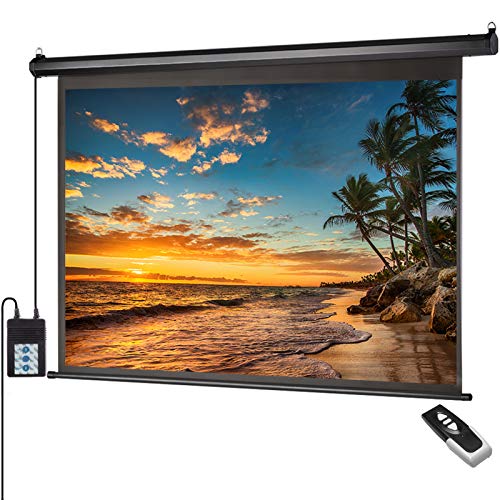
Best Viewing Area
Auto Motorized Projector Screen with Remote Control, 120 inch
Buyers who specifically need a 4:3 aspect ratio for presentations
Our take Check price for Auto Motorized Projector Screen with Remote Control, 120 inch (opens in a new tab)
Our Picks
Best Overall1 of 4
100 Inch Motorized Projector Screen with Remote Control on Amazon (opens in a new tab)
This screen's energy efficient motor runs under 42 DB, a specific noise figure quieter than typical motorized screens, backed by both a long-distance radio frequency remote and a wall-mountable control panel for flexible operation.
Best for
- Buyers who want the quietest motor with dual remote and panel control
Why we like it
Its 4-layer premium PVC matte construction with a black backing eliminates light penetration for top-quality color reproduction.
Compared to the YODOLLA pick below, this one arrives fully assembled and plug-and-play ready, suitable for both wall and ceiling mounting without additional setup steps. The screen is easy to wipe clean with soap and water, a practical maintenance detail for a semi-permanent installation.
Best for buyers who want the quietest stated motor with dual remote and wall-panel control.
Key dimensions & specs
- 100in, 4-layer PVC, black backed
- Under 42 DB motor, dual control options
- Fully assembled, wall or ceiling mount
Pros
- Quietest stated motor noise level in this comparison at under 42 DB
- Dual control via remote and wall-mountable panel
- Arrives fully assembled, plug-and-play ready
Cons
- Requires wall or ceiling mounting, no tripod alternative
- 160 degree viewing angle is standard, not exceptional for this tier
Best Safety Design2 of 4
YODOLLA 100 Inch Projector Screen Motorized on Amazon (opens in a new tab)
This screen's advanced power connection style specifically provides higher safety and greatly reduces the risk of short circuit or disconnection, a stated safety feature the other motorized picks in this comparison don't emphasize as directly.
Best for
- Buyers who specifically prioritize electrical safety features
Why we like it
Its smooth auto-lock mechanism fixes the screen at any desired length, with an ultra-quiet motor that drops and rolls up without jamming.
65 lbs, making it easier to lift and install for either wall or ceiling mounting using included expansion screws and S-shaped hooks. Both wired and wireless remote controls adapt to different installation conditions and preferences.
Best for buyers who specifically prioritize electrical safety features in a motorized screen.
Key dimensions & specs
- 100in, 3-layer PVC, self-locking design
- 15.65 lbs, wired and wireless remote
- Safer power connection style
Pros
- Specifically engineered power connection reduces short circuit risk
- Lightweight at 15.65 lbs eases installation
- Both wired and wireless remote control options included
Cons
- Same price as the pick above, so choice depends on specific priorities
- No stated decibel figure for motor noise like the pricier pick
Best Screen Size Value3 of 4
DINAH 120 Inch Electric Projector Screen with Remote on Amazon (opens in a new tab)
This screen's 120 inch diagonal is the largest motorized screen in this comparison, providing an immersive viewing experience for everyone in the room, ideal for movie enthusiasts wanting maximum screen real estate.
Best for
- Buyers who want the largest motorized screen size in this comparison
Why we like it
Its drop-down design pulls from the ceiling or wall, maximizing space and creating a sleek, professional look.
Compared to the 100 inch picks above, this one delivers meaningfully more screen area for a modest price increase, positioning it as the best value if larger size matters more to you than the specific safety or noise features the smaller screens emphasize. The motorized convenience lowers and retracts the screen smoothly and quietly for easy setup and storage.
Best for buyers who want the largest motorized screen size in this comparison.
Key dimensions & specs
- 120in diagonal, drop-down ceiling or wall mount
- 4K 3D HD projection capable
- Remote-controlled retraction
Pros
- Largest motorized screen in this comparison at 120 inches
- Sleek, space-saving drop-down design
- 4K 3D HD capability supports high-resolution content
Cons
- Slightly over this tier's stated ceiling at $159.99
- No specific stated safety or noise-level figures like the other picks
Best Viewing Area4 of 4
Auto Motorized Projector Screen with Remote Control, 120 inch on Amazon (opens in a new tab)
5 inch 4:3 viewing area suits classroom, office, and presentation content specifically, a distinct aspect ratio from the 16:9 widescreen options dominating this comparison.
Best for
- Buyers who specifically need a 4:3 aspect ratio for presentations
Why we like it
Its prewired power cord with an integrated switch regulates drop and rise settings, alongside a radio frequency remote for distant control.
1 gain matte white screen that's yellow-staining-free and wrinkle-free. Its 160 degree viewing angle provides a large viewing area suited to home, office, or classroom use.
Best for buyers who specifically need a 4:3 aspect ratio for presentation or classroom content.
Key dimensions & specs
- 120in, 4:3 ratio, 1.1 gain matte white
- Integrated switch and remote control
- Solid metal casing, wall or ceiling mount
Pros
- 1.1 gain rating is yellow-staining-free and wrinkle-free by design
- Dual control via integrated switch or remote
- Solid metal casing suits dual wall or ceiling installation
Cons
- 4:3 aspect ratio suits presentations more than widescreen movies
- Same price as the DINAH pick, so choice depends on aspect ratio needs
How We Chose These Projector Screens Under $150
Each pick was assessed across 5 criteria weighted for real-world use.
- Compared stated decibel figures where disclosed across the motorized lineup.
- Checked for stated electrical safety design and connection reliability across all four picks.
- Screen Size and Aspect Ratio
- Compared diagonal size and 16:9 versus 4:3 aspect ratio suited to different content types.
- Compared pre-assembled versus DIY assembly and wall versus ceiling mount flexibility.
- Compared PVC layer count and black backing across the lineup.
What to Look for in a Projector Screen Under $150
Key buying criteria so you get the right fit the first time.
A Stated Decibel Figure for Motor Noise Is a Concrete Claim Worth Comparing When Available
The 100 Inch Motorized pick specifically states its motor runs under 42 DB, a concrete, checkable noise figure that lets you compare against other motorized screens, unlike a listing that simply claims 'quiet' or 'smooth' operation without a specific decibel number. This matters directly for a home theater used late at night or in a quiet household, where even a modestly loud motor can be noticeably disruptive during the moment right before a movie starts. Look for a specific decibel figure in a motorized screen's listing, and treat vague 'quiet' claims without supporting numbers with appropriate skepticism when noise sensitivity matters to your household.
Motorized Screens Require Genuine Wall or Ceiling Mounting, Unlike the Tripod Options in Lower Tiers
All four motorized picks in this comparison specifically require wall or ceiling mounting rather than offering a tripod alternative, meaning you need a suitable wall stud or ceiling joist structure to support the screen's weight and motor mechanism securely. This matters as a hard prerequisite check before purchase, since a motorized screen becomes unusable if your intended installation location lacks adequate structural support, unlike the tripod-based screens in lower tiers that work on any flat floor. Confirm your installation location has appropriate wall stud or ceiling joist access before committing to a motorized screen, since retrofitting mounting support after purchase adds real complexity and cost.
An Advanced Power Connection Design Addresses a Specific Electrical Safety Risk in Motorized Mechanisms
The YODOLLA pick specifically states its 'advanced power connection style' reduces the risk of short circuit or disconnection, a targeted safety claim relevant specifically to motorized screens where an electrical motor mechanism introduces genuine electrical risk that a purely manual tripod screen doesn't carry. This matters more for a permanently installed motorized screen running on household electrical current continuously, less so as a concern for manual screens with no electrical components at all. Consider whether a listing specifically addresses electrical safety design if you're choosing between motorized options, since this is a category-specific concern unique to powered screens.
4:3 vs 16:9 Aspect Ratio Selection Matters More at This Tier Since Motorized Screens Are a Bigger, Less Flexible Commitment
The Auto Motorized Projector Screen pick's 4:3 aspect ratio suits presentation and classroom content specifically, while the other three picks in this comparison use the 16:9 widescreen ratio matching modern movies and streaming content, and choosing the wrong ratio for your primary content type matters more with a semi-permanently wall-mounted motorized screen than with an easily repositioned tripod screen. This matters because reconfiguring or replacing a wall-mounted motorized screen due to aspect ratio mismatch is considerably more disruptive than swapping a portable tripod screen. Confirm your primary content's aspect ratio carefully before committing to a motorized screen's fixed ratio, given the more permanent nature of this installation type.
A Fully-Assembled, Plug-and-Play Design Reduces Installation Complexity for a Motorized Mechanism
The 100 Inch Motorized pick specifically states it arrives fully assembled and plug-and-play ready, meaning the motor and screen mechanism come pre-integrated rather than requiring you to assemble electrical or mechanical components yourself, a meaningful simplification for a product category involving more complex machinery than a manual tripod screen. This matters if you're not confident assembling electrical mechanisms yourself, where a pre-assembled unit reduces both setup time and the risk of assembly errors affecting the motor's function. Check whether a listing specifically states full pre-assembly versus requiring you to construct the motor mechanism, particularly if you lack experience with this more complex product category.
How to Choose a Projector Screen Under $150
| The quietest motor with dual remote and panel control | 100 Inch Motorized Projector Screen with Remote Control |
|---|---|
| Specifically engineered electrical safety features | YODOLLA 100 Inch Projector Screen Motorized |
| The largest motorized screen size in this comparison | DINAH 120 Inch Electric Projector Screen with Remote |
| A 4:3 aspect ratio for presentations or classroom content | Auto Motorized Projector Screen with Remote Control, 120 inch |
100 Inch Precision Features vs 120 Inch Maximum Size
- 100 inch with precision features (100 Inch Motorized, YODOLLA)
- Emphasizes specific stated benefits like quiet motor decibel figures or electrical safety design at a slightly smaller size.
- 120 inch maximum size (DINAH, Auto Motorized)
- Prioritizes larger screen area for immersive viewing, without emphasizing the same specific technical claims.
If quiet operation or electrical safety specifics matter most to you, the 100 inch picks with their stated figures are worth prioritizing. If maximum screen size for an immersive experience is your priority, the 120 inch picks deliver that for a modest price increase.
| Movies and widescreen streaming (16:9) | 100 Inch Motorized, YODOLLA, or DINAH |
|---|---|
| Presentations and classroom content (4:3) | Auto Motorized Projector Screen with Remote Control |
For a Home Theater Requiring Quiet Nighttime Operation Specifically
- A specific stated decibel figure for the motor noise level, not just a general 'quiet' claim, since actual noise levels vary meaningfully between motorized screens.
- The 100 Inch Motorized pick's specifically stated under 42 DB motor noise level provides the most concrete, checkable quiet-operation claim in this tier.
- You want the largest motorized screen size for maximum immersive viewing, where the DINAH pick delivers that at the top of this tier.
- You want a quiet, safe motorized screen without needing maximum size, where the 100 Inch Motorized or YODOLLA picks cover that for about $10 less.
Frequently Asked Questions
Do motorized projector screens require a licensed electrician for installation?
No, all four picks in this comparison are designed to plug into a standard household outlet and don't require electrical wiring work, though mounting the screen securely to a wall stud or ceiling joist is still an important installation step to get right.
What's the most common mistake buyers make when choosing a motorized screen over a tripod-based one?
Not confirming their installation location has adequate wall stud or ceiling joist support before purchase, since motorized screens require genuine structural mounting unlike a tripod screen that simply stands on the floor anywhere.
Is the DINAH pick worth it over the cheaper 100 Inch Motorized option?
If you specifically want the largest 120 inch screen size for maximum immersive viewing, yes, but if a specifically stated quiet motor and dual control options matter more, the 100 Inch Motorized pick covers that for about $10 less.
How do I know if my wall or ceiling can support a motorized projector screen's weight?
Locate wall studs or ceiling joists with a stud finder and confirm they align with the screen's mounting points, since motorized screens with their motor mechanism weigh more than a simple fabric screen and need genuine structural support, not just drywall alone.
Can the 4:3 aspect ratio pick still display widescreen movies without major issues?
Widescreen 16:9 content will display with black bars on a 4:3 screen, which works but doesn't use the full screen area for that content type, so if movies are your primary use, one of the 16:9 picks in this comparison is the better match.
Do these motorized screens include a warranty covering the motor mechanism specifically?
Warranty terms vary by manufacturer and aren't detailed with the same specificity across all four listings, so checking each specific product page's warranty section, particularly regarding motor coverage, is worth doing before purchase given the added mechanical complexity of a motorized screen.
Bottom Line
Best overall: 100 Inch Motorized Projector Screen with Remote Control — best overall pick in this roundup. See the full verdicts above for every pick, with pros, cons and who each one suits.
Browse all projector screens under $150 on Amazon — Prime-eligible options with current pricing.