
Buying Guide
The Best Portable Monitors Under $200 for Work and Travel
Eight portable monitors under $200 compared on size, resolution, refresh rate, inputs and stand.
By Jamie Cole, Lead Product Researcher
9 min read8 products evaluated
We may earn a commission from purchases made through links in this guide. Learn more.
A portable monitor adds a second screen to a laptop anywhere. Under $200, the trade-offs are size (15.6 to 18.5 inches), sharpness (1080p or 2.5K), refresh rate (60 to 144Hz) and how it stands, from folding covers to kickstands and VESA mounts.
Check connections first. A single USB-C cable can carry video and power only if your laptop's USB-C port supports video output; otherwise you'll use HDMI plus a USB power cable. Mini-HDMI needs a specific cable.
Every monitor here was under $200 at the time of writing, most under $125. Our comparison is based on published specifications, not hands-on testing.
Quick Picks
Our 8 recommendations at a glance. Tap a pick for the full verdict.

Best Everyday 15.6-Inch
KYY Portable Monitor 15.6" 1080P Computer Monitor Screen Extender w/Cover
A 15.6-inch 1080p IPS monitor with two USB-C and mini-HDMI inputs and a cover stand, 1.7 lb.
Best for: A laptop second screen for travel and everyday work.
Our take Check price for KYY Portable Monitor 15.6" 1080P Computer Monitor Screen Extender w/Cover (opens in a new tab)

Lowest Price
MNN 15.6" FHD 60Hz Portable Monitor USB-C HDMI IPS HDR
A 15.6-inch 1080p 60Hz monitor with dual USB-C, HDMI and an HDR mode, the cheapest here.
Best for: A basic second screen for as little as possible.
Our take Check price for MNN 15.6" FHD 60Hz Portable Monitor USB-C HDMI IPS HDR (opens in a new tab)
Best Large Screen
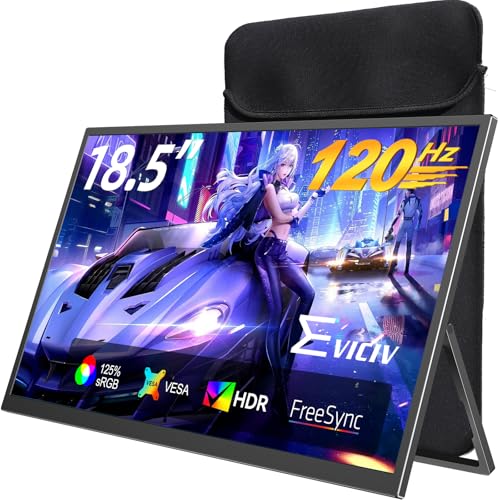
EVICIV Portable Monitor 18.5 Inch 120Hz, 125% sRGB FreeSync
An 18.5-inch 120Hz monitor with 125% sRGB, FreeSync, full-size HDMI and VESA.
Best for: A movable second screen on a desk, or light gaming.
Our take Check price for EVICIV Portable Monitor 18.5 Inch 120Hz, 125% sRGB FreeSync (opens in a new tab)
Best Sharp 2.5K
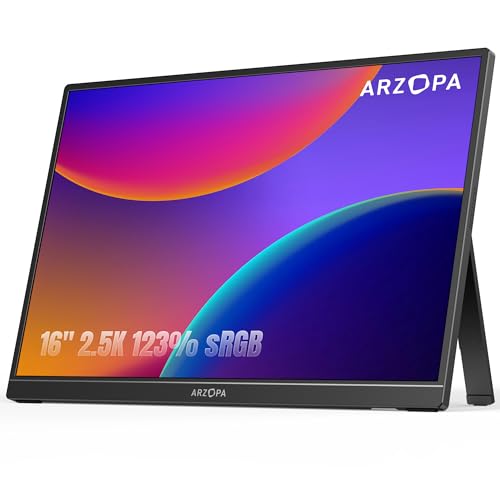
ARZOPA 16" 2.5K Portable Monitor, 2560x1600 QHD IPS Display 123% sRGB
A 16-inch 2560 x 1600 IPS monitor, 350 nits, 123% sRGB, 1.46 lb.
Best for: Text-heavy work where sharpness matters.
Our take Check price for ARZOPA 16" 2.5K Portable Monitor, 2560x1600 QHD IPS Display 123% sRGB (opens in a new tab)
Value High-Refresh 2.5K
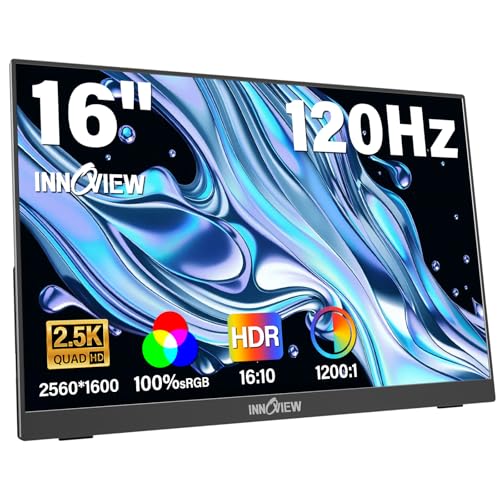
InnoView 16" Portable Monitor 120Hz 2.5K QHD 2160x1600 100% sRGB
A 16-inch 120Hz monitor listed at 2160 x 1600, 100% sRGB; power adapter not included.
Best for: High refresh on a budget.
Our take Check price for InnoView 16" Portable Monitor 120Hz 2.5K QHD 2160x1600 100% sRGB (opens in a new tab)

Best 1080p with VESA
cocopar Portable Monitor 15.6 Inch 1080P FHD 60Hz 85% sRGB
A 15.6-inch 1080p 60Hz monitor with full-size HDMI, dual USB-C and VESA holes.
Best for: Mounting a portable monitor on an arm.
Our take Check price for cocopar Portable Monitor 15.6 Inch 1080P FHD 60Hz 85% sRGB (opens in a new tab)
Best 144Hz Under $100
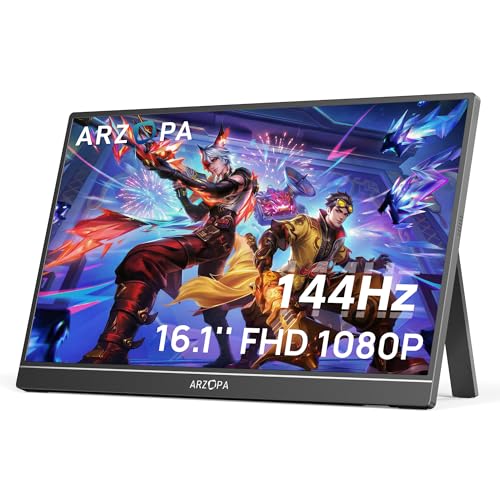
ARZOPA 16.1'' 144Hz Portable Gaming Monitor, 106% sRGB
A 16.1-inch 1080p 144Hz monitor with 106% sRGB and a built-in kickstand.
Best for: Console or laptop gaming on the go.
Our take Check price for ARZOPA 16.1'' 144Hz Portable Gaming Monitor, 106% sRGB (opens in a new tab)
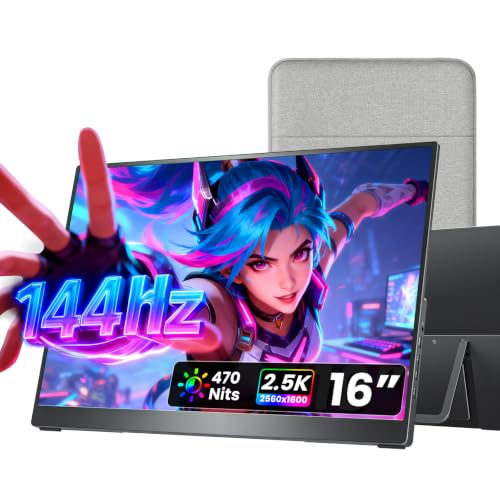
Best High-End Under $200
cocopar Portable Monitor 16 Inch 2.5K QHD 110% sRGB 144Hz USB-C, 120Hz HDMI
A 16-inch 2.5K monitor with 144Hz over USB-C, 120Hz over HDMI, 110% sRGB and a metal chassis.
Best for: Sharp text and smooth motion in one monitor.
Our take Check price for cocopar Portable Monitor 16 Inch 2.5K QHD 110% sRGB 144Hz USB-C, 120Hz HDMI (opens in a new tab)
Our Picks
Best Everyday 15.6-Inch1 of 8
KYY Portable Monitor 15.6" 1080P Computer Monitor Screen Extender w/Cover on Amazon (opens in a new tab)
The KYY is a sensible everyday portable monitor: a 15.6-inch 1080p IPS panel, two USB-C ports and a mini-HDMI input, a cover that doubles as a stand at two fixed angles, and a 1.7 lb weight.
Best for
- A laptop second screen for travel and everyday work.
Skip if
- You want a sharper screen; the ARZOPA 16-inch 2.5K has 2560 x 1600.
Why we like it
It was one of the lower-priced monitors here at the time of writing. The cover stand offers only two angles, and mini-HDMI needs a specific cable.
Key dimensions & specs
- Panel: 15.6" 1080p IPS
- Inputs: 2x USB-C, mini-HDMI
- Stand: cover, 2 angles
- Weight: 1.7 lb
Pros
- Low price
- Two USB-C ports
- Protective cover
Cons
- Two fixed angles only
- Mini-HDMI
- Refresh and brightness not stated
Lowest Price2 of 8
MNN 15.6" FHD 60Hz Portable Monitor USB-C HDMI IPS HDR on Amazon (opens in a new tab)
The MNN is the least expensive monitor here, about $50 at the time of writing: a 15.6-inch 1080p 60Hz panel with dual USB-C, HDMI, several display modes and an HDR mode.
Best for
- A basic second screen for as little as possible.
Skip if
- You want better color; the EVICIV lists 125% sRGB.
Why we like it
An HDR mode on a budget panel is unlikely to match true HDR displays, and brightness isn't stated.
Key dimensions & specs
- Panel: 15.6" 1080p, 60Hz
- Inputs: 2x USB-C, HDMI
- Modes: multiple, HDR mode
Pros
- Lowest price here
- Dual USB-C
- Standard HDMI
Cons
- Brightness not stated
- HDR mode likely limited
- Less established brand
Best Large Screen3 of 8
EVICIV Portable Monitor 18.5 Inch 120Hz, 125% sRGB FreeSync on Amazon (opens in a new tab)
The EVICIV offers the largest screen here, 18.5 inches, at 120Hz with FreeSync and a listed 125% sRGB color range, plus full-size HDMI, dual USB-C, a 75mm VESA mount and a 360-degree bracket.
Best for
- A movable second screen on a desk, or light gaming.
Skip if
- You travel often; a 15.6-inch model is lighter.
Why we like it
Its size makes it less portable, closer to a compact desk monitor you can move.
Key dimensions & specs
- Panel: 18.5", 120Hz, FreeSync
- Color: 125% sRGB (listed)
- Inputs: HDMI + 2x USB-C
- Mount: 75 x 75mm VESA, 360° bracket
Pros
- Largest screen
- 120Hz with FreeSync
- VESA mount
Cons
- Less portable
- Resolution not stated in summary
- Heavier than 15.6-inch models
Best Sharp 2.5K4 of 8
ARZOPA 16" 2.5K Portable Monitor, 2560x1600 QHD IPS Display 123% sRGB on Amazon (opens in a new tab)
The ARZOPA 16-inch 2.5K is the sharpest option here with a clear resolution: 2560 x 1600 on a 16-inch 16:10 panel, rated at 350 nits and 123% sRGB, weighing 1.46 lb, with USB-C and HDMI.
Best for
- Text-heavy work where sharpness matters.
Skip if
- You want high refresh; the cocopar 2.5K adds 144Hz.
Why we like it
Its refresh rate isn't stated in the summary, so assume 60Hz unless the listing says otherwise.
Key dimensions & specs
- Panel: 16" 2560 x 1600
- Brightness: 350 nits
- Color: 123% sRGB (listed)
- Inputs: USB-C + HDMI
- Weight: 1.46 lb
Pros
- Sharp 2.5K
- Light
- Stated brightness
Cons
- Refresh not stated
- Fewer ports than some
- Costs more than 1080p models
Value High-Refresh 2.5K5 of 8
InnoView 16" Portable Monitor 120Hz 2.5K QHD 2160x1600 100% sRGB on Amazon (opens in a new tab)
The InnoView pairs a 16-inch panel with 120Hz and 100% sRGB, at a lower price than the other 2.5K monitors at the time of writing, with dual USB-C and HDMI and a lightweight stand.
Best for
- High refresh on a budget.
Skip if
- You need a clearly stated resolution; the ARZOPA 2.5K lists 2560 x 1600.
Why we like it
The listing gives 2160 x 1600, an unusual figure that may be a typo for 2560 x 1600; confirm before buying. A power adapter isn't included, which you may need for HDMI use.
Key dimensions & specs
- Panel: 16", 120Hz
- Resolution: 2160 x 1600 (as listed; confirm)
- Color: 100% sRGB
- Inputs: 2x USB-C + HDMI
- Adapter: not included
Pros
- 120Hz for less
- Good color listed
- Dual USB-C
Cons
- Resolution figure unclear
- No power adapter
- Stand design basic
Best 1080p with VESA6 of 8
cocopar Portable Monitor 15.6 Inch 1080P FHD 60Hz 85% sRGB on Amazon (opens in a new tab)
The cocopar 15.6-inch is a straightforward 1080p 60Hz monitor with an 85% sRGB listing, full-size HDMI, dual USB-C and VESA mounting holes, useful for fixing it to an arm.
Best for
- Mounting a portable monitor on an arm.
Skip if
- You want more for the money; the InnoView adds 120Hz.
Why we like it
It cost about as much as the higher-spec InnoView at the time of writing, so its VESA mount and brand feedback are the reasons to choose it.
Key dimensions & specs
- Panel: 15.6" 1080p, 60Hz
- Color: 85% sRGB
- Inputs: HDMI + 2x USB-C
- Mount: VESA holes
Pros
- VESA mountable
- Full-size HDMI
- Positive buyer feedback
Cons
- Priced like higher-spec models
- Narrower color
- 60Hz
Best 144Hz Under $1007 of 8
ARZOPA 16.1'' 144Hz Portable Gaming Monitor, 106% sRGB on Amazon (opens in a new tab)
The ARZOPA 16.1-inch runs at 144Hz, the highest refresh among the 1080p monitors here, with 106% sRGB listed, two USB-C and mini-HDMI inputs and a built-in kickstand, under $100 at the time of writing.
Best for
- Console or laptop gaming on the go.
Skip if
- You want FreeSync; the EVICIV lists it.
Why we like it
The listing doesn't mention adaptive sync, which helps smooth games with varying frame rates.
Key dimensions & specs
- Panel: 16.1" 1080p, 144Hz
- Color: 106% sRGB
- Inputs: 2x USB-C + mini-HDMI
- Stand: built-in kickstand
Pros
- 144Hz
- Kickstand
- Low price
Cons
- No adaptive sync listed
- Mini-HDMI
- 1080p
Best High-End Under $2008 of 8
cocopar Portable Monitor 16 Inch 2.5K QHD 110% sRGB 144Hz USB-C, 120Hz HDMI on Amazon (opens in a new tab)
The cocopar 16-inch 2.5K combines sharpness and speed: a 2.5K panel at 144Hz over USB-C or 120Hz over HDMI, 110% sRGB, a metal chassis, full-size HDMI, dual USB-C and VESA holes.
Best for
- Sharp text and smooth motion in one monitor.
Skip if
- Budget matters; the ARZOPA 144Hz costs much less at 1080p.
Why we like it
It was the most expensive monitor here at the time of writing, close to the $200 ceiling.
Key dimensions & specs
- Panel: 16" 2.5K
- Refresh: 144Hz (USB-C) / 120Hz (HDMI)
- Color: 110% sRGB
- Build: metal chassis
- Inputs: HDMI + 2x USB-C; VESA
Pros
- Sharp and fast
- Metal build
- VESA mountable
Cons
- Most expensive here
- Heavier than plastic models
- Needs capable source for 144Hz
How We Chose These Portable Monitors Under $200
Each pick was assessed across 4 criteria weighted for real-world use.
- Panel
- We compared size, resolution, refresh and listed color.
- Connections
- We noted USB-C, HDMI and mini-HDMI inputs.
- Portability
- We noted weight and stand type.
- Price
- We compared prices at the time of writing.
What to Look for in a Portable Monitor Under $200
Key buying criteria so you get the right fit the first time.
Check your laptop's USB-C
Single-cable use needs video output (DisplayPort Alt Mode or Thunderbolt).
Choose resolution
2.5K (ARZOPA 16, cocopar 16) is sharper for text than 1080p.
Choose refresh rate
60Hz suits office work; 120–144Hz suits gaming and smooth scrolling.
Consider size and stand
18.5 inches is less portable; VESA holes allow arm mounting.
How to Choose a Portable Monitor Under $200
By need
| Need | Consider |
|---|---|
| Everyday travel screen | KYY 15.6" |
| Lowest price | MNN 15.6" |
| Largest screen | EVICIV 18.5" |
| Sharp text | ARZOPA 16" 2.5K |
| High refresh on a budget | ARZOPA 16.1" 144Hz or InnoView 120Hz |
| VESA mount | cocopar 15.6" or 16" |
| Sharp and fast | cocopar 16" 2.5K 144Hz |
Frequently Asked Questions
Can one USB-C cable run it?
Yes, if your laptop's USB-C port supports video output and enough power.
1080p or 2.5K?
2.5K is noticeably sharper for text on a 16-inch screen; 1080p costs less.
Do I need 144Hz?
For gaming or smooth motion; office work is fine at 60Hz.
Can I mount it on an arm?
The models with VESA holes, such as the cocopar and EVICIV, can be mounted.
Will it work with a phone or console?
Many support USB-C or HDMI sources; check the listing for your device.
Bottom Line
For most laptop users, the KYY 15.6-inch is an inexpensive everyday second screen, and the ARZOPA 16-inch 2.5K is worth a little more for sharper text.
For gaming, the ARZOPA 144Hz is the value pick and the cocopar 16-inch 2.5K 144Hz the high-end option. The EVICIV suits a movable desk screen.