
The Best Budget Multi-Device Charging Stations Under $50: Picks and Trade-offs
At $30–$50 you start getting GaN technology, USB-C Power Delivery that fast-charges newer phones and iPads, and multi-device organizers that handle everything in one spot. These are the 5 best picks for the money.
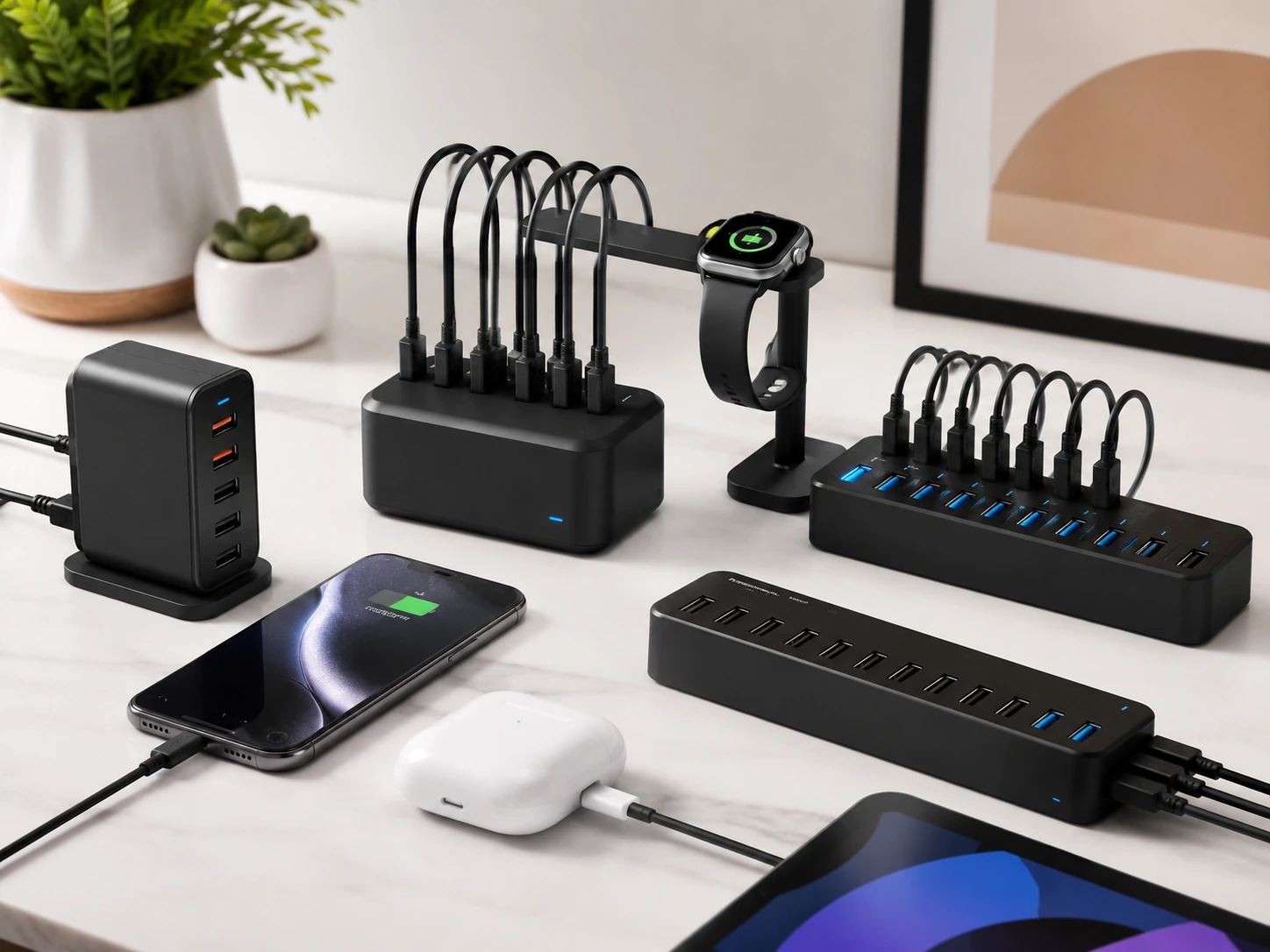
Quick Picks
| Pick | Product | |
|---|---|---|
| Best Overall | UGREEN Nexode 65W 4-Port GaN | Check price |
| Best for USB-C Laptops | Anker Premium 5-Port PD | Check price |
| Best for Apple Watch | SooPii Premium 6-Port + Watch Arm | Check price |
| Most Ports | ORICO 10-Port 120W | Check price |
| Best Hub + Charger Combo | Sabrent 10-Port USB 3.0 Hub | Check price |
The $30–$50 range is where USB charging stations start getting genuinely interesting. At $25, you get USB-A hubs that charge phones reliably. At $35–$50, you start getting GaN technology, smaller, cooler-running chargers that can fast-charge laptops alongside phones.
The 5 picks in this guide were evaluated on wattage per port, USB-C PD availability, GaN efficiency, and whether they handle mixed Apple and Android device households without compromise.
Every pick is from a brand with a verifiable Amazon history, UGREEN, Anker, SooPii, ORICO, and Sabrent all have thousands of reviews across their product lines.
What to Know Before Buying a Multi-Device Charging Station
GaN vs Traditional Silicon, Why It Matters at This Price
Traditional chargers use silicon transistors. GaN (Gallium Nitride) chargers use a different semiconductor that runs at higher frequencies, this makes them smaller, cooler, and more power-efficient. A 65W GaN charger like the UGREEN Nexode is roughly deck-of-cards size. A traditional 65W charger would be significantly larger.
Traditional silicon charger
- Larger physical size
- Runs warmer, generates more heat
- Less efficient, some wattage lost as heat
- Often cheaper at same wattage
GaN charger
- Compact, often 40–60% smaller
- Runs cooler, better long-term durability
- More efficient, less wasted heat
- Slightly more expensive at same wattage
How Much USB-C Wattage Do You Actually Need?
| Device | Minimum PD needed | Full-speed charge |
|---|---|---|
| iPhone 12–16 | 20W | 20W (0–50% in 30 min) |
| iPad Air / iPad Pro | 20W | 30W (full speed overnight) |
| MacBook Air M2/M3 | 30W (slow) | 65W (fast, active use) |
| MacBook Pro 14" | 30W (charge while asleep) | 96W (active use, not available here) |
| Android flagship (most) | 18W PD | 25–45W (device-specific) |
Our Top 5 Picks
UGREEN Nexode 65W 4-Port GaN
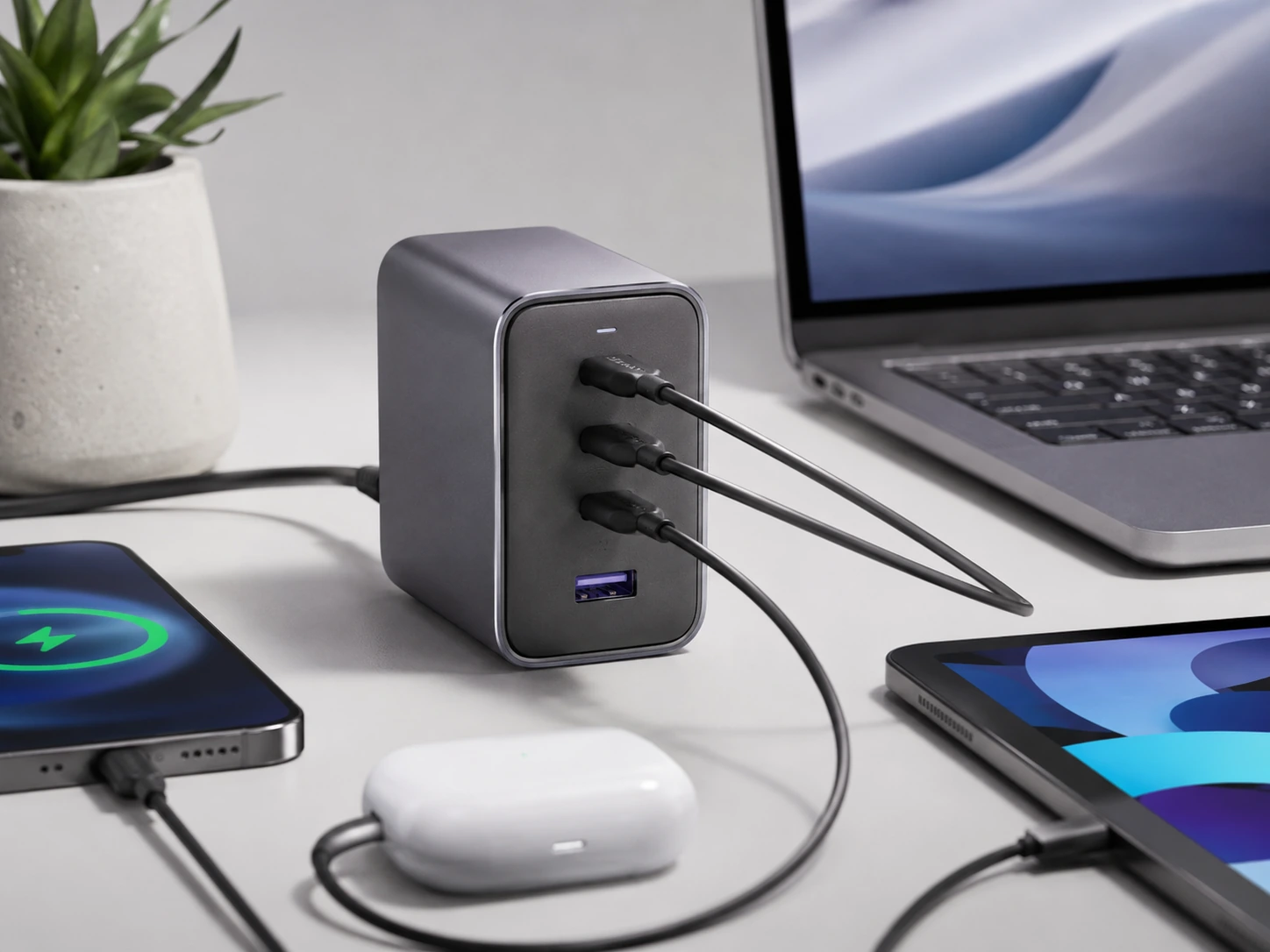
Why it works
65W total from a GaN chip charges a MacBook Air overnight, iPhone in under an hour. 3 USB-C ports cover iPhones 15/16, iPads, Android flagships, and MacBooks simultaneously. GaN runs 40% cooler than traditional silicon chargers. Compact, roughly the size of a deck of cards. Frequently on sale for $24–$30.
Trade-offs
- · Only 4 total ports, not for 5+ device households
- · Only 1 USB-A port, older devices need cable adapter
Skip if: You still have mostly older USB-A devices. The Anker Premium or SooPii picks give more USB-A ports.
Check price on AmazonPros
- +65W GaN, charges MacBook Air overnight
- +3 USB-C ports for modern devices
- +40% cooler than traditional chargers
- +Deck-of-cards size
- +Best watt-per-dollar in this guide
Cons
- −Only 1 USB-A port
- −Only 4 total ports
Anker Premium 5-Port PD
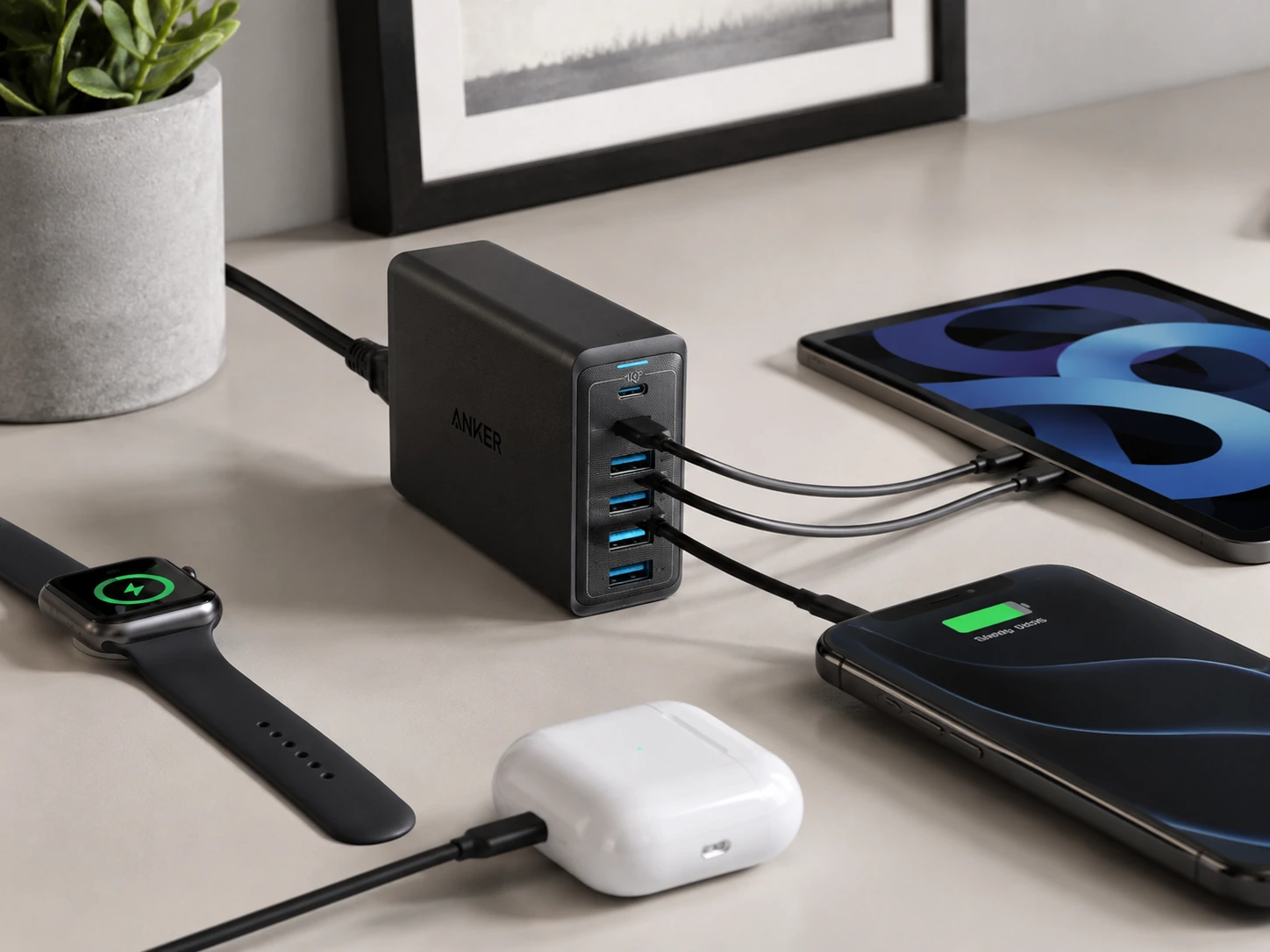
Why it works
30W USB-C PD port, the highest-wattage USB-C port under $40 in this category. 4 additional PowerIQ USB-A ports auto-detect each device's optimal charge speed. Desktop design with flat base stays stable. Charges a MacBook Air (2018+) at a slow but steady rate overnight.
Trade-offs
- · 30W USB-C won't fast-charge a MacBook Pro during active use (needs 61W+)
- · USB-A ports split remaining 30W across 4 devices, slower under full load
Skip if: You need to fast-charge a MacBook Pro at full speed during active use.
Check price on AmazonPros
- +30W USB-C, highest in this sub-$40 category
- +PowerIQ on all 4 USB-A ports
- +Stable flat-base desktop design
- +Charges MacBook Air overnight
- +Anker warranty
Cons
- −30W USB-C insufficient for MacBook Pro active use
- −Slower USB-A under full load
SooPii Premium 6-Port + Watch Arm
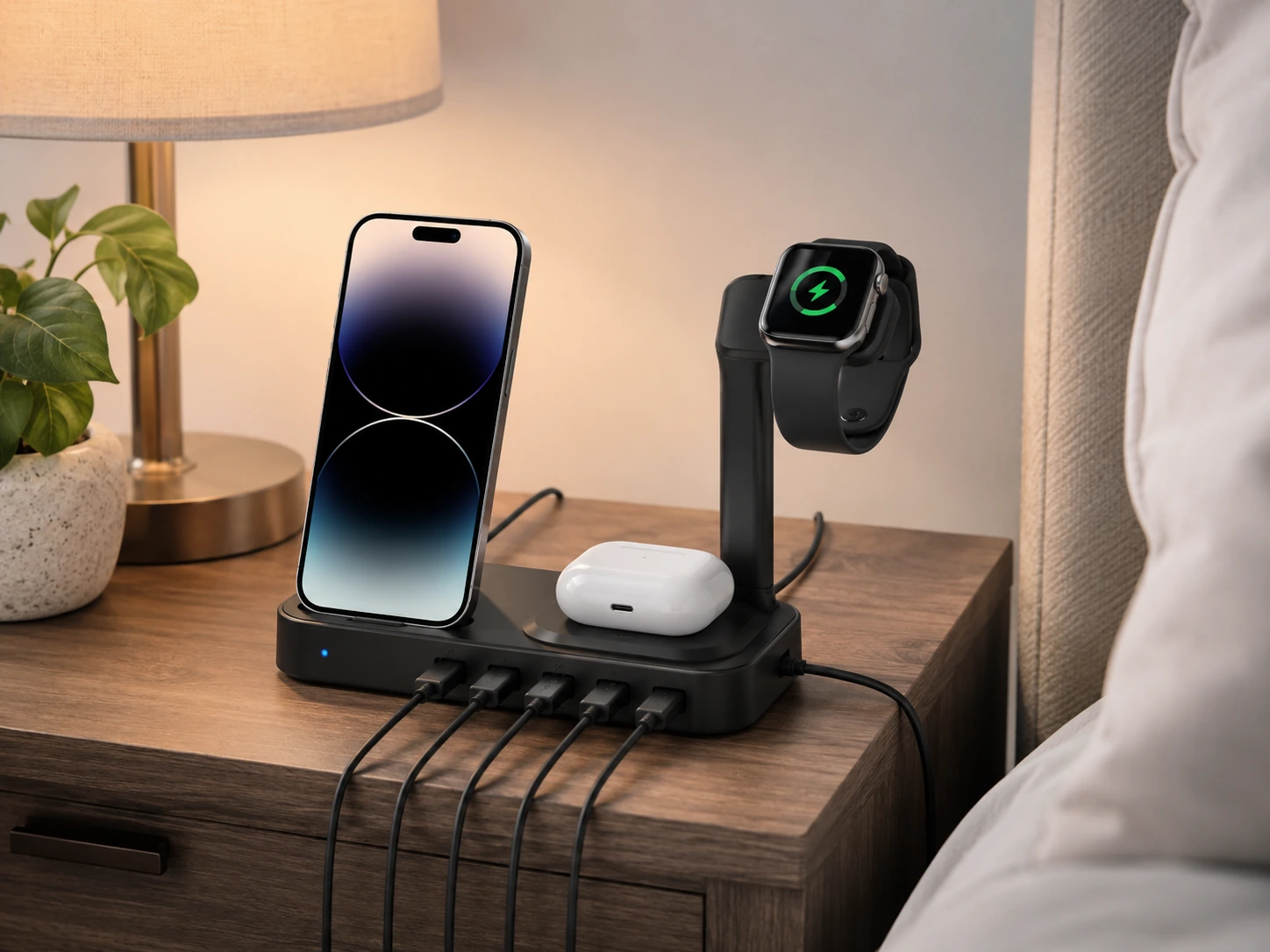
Why it works
Dedicated Apple Watch charger arm holds your Watch at the correct angle, the only pick in this guide with a built-in Watch arm. Includes 6 short cables (2× Lightning, 2× USB-C, 1× Micro-USB, 1× USB-C to USB-C). 6 charging slots organize phones and tablets vertically. PD 20W USB-C fast-charges modern iPhones. Best for households mixing iPhones, Androids, and Apple Watch.
Trade-offs
- · Apple Watch arm is a holder only, you still need your own Watch charger puck
- · Larger footprint than UGREEN Nexode
Skip if: You don't use Apple Watch and don't need included cables. The UGREEN Nexode delivers more wattage in a smaller body.
Check price on AmazonPros
- +Built-in Apple Watch arm holder
- +6 cables included ready out of the box
- +6 device slots keep everything organized
- +PD 20W fast-charges iPhones
- +Best for mixed Apple/Android households
Cons
- −Watch arm doesn't include charger disk
- −Larger footprint
ORICO 10-Port 120W
Why it works
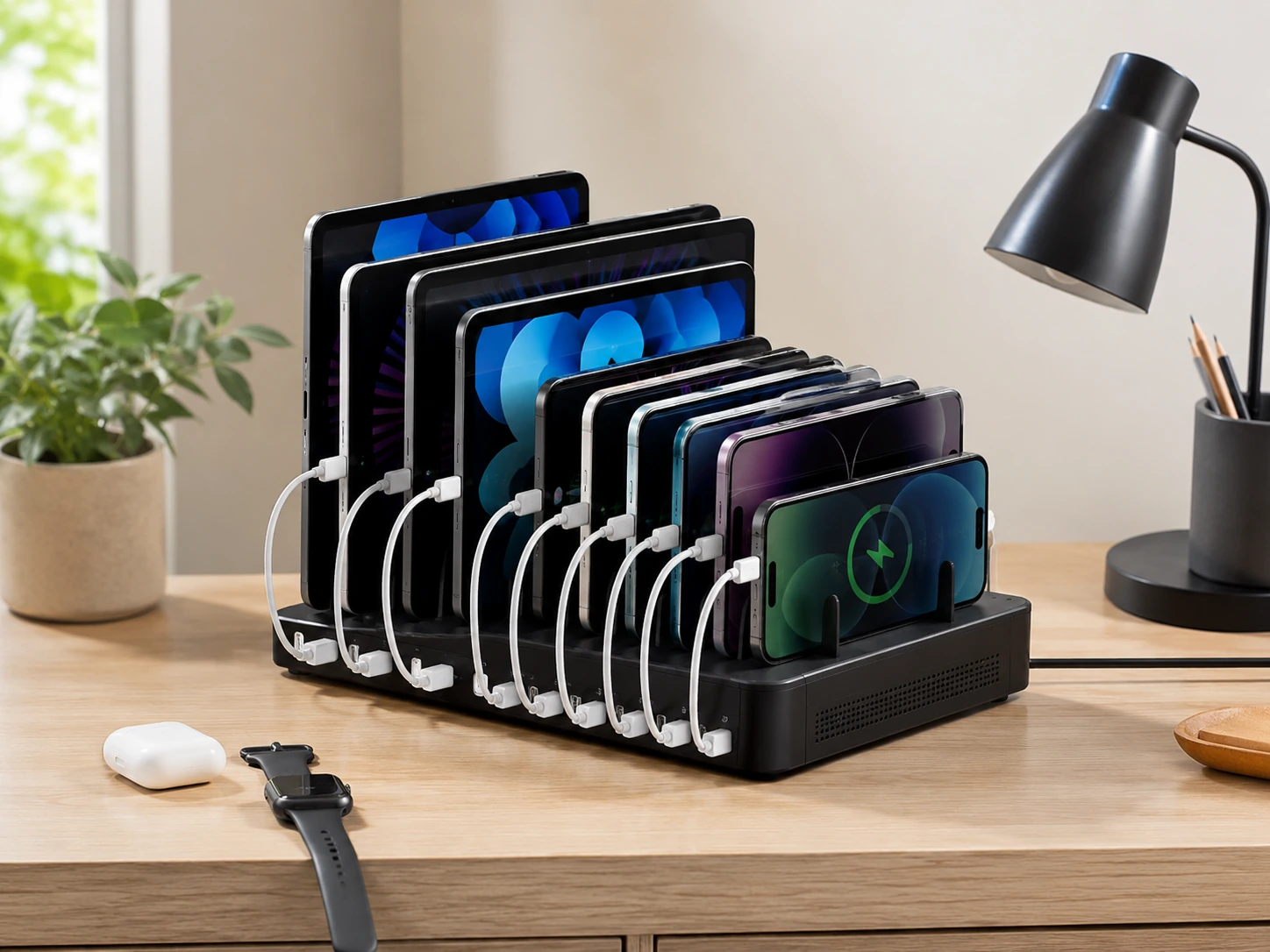
120W across 10 ports, double the wattage of most budget stations, delivering 12W per port. Handles a family of 4 with phones, tablets, earbuds, and readers simultaneously. Individual port switches on some models let you toggle per slot. Best wattage-per-port ratio in the sub-$50 USB-A category.
Trade-offs
- · All USB-A, no USB-C for newer devices
- · Larger station requires more desk space
- · Priciest pick at $40–$45
Skip if: You have USB-C devices that need fast charging. The UGREEN Nexode at the same price gives GaN and USB-C PD.
Check price on AmazonPros
- +120W across 10 ports = 12W per port
- +Handles 10 devices simultaneously
- +Individual port switches
- +Best wattage-per-port under $50 for USB-A
- +Double the wattage of typical budget stations
Cons
- −No USB-C port
- −Larger physical size
- −Most expensive in this guide
Sabrent 10-Port USB 3.0 Hub
Why it works
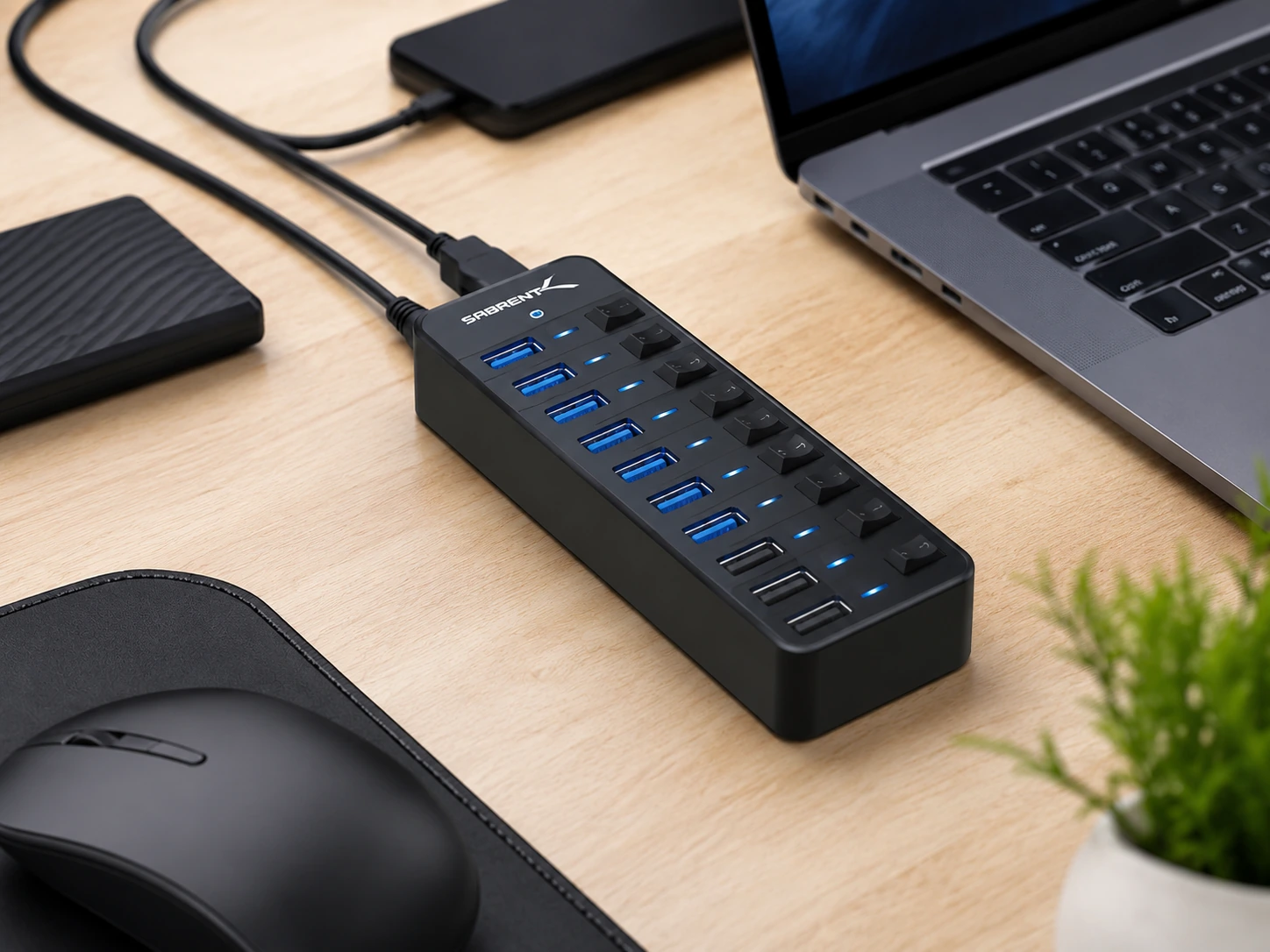
0 data hub (5Gbps) with 3 dedicated smart charging ports in one unit. Individual power switches and LED indicators for each port. Works with PC, Mac, Xbox, PS5. 0 data expansion (hard drives, printers, keyboards).
Trade-offs
- · Only 3 charging ports, 7 ports are data-only
- · $45–$50 is the top of this guide's range
- · Overkill if you only need charging
Skip if: One of the first four picks gives more charging value.
Check price on AmazonPros
- +USB 3.0 data hub + charging in one unit
- +Individual switches + LED per port
- +Works with PC, Mac, Xbox, PS5
- +60W adapter included
- +Best if you need data expansion too
Cons
- −Only 3 dedicated charging ports
- −Most expensive pick ($45–$50)
- −Overkill for charging-only use
Frequently Asked Questions
What's the difference between USB-A and USB-C charging stations?
USB-A stations have the traditional rectangular port. USB-C stations have the newer oval port, which supports faster charging (20–100W+) and works with modern iPhones (15+), iPads, Android flagships, and laptops. If you have devices from 2022 or later, USB-C capability is worth the extra $10.
Can a $50 charging station charge a laptop?
The UGREEN Nexode 65W and Anker Premium 30W USB-C picks can charge laptops at a slow but functional rate. 65W charges a MacBook Air overnight. For a MacBook Pro under active workload, you need 90–140W, that's above $80.
Is GaN worth paying for in a budget charging station?
Yes, especially for a desk. GaN chargers run significantly cooler, are smaller, and maintain their wattage longer than traditional silicon chargers. The UGREEN Nexode at ~$30–$40 is the clearest example: GaN technology at a price that used to cost $60+.
How many watts does an iPhone need to fast charge?
IPhone 12 and later fast charges at 20W via USB-C PD. With a 20W adapter and USB-C cable, you go from 0–50% in about 30 minutes. Any station with a 20W+ USB-C PD port achieves this.
Bottom Line
Best overall and best GaN: the UGREEN Nexode 65W, 65W GaN, 3 USB-C ports, deck-of-cards size. Best watt-per-dollar at this price.
Best for Apple Watch + cables: the SooPii Premium 6-Port, built-in Watch arm, 6 cables included, PD 20W, best for mixed Apple households.
Most ports (family use): the ORICO 10-Port 120W, 12W per port across 10 devices, double the wattage of typical budget stations.
Browse multi-device charging stations under $50 on Amazon
GaN options included. All Prime-eligible.
Shop on Amazon →Related Guides
Best USB Charging Stations Under $30
7 reliable picks for phones, earbuds, and tablets, under $30
Best Apple 3-in-1 Charging Stations Under $40
iPhone + Watch + AirPods on one stand, under $40
USB-C Hub vs Docking Station
Which one do you actually need for your setup?
Desk Setup Essentials
15 must-have items for any desk setup
Last updated: June 2026. Prices checked at time of writing, verify current Amazon price before purchasing.